Open World Multi Vehicle Game

Open World Multi Vehicle Game

Strategy

| Apic Studio Pvt Ltd

Play on PC with BlueStacks or from our cloud

  • Overview
  • Game Features
  • How to Play

Page Modified On: May 05, 2026

Play Open World Multi Vehicle Game on PC or Mac

Step into the World of Open World Multi Vehicle Game, a thrilling Strategy game from the house of Apic Studio Pvt Ltd. Play this Android game on BlueStacks App Player and experience immersive gaming on PC or Mac.

About the Game

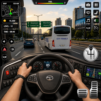
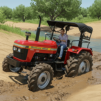
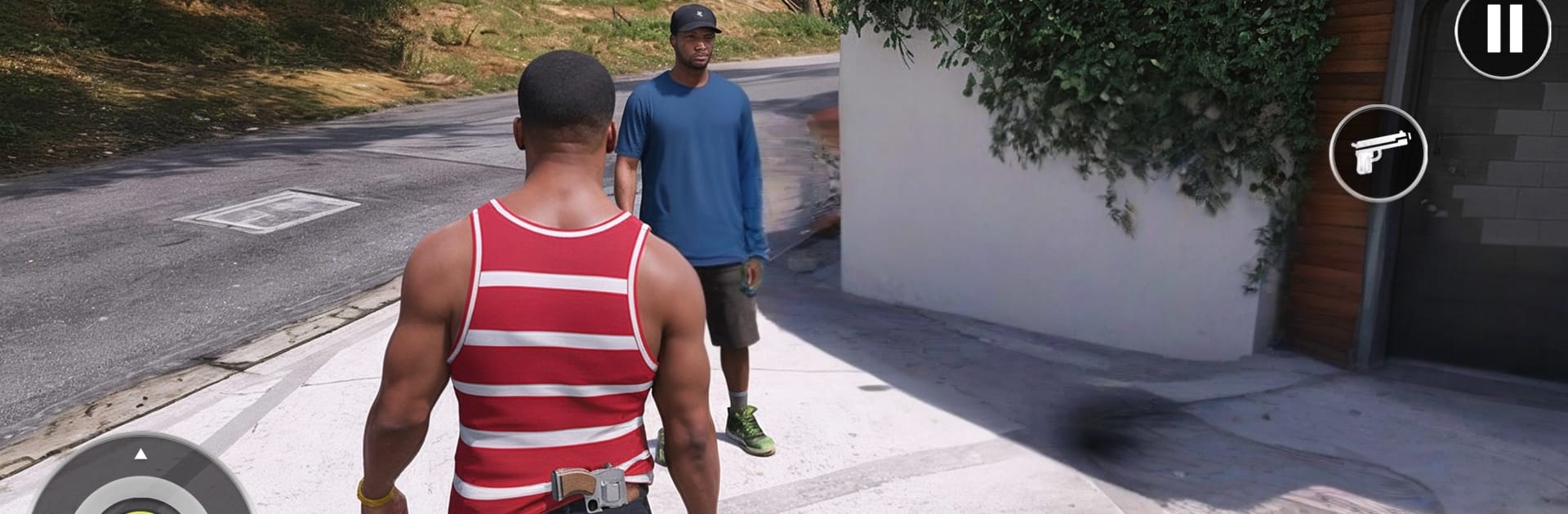
Open World Multi Vehicle Game lets you roam a huge sandbox at your own pace, swapping wheels whenever the mood hits. Built by Apic Studio Pvt Ltd, it’s all about exploring, testing different rides, and finding your own rhythm across city streets, quiet villages, and rough trails. It sits in the Strategy genre, so choosing the right vehicle and route for the terrain actually matters.

Game Features

  • Big Open Map: Cruise through dense city blocks, rolling countryside, highways, and rugged offroad paths without fences or loading screens getting in your way.
  • Swap Vehicles Anytime: Jump between cars, bikes, buses, trucks, and even police cruisers. Each one handles differently, so your pick changes how you approach a road, a hill, or a dirt track.
  • Easy, Responsive Controls: Steering feels smooth and snappy, whether you’re threading traffic or crawling over rocks. It’s simple to learn and satisfying to master.
  • Varied Driving Surfaces: Go from slick asphalt to gravel, mud, and uneven ground. The world nudges you to think ahead—speed isn’t always the answer when the terrain fights back.
  • Free-Roam Freedom: No strict checkpoints. Set your own mini-goals, scout new neighborhoods, or just take the long way around because it looks interesting.
  • Made for Mobile: Optimized to run clean and steady on phones, so you can explore longer without stutter getting in the way.
  • Strategy at the Core: Pick routes that suit your ride, balance control with speed, and switch vehicles when the landscape changes—smart choices make the drive smoother.
  • Ongoing Updates: Expect the world to grow over time with fresh locations and additional vehicles that keep the sandbox feeling new.
  • Plays Nicely on PC: Prefer a bigger screen? Open World Multi Vehicle Game also feels great on BlueStacks, with crisp visuals and comfortable desktop play.

Make your gaming sessions memorable with precise controls that give you an edge in close combats and visuals that pop up, bringing every character to life.


Game Features

Enhancements

  • Macros
  • Multi Instance
  • Multi Instance Sync
  • Eco Mode
  • Enhancements
Macros

Macros

Skip the boring parts of a game. Play Open World Multi Vehicle Game with Macros and get the edge. Simply record a sequence of commands and execute them at any moment.
Multi Instance

Multi Instance

Why limit to one game on your phone when you can play many on your PC? Open multiple instances of Open World Multi Vehicle Game at once with Multi-Instance. Leverage the power of different accounts by doing more.
Multi Instance Sync

Multi Instance Sync

Get the best out of Open World Multi Vehicle Game with Multi-Instance Sync. Play the game from different accounts and build your own empire. Use Multi-instance sync to repeat the action in the main BlueStacks instance on all other instances.
Eco Mode

Eco Mode

Find the rarest heroes by making multiple summons in Open World Multi Vehicle Game. And while you are at it, reduce your PC’s resource consumption with the Eco Mode. Farm efficiently. Get the best results.
Read More

How to Download and Play Open World Multi Vehicle Game on PC or Mac

  • Download and install BlueStacks on your PC or Mac

  • Complete Google sign-in to access the Play Store, or do it later

  • Look for Open World Multi Vehicle Game in the search bar at the top right corner

  • Click to install Open World Multi Vehicle Game from the search results

  • Complete Google sign-in (if you skipped step 2) to install Open World Multi Vehicle Game

  • Click the Open World Multi Vehicle Game icon on the home screen to start playing

video
Watch Video

Minimum System Requirements

With BlueStacks 5, you can get started on a PC that fulfills the following requirements.

  • Operating System

    Microsoft Windows 7 or above, macOS 11 (Big Sur) or above

  • Processor

    Intel, AMD or Apple Silicon Processor

  • RAM

    at least 4GB

  • HDD

    10GB Free Disk Space

Note:

* You must be an Administrator on your PC. Up to date graphics drivers from Microsoft or the chipset vendor.

Open World Multi Vehicle Game - FAQs

  • How to play Open World Multi Vehicle Game on Windows PC & Mac?

    Play Open World Multi Vehicle Game on your PC or Mac by following these simple steps.

    • Click on 'Play Open World Multi Vehicle Game on PC’ to download BlueStacks
    • Install it and log-in to Google Play Store
    • Launch and play the game.
  • Why is BlueStacks the fastest and safest platform to play games on PC?

    BlueStacks respects your privacy and is always safe and secure to use. It does not carry any malware, spyware, or any sort of additional software that could harm your PC.

    It is engineered to optimize speed and performance for a seamless gaming experience.

  • What are Open World Multi Vehicle Game PC requirements?

    Minimum requirement to run Open World Multi Vehicle Game on your PC

    • OS: Microsoft Windows 7 or above MacOS 11 (Big Sur) or above
    • Processor: Intel, AMD or Apple Silicon Processor
    • RAM: Your PC must have at least 4GB of RAM. (Note that having 4GB or more disk space is not a substitute for RAM)
    • HDD: 10GB Free Disk Space.
    • You must be an Administrator on your PC.