Police Car Street Racing

Police Car Street Racing

Strategy

| Big Time Studios

Play on PC with BlueStacks or from our cloud

  • Overview
  • Game Features
  • How to Play

Page Modified On: July 27, 2026

Play Police Car Street Racing on PC or Mac

Bring your A-game to Police Car Street Racing, the Strategy game sensation from Big Time Studios. Give your gameplay the much-needed boost with precise game controls, high FPS graphics, and top-tier features on your PC or Mac with BlueStacks.

About the Game

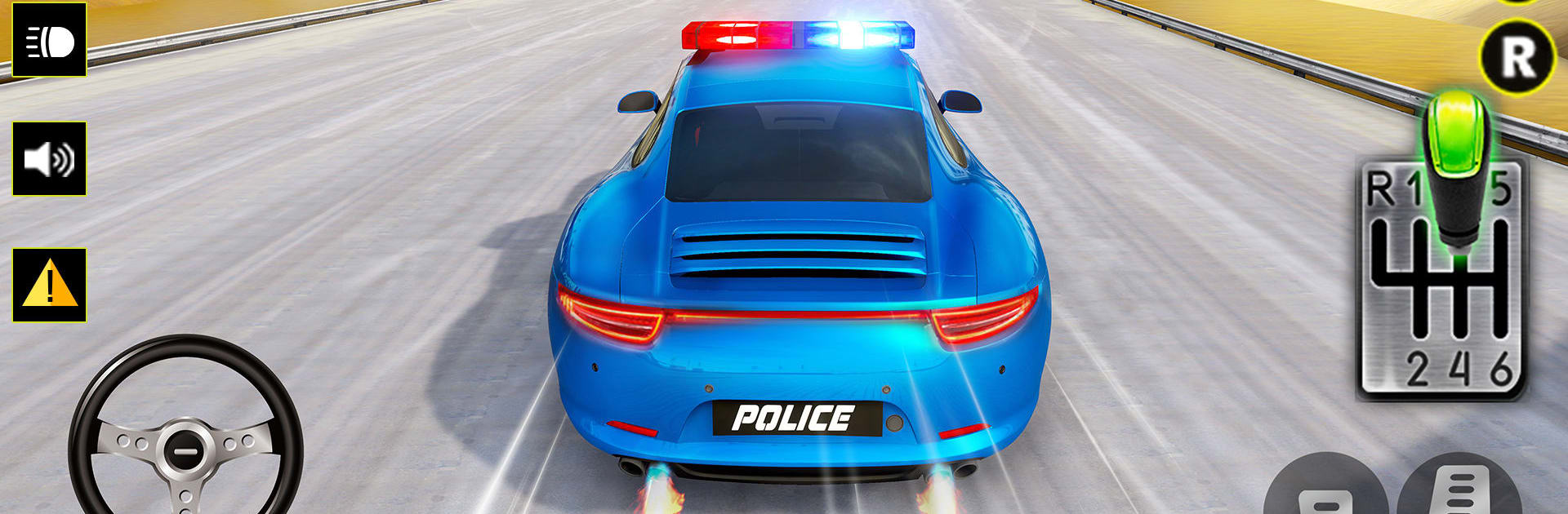
Police Car Street Racing throws you into fast, city-night chases with flashing lights and a whole lot of attitude. It’s a Strategy take on street racing, where quick thinking matters as much as raw speed—pick smart lines, time your nitro perfectly, and tune a ride that fits the way you drive. Short races, tight corners, and real opponents keep every run tense and satisfying.

Game Features

  • Tactical Racing Choices — Plan when to drift, when to brake late, and when to punch nitro so you come out ahead instead of spinning out.
  • 1v1 Duels and PvP Showdowns — Go head-to-head or jump into lively multiplayer races against real players who fight for every inch.
  • Unlockable Police Rides — Build a garage of cruisers, interceptors, and heavy hitters, each with its own feel and strengths.
  • Deep Tuning and Upgrades — Improve acceleration, top speed, handling, and more until your setup clicks for the tracks you love.
  • Make It Look Official — Add decals, light bars, sirens, and plates to nail that clean patrol look or create a street-mean build.
  • Drifts, Ramps, and Big Air — Slide through tight corners, hit ramps with confidence, and stick tricky landings without losing momentum.
  • Nitro With Purpose — Drop the boost at the exact moment you exit a turn or approach a straight to slingshot past rivals.
  • Global Leaderboards — Track your best times and climb the rankings through consistent wins and clean, fast runs.
  • Punchy Audio and Nighttime Vibes — Crisp visuals and satisfying engine sounds make every chase feel intense.
  • Play on Your Terms — Runs great on mobile and also feels smooth on BlueStacks if you prefer racing on a computer.

Ready to top the leaderboard? We bet you do. Let precise controls and sharp visuals optimized on BlueStacks lead you to victory.


Game Features

Enhancements

  • Macros
  • Multi Instance
  • Multi Instance Sync
  • Eco Mode
  • Enhancements
Macros

Macros

Skip the boring parts of a game. Play Police Car Street Racing with Macros and get the edge. Simply record a sequence of commands and execute them at any moment.
Multi Instance

Multi Instance

Why limit to one game on your phone when you can play many on your PC? Open multiple instances of Police Car Street Racing at once with Multi-Instance. Leverage the power of different accounts by doing more.
Multi Instance Sync

Multi Instance Sync

Get the best out of Police Car Street Racing with Multi-Instance Sync. Play the game from different accounts and build your own empire. Use Multi-instance sync to repeat the action in the main BlueStacks instance on all other instances.
Eco Mode

Eco Mode

Find the rarest heroes by making multiple summons in Police Car Street Racing. And while you are at it, reduce your PC’s resource consumption with the Eco Mode. Farm efficiently. Get the best results.
Read More

How to Download and Play Police Car Street Racing on PC or Mac

  • Download and install BlueStacks on your PC or Mac

  • Complete Google sign-in to access the Play Store, or do it later

  • Look for Police Car Street Racing in the search bar at the top right corner

  • Click to install Police Car Street Racing from the search results

  • Complete Google sign-in (if you skipped step 2) to install Police Car Street Racing

  • Click the Police Car Street Racing icon on the home screen to start playing

video
Watch Video

Minimum System Requirements

With BlueStacks 5, you can get started on a PC that fulfills the following requirements.

  • Operating System

    Microsoft Windows 7 or above, macOS 11 (Big Sur) or above

  • Processor

    Intel, AMD or Apple Silicon Processor

  • RAM

    at least 4GB

  • HDD

    10GB Free Disk Space

Note:

* You must be an Administrator on your PC. Up to date graphics drivers from Microsoft or the chipset vendor.

Police Car Street Racing - FAQs

  • How to play Police Car Street Racing on Windows PC & Mac?

    Play Police Car Street Racing on your PC or Mac by following these simple steps.

    • Click on 'Play Police Car Street Racing on PC’ to download BlueStacks
    • Install it and log-in to Google Play Store
    • Launch and play the game.
  • Why is BlueStacks the fastest and safest platform to play games on PC?

    BlueStacks respects your privacy and is always safe and secure to use. It does not carry any malware, spyware, or any sort of additional software that could harm your PC.

    It is engineered to optimize speed and performance for a seamless gaming experience.

  • What are Police Car Street Racing PC requirements?

    Minimum requirement to run Police Car Street Racing on your PC

    • OS: Microsoft Windows 7 or above MacOS 11 (Big Sur) or above
    • Processor: Intel, AMD or Apple Silicon Processor
    • RAM: Your PC must have at least 4GB of RAM. (Note that having 4GB or more disk space is not a substitute for RAM)
    • HDD: 10GB Free Disk Space.
    • You must be an Administrator on your PC.