Ranch Simulator Farm Land Game

Ranch Simulator Farm Land Game

Strategy

| S & U Games

Play on PC with BlueStacks or from our cloud

  • Overview
  • Game Features
  • How to Play

Page Modified On: May 11, 2026

Play Ranch Simulator Farm Land Game on PC or Mac

Bring your A-game to Ranch Simulator Farm Land Game, the Strategy game sensation from S & U Games. Give your gameplay the much-needed boost with precise game controls, high FPS graphics, and top-tier features on your PC or Mac with BlueStacks.

About the Game

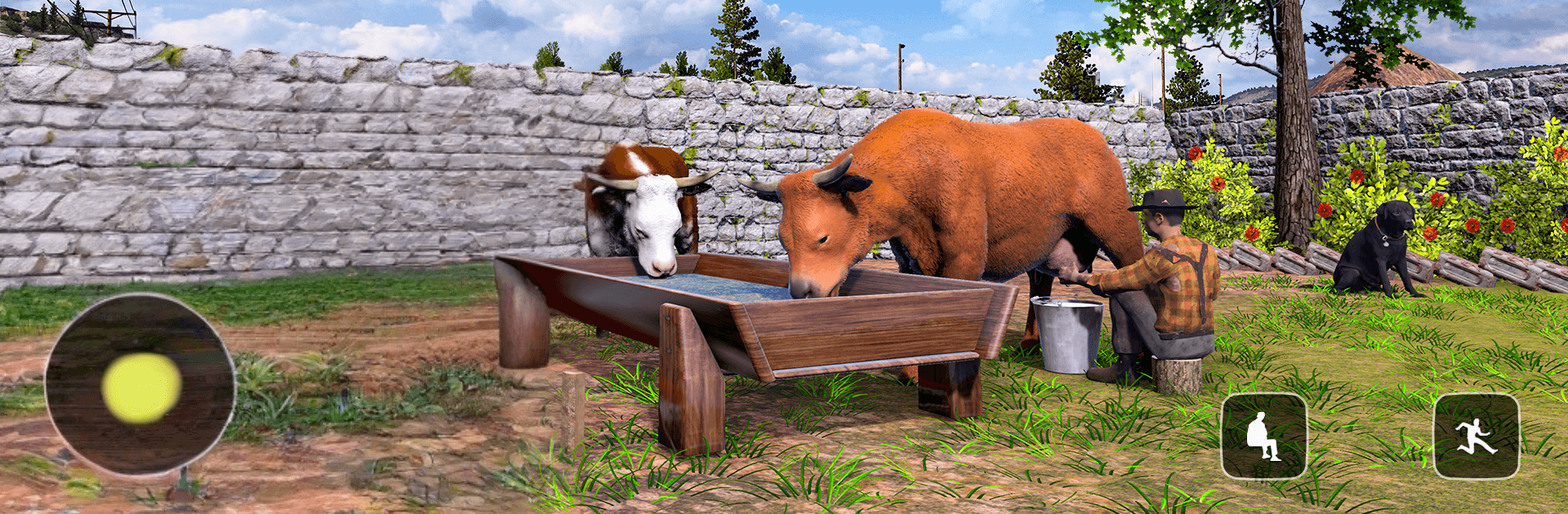
Ranch Simulator Farm Land Game from S & U Games is a hands-on Strategy sandbox about turning a quiet patch of countryside into a busy, money-making ranch. You’ll juggle chores, plan upgrades, and choose where to spend your time—tending animals, growing crops, wrenching on vehicles, or heading into the village market. It’s relaxed when you want it to be, and pleasantly challenging when the day stacks up with tasks.

Game Features

  • Build your ranch: Start with simple sheds and fences, then expand into coops, barns, and storage as your operation grows.
  • Animal care & feeding: Keep hens and other livestock healthy with regular feeding and clean housing, then collect products to sell.
  • Fields, fruits, and harvests: Plant crops, manage plots, and pick fruit at the right time to keep the cash flowing.
  • Vehicles you can tinker with: Assemble and fuel up a 4×4, hop on a classic tractor, and get chores done faster around the property.
  • Open-world exploring: Wander the village and surrounding woods to find resources, side jobs, and new opportunities.
  • Trade and economy: Sell eggs, meat, and produce at the store; buy feed, seeds, and tools to keep your ranch humming.
  • Daily tasks that matter: Knock out short objectives for steady rewards and a nice sense of momentum.
  • Weather and time: Shifting conditions and a day-night cycle affect travel, harvest timing, and animal routines.
  • Optional hunting: Head into the wilds to track game and trade the meat if you want an extra income stream.
  • Offline friendly: Play anytime, even without a connection, and pick up right where you left off.
  • Smooth controls and UI: Clean menus and responsive driving make chores feel quick instead of clunky.
  • Strategy at the core: Balance money, fuel, feed, and time so your ranch improves week after week.
  • PC-friendly option: Prefer keyboard and mouse? It plays comfortably on BlueStacks without changing the laid-back vibe.

Start your journey now. Download the game on BlueStacks, invite your friends, and march on a new adventure.


Game Features

Enhancements

  • Macros
  • Multi Instance
  • Multi Instance Sync
  • Eco Mode
  • Enhancements
Macros

Macros

Skip the boring parts of a game. Play Ranch Simulator Farm Land Game with Macros and get the edge. Simply record a sequence of commands and execute them at any moment.
Multi Instance

Multi Instance

Why limit to one game on your phone when you can play many on your PC? Open multiple instances of Ranch Simulator Farm Land Game at once with Multi-Instance. Leverage the power of different accounts by doing more.
Multi Instance Sync

Multi Instance Sync

Get the best out of Ranch Simulator Farm Land Game with Multi-Instance Sync. Play the game from different accounts and build your own empire. Use Multi-instance sync to repeat the action in the main BlueStacks instance on all other instances.
Eco Mode

Eco Mode

Find the rarest heroes by making multiple summons in Ranch Simulator Farm Land Game. And while you are at it, reduce your PC’s resource consumption with the Eco Mode. Farm efficiently. Get the best results.
Read More

How to Download and Play Ranch Simulator Farm Land Game on PC or Mac

  • Download and install BlueStacks on your PC or Mac

  • Complete Google sign-in to access the Play Store, or do it later

  • Look for Ranch Simulator Farm Land Game in the search bar at the top right corner

  • Click to install Ranch Simulator Farm Land Game from the search results

  • Complete Google sign-in (if you skipped step 2) to install Ranch Simulator Farm Land Game

  • Click the Ranch Simulator Farm Land Game icon on the home screen to start playing

video
Watch Video

Minimum System Requirements

With BlueStacks 5, you can get started on a PC that fulfills the following requirements.

  • Operating System

    Microsoft Windows 7 or above, macOS 11 (Big Sur) or above

  • Processor

    Intel, AMD or Apple Silicon Processor

  • RAM

    at least 4GB

  • HDD

    10GB Free Disk Space

Note:

* You must be an Administrator on your PC. Up to date graphics drivers from Microsoft or the chipset vendor.

Ranch Simulator Farm Land Game - FAQs

  • How to play Ranch Simulator Farm Land Game on Windows PC & Mac?

    Play Ranch Simulator Farm Land Game on your PC or Mac by following these simple steps.

    • Click on 'Play Ranch Simulator Farm Land Game on PC’ to download BlueStacks
    • Install it and log-in to Google Play Store
    • Launch and play the game.
  • Why is BlueStacks the fastest and safest platform to play games on PC?

    BlueStacks respects your privacy and is always safe and secure to use. It does not carry any malware, spyware, or any sort of additional software that could harm your PC.

    It is engineered to optimize speed and performance for a seamless gaming experience.

  • What are Ranch Simulator Farm Land Game PC requirements?

    Minimum requirement to run Ranch Simulator Farm Land Game on your PC

    • OS: Microsoft Windows 7 or above MacOS 11 (Big Sur) or above
    • Processor: Intel, AMD or Apple Silicon Processor
    • RAM: Your PC must have at least 4GB of RAM. (Note that having 4GB or more disk space is not a substitute for RAM)
    • HDD: 10GB Free Disk Space.
    • You must be an Administrator on your PC.