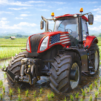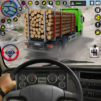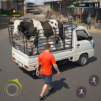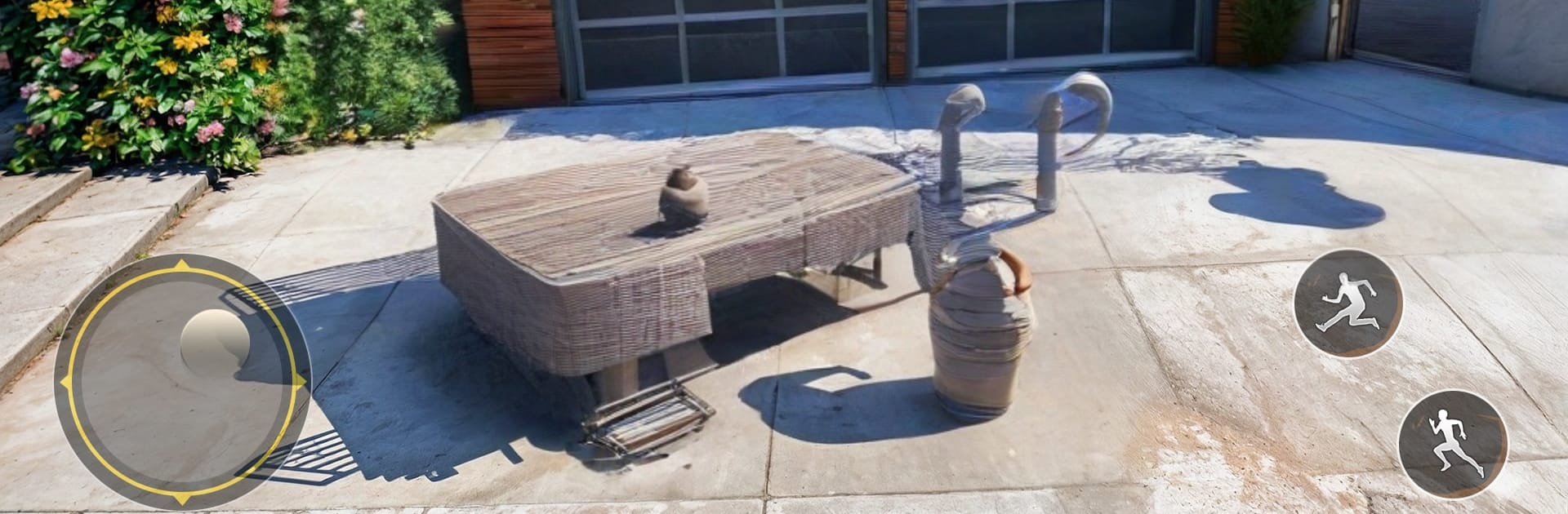
Animal Transport Farm Games 3d

Animal Transport Farm Games 3d

Adventure

| Gaming Engine

Play on PC with BlueStacks or from our cloud

  • Overview
  • Game Features
  • How to Play

Page Modified On: August 03, 2026

Play Animal Transport Farm Games 3d on PC or Mac

Animal Transport Farm Games 3d by Gaming Engine has plenty to keep you busy. BlueStacks lets you play it on PC or Mac with more screen space, better control, and fewer mobile limits.

About the Game

Animal Transport Farm Games 3d is a laid-back but surprisingly tense Adventure where the cargo is alive and the roads aren’t exactly friendly. You’ll load up cows, sheep, and horses, then guide a heavy truck along village lanes and off-road paths without rattling your passengers. It’s all about smooth driving, smart braking, and keeping things steady from farm to drop-off. Prefer playing on a bigger screen? It runs nicely on BlueStacks, too.

Game Features

  • Real cargo, real care: Every trip is about keeping animals safe. Take turns cleanly, ease over bumps, and avoid hard stops so the herd stays calm.

  • Off-road challenges: Navigate dusty village roads, tight curves, and uneven tracks that test your timing and control on every delivery.

  • Missions and progression: Tackle a growing list of routes and objectives. Each level brings new terrain and tasks that nudge your skills a bit further.

  • Multiple camera views: Swap angles on the fly to line up the trailer, watch your load, or get a wide view of tricky sections.

  • Smooth, responsive controls: Steering and braking feel crisp, making it easier to correct mistakes and keep your truck planted on rough ground.

  • Varied farm animals: Haul different livestock—like cattle, sheep, and horses—each load encouraging a careful, steady approach.

  • Safety-first driving: Balance speed with precision. Push too hard and you’ll feel it; keep it controlled and you’ll nail clean deliveries.

  • Built for steady improvements: Short runs, clear goals, and plenty of practice help you turn “just made it” into “that was clean.”

Start your journey now. Download the game on BlueStacks, invite your friends, and march on a new adventure.


Game Features

Enhancements

  • Macros
  • Multi Instance
  • Multi Instance Sync
  • Script
  • Enhancements
Macros

Macros

Automate the predictable in Animal Transport Farm Games 3d and transform your gameplay with Macros. Get access to inventive Macros in the BlueStacks Macro Community
Multi Instance

Multi Instance

Play Animal Transport Farm Games 3d on one window. And chat with your friend on the other. Press CTRL + Shift + 8 to open the Multi-Instance Manager. And start creating fresh instances or clone an existing one.
Multi Instance Sync

Multi Instance Sync

Play Animal Transport Farm Games 3d with the power of Multi-Instance Sync. Replicate what you are doing on the main instance on all other instances. Level up faster, play more.
Script

Script

Script your way to gaming glory in Animal Transport Farm Games 3d with BlueStacks Script. Write and run a set of commands to automate repeated tasks. Trigger the command by assigning it to any key.
Read More

How to Download and Play Animal Transport Farm Games 3d on PC or Mac

  • Download and install BlueStacks on your PC or Mac

  • Complete Google sign-in to access the Play Store, or do it later

  • Look for Animal Transport Farm Games 3d in the search bar at the top right corner

  • Click to install Animal Transport Farm Games 3d from the search results

  • Complete Google sign-in (if you skipped step 2) to install Animal Transport Farm Games 3d

  • Click the Animal Transport Farm Games 3d icon on the home screen to start playing

video
Watch Video

Minimum System Requirements

With BlueStacks 5, you can get started on a PC that fulfills the following requirements.

  • Operating System

    Microsoft Windows 7 or above, macOS 11 (Big Sur) or above

  • Processor

    Intel, AMD or Apple Silicon Processor

  • RAM

    at least 4GB

  • HDD

    10GB Free Disk Space

Note:

* You must be an Administrator on your PC. Up to date graphics drivers from Microsoft or the chipset vendor.

Animal Transport Farm Games 3d - FAQs

  • How to play Animal Transport Farm Games 3d on Windows PC & Mac?

    Play Animal Transport Farm Games 3d on your PC or Mac by following these simple steps.

    • Click on 'Play Animal Transport Farm Games 3d on PC’ to download BlueStacks
    • Install it and log-in to Google Play Store
    • Launch and play the game.
  • Why is BlueStacks the fastest and safest platform to play games on PC?

    BlueStacks respects your privacy and is always safe and secure to use. It does not carry any malware, spyware, or any sort of additional software that could harm your PC.

    It is engineered to optimize speed and performance for a seamless gaming experience.

  • What are Animal Transport Farm Games 3d PC requirements?

    Minimum requirement to run Animal Transport Farm Games 3d on your PC

    • OS: Microsoft Windows 7 or above MacOS 11 (Big Sur) or above
    • Processor: Intel, AMD or Apple Silicon Processor
    • RAM: Your PC must have at least 4GB of RAM. (Note that having 4GB or more disk space is not a substitute for RAM)
    • HDD: 10GB Free Disk Space.
    • You must be an Administrator on your PC.