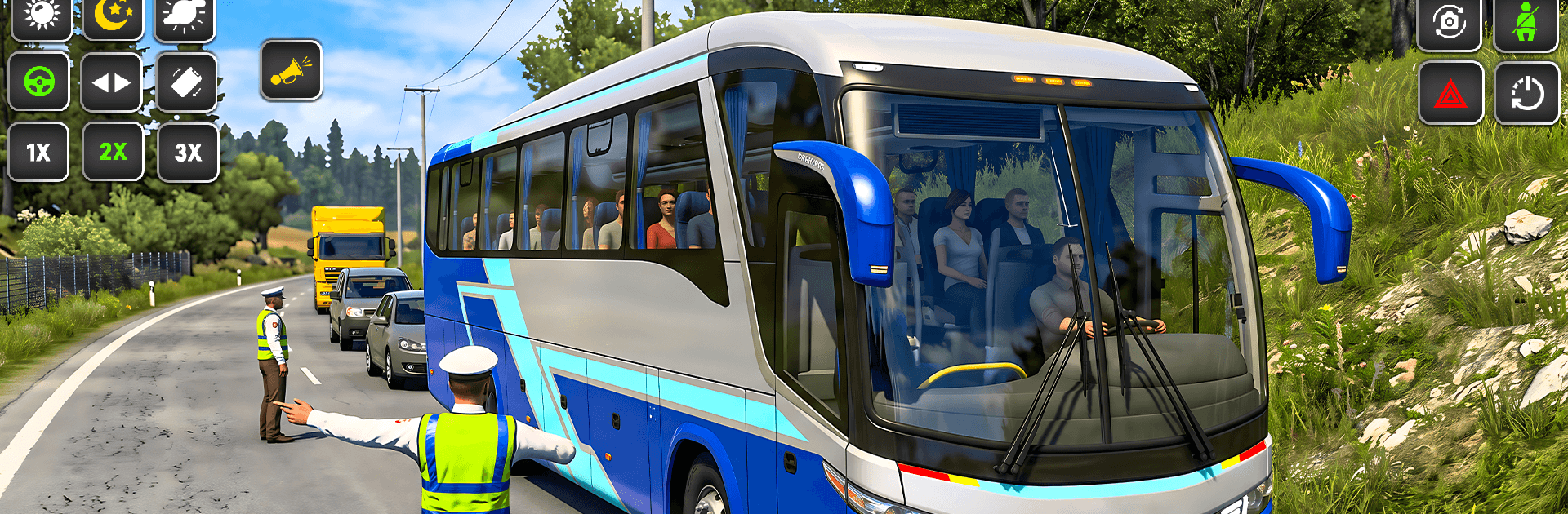
Real Offroad Bus Driver Game

Real Offroad Bus Driver Game

Strategy

| MHA TECH

Play on PC with BlueStacks or from our cloud

  • Overview
  • Game Features
  • How to Play

Page Modified On: September 25, 2026

Play Real Offroad Bus Driver Game on PC or Mac

Play Real Offroad Bus Driver Game by MHA TECH on PC or Mac with BlueStacks. Use a bigger screen, mouse and keyboard controls, and smoother performance while you play.

About the Game

Real Offroad Bus Driver Game hands you the wheel of a heavyweight bus and sets you loose on mountains, muddy trails, and seaside lots. It blends hands-on driving with thoughtful Strategy—reading the road, timing your turns, and threading tight spaces to keep passengers safe—and it feels great on BlueStacks if you like a bigger view. Expect routes that punish sloppy steering, parking layouts that test patience, and steady progress as you master tougher runs.

Game Features

  • Offroad Missions: Tackle rocky climbs, muddy ruts, and steep grades while keeping the ride under control.
  • Coastal Parking: Slip buses into tight seaside spots with sharp angles and limited space.
  • Pro Parking Challenges: Navigate advanced layouts packed with checkpoints and narrow passages for true precision runs.
  • Realistic Handling: Feel the weight, swing, and braking of big vehicles, tuned for rough terrain and sharp turns.
  • Weather And Terrain Tests: Rain, fog, and uneven ground change grip and visibility, so you’ll adjust on the fly.
  • Varied Routes In 3D: Wind through highways, mountain passes, and offroad tracks with clean, readable visuals.
  • Passenger Transport Goals: Pick up, deliver, and protect your load with smooth driving and careful timing.
  • Bus Collection Options: Earn coins to unlock modern buses, or watch a rewarded ad to jump into a favorite right away.
  • Easy-To-Use Controls: Smooth steering and responsive inputs keep the focus on planning lines and nailing the final parking spot.

Start your journey now. Download the game on BlueStacks, invite your friends, and march on a new adventure.


Game Features

Enhancements

  • Macros
  • Multi Instance
  • Multi Instance Sync
  • Eco Mode
  • Enhancements
Macros

Macros

Skip the boring parts of a game. Play Real Offroad Bus Driver Game with Macros and get the edge. Simply record a sequence of commands and execute them at any moment.
Multi Instance

Multi Instance

Why limit to one game on your phone when you can play many on your PC? Open multiple instances of Real Offroad Bus Driver Game at once with Multi-Instance. Leverage the power of different accounts by doing more.
Multi Instance Sync

Multi Instance Sync

Get the best out of Real Offroad Bus Driver Game with Multi-Instance Sync. Play the game from different accounts and build your own empire. Use Multi-instance sync to repeat the action in the main BlueStacks instance on all other instances.
Eco Mode

Eco Mode

Find the rarest heroes by making multiple summons in Real Offroad Bus Driver Game. And while you are at it, reduce your PC’s resource consumption with the Eco Mode. Farm efficiently. Get the best results.
Read More

How to Download and Play Real Offroad Bus Driver Game on PC or Mac

  • Download and install BlueStacks on your PC or Mac

  • Complete Google sign-in to access the Play Store, or do it later

  • Look for Real Offroad Bus Driver Game in the search bar at the top right corner

  • Click to install Real Offroad Bus Driver Game from the search results

  • Complete Google sign-in (if you skipped step 2) to install Real Offroad Bus Driver Game

  • Click the Real Offroad Bus Driver Game icon on the home screen to start playing

video
Watch Video

Minimum System Requirements

With BlueStacks 5, you can get started on a PC that fulfills the following requirements.

  • Operating System

    Microsoft Windows 7 or above, macOS 11 (Big Sur) or above

  • Processor

    Intel, AMD or Apple Silicon Processor

  • RAM

    at least 4GB

  • HDD

    10GB Free Disk Space

Note:

* You must be an Administrator on your PC. Up to date graphics drivers from Microsoft or the chipset vendor.

Real Offroad Bus Driver Game - FAQs

  • How to play Real Offroad Bus Driver Game on Windows PC & Mac?

    Play Real Offroad Bus Driver Game on your PC or Mac by following these simple steps.

    • Click on 'Play Real Offroad Bus Driver Game on PC’ to download BlueStacks
    • Install it and log-in to Google Play Store
    • Launch and play the game.
  • Why is BlueStacks the fastest and safest platform to play games on PC?

    BlueStacks respects your privacy and is always safe and secure to use. It does not carry any malware, spyware, or any sort of additional software that could harm your PC.

    It is engineered to optimize speed and performance for a seamless gaming experience.

  • What are Real Offroad Bus Driver Game PC requirements?

    Minimum requirement to run Real Offroad Bus Driver Game on your PC

    • OS: Microsoft Windows 7 or above MacOS 11 (Big Sur) or above
    • Processor: Intel, AMD or Apple Silicon Processor
    • RAM: Your PC must have at least 4GB of RAM. (Note that having 4GB or more disk space is not a substitute for RAM)
    • HDD: 10GB Free Disk Space.
    • You must be an Administrator on your PC.