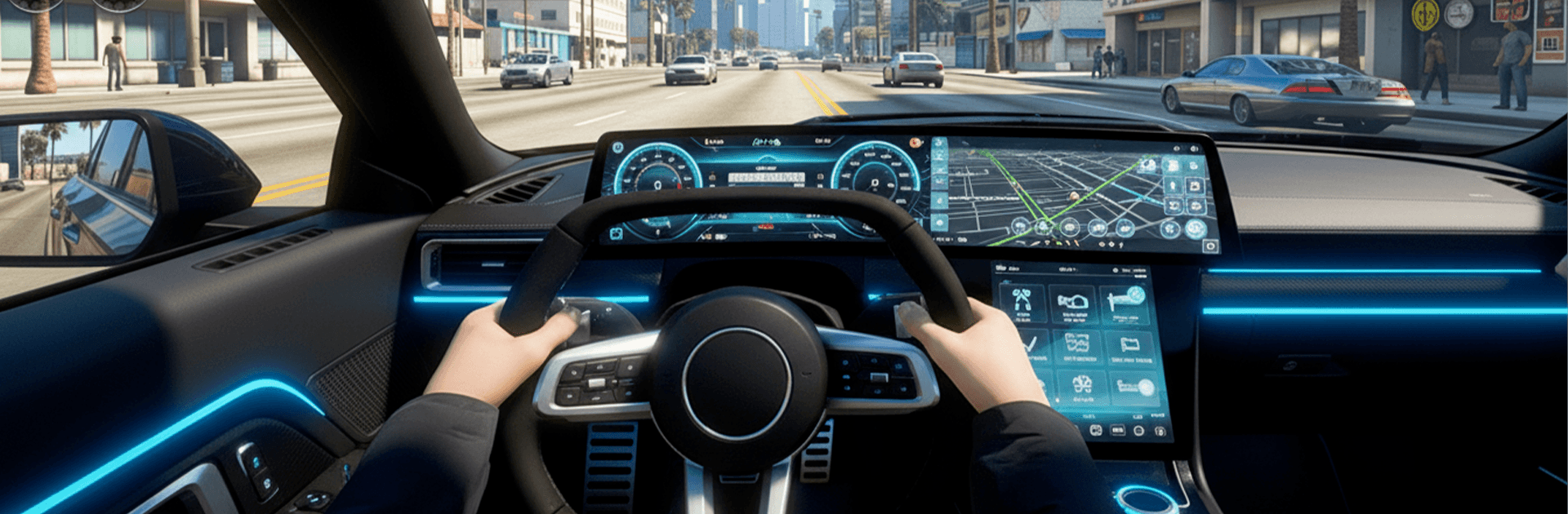
Real US Car Drive Simulator 3D

Real US Car Drive Simulator 3D

Strategy

| SEDCO CONSULTING PVT. LIMITED

Play on PC with BlueStacks or from our cloud

  • Overview
  • Game Features
  • How to Play

Page Modified On: June 09, 2026

Play Real US Car Drive Simulator 3D on PC or Mac

Explore a whole new adventure with Real US Car Drive Simulator 3D, a Strategy game created by SEDCO CONSULTING PVT. LIMITED. Experience great gameplay with BlueStacks, the most popular gaming platform to play Android games on your PC or Mac.

About the Game

Real US Car Drive Simulator 3D hands you the keys to a big, American-style playground and lets you choose how wild or chill you want the ride to be. It’s a Strategy take on open-road driving: plan your routes, time your drifts, and pick the right ride for each objective to nail those tricky challenges. Prefer a laid-back cruise or a white-knuckle sprint against the clock? You’ve got room for both—and everything in between. It also runs smoothly on BlueStacks if you like playing on a PC with steady performance.

Game Features

  • Open-world freedom: Roam sprawling city streets, cut through side roads, and find shortcuts as you learn the map your way.
  • Skill-first handling: Weighty cars, tight braking, and satisfying slides reward clean lines and confident decisions.
  • Mission variety: Tackle timed runs, checkpoint sprints, precision tasks, and stunt-style challenges that test different skills.
  • Race or relax: Jump into intense competitions or just cruise to clear your head—switching moods is easy.
  • Multiplayer challenges: Take on others in competitive events or squad up for objective-based missions that need teamwork.
  • Smooth, responsive controls: Pick a control style that fits you and fine-tune sensitivity for sharper turns and steadier drifts.
  • Crisp 3D world: Detailed environments and clear road feedback make every corner, bump, and curb feel meaningful.
  • Progress your way: Short, snackable levels for quick sessions and tougher routes when you want a serious test.

Ready to top the leaderboard? We bet you do. Let precise controls and sharp visuals optimized on BlueStacks lead you to victory.


Game Features

Enhancements

  • Macros
  • Multi Instance
  • Multi Instance Sync
  • Eco Mode
  • Enhancements
Macros

Macros

Skip the boring parts of a game. Play Real US Car Drive Simulator 3D with Macros and get the edge. Simply record a sequence of commands and execute them at any moment.
Multi Instance

Multi Instance

Why limit to one game on your phone when you can play many on your PC? Open multiple instances of Real US Car Drive Simulator 3D at once with Multi-Instance. Leverage the power of different accounts by doing more.
Multi Instance Sync

Multi Instance Sync

Get the best out of Real US Car Drive Simulator 3D with Multi-Instance Sync. Play the game from different accounts and build your own empire. Use Multi-instance sync to repeat the action in the main BlueStacks instance on all other instances.
Eco Mode

Eco Mode

Find the rarest heroes by making multiple summons in Real US Car Drive Simulator 3D. And while you are at it, reduce your PC’s resource consumption with the Eco Mode. Farm efficiently. Get the best results.
Read More

How to Download and Play Real US Car Drive Simulator 3D on PC or Mac

  • Download and install BlueStacks on your PC or Mac

  • Complete Google sign-in to access the Play Store, or do it later

  • Look for Real US Car Drive Simulator 3D in the search bar at the top right corner

  • Click to install Real US Car Drive Simulator 3D from the search results

  • Complete Google sign-in (if you skipped step 2) to install Real US Car Drive Simulator 3D

  • Click the Real US Car Drive Simulator 3D icon on the home screen to start playing

video
Watch Video

Minimum System Requirements

With BlueStacks 5, you can get started on a PC that fulfills the following requirements.

  • Operating System

    Microsoft Windows 7 or above, macOS 11 (Big Sur) or above

  • Processor

    Intel, AMD or Apple Silicon Processor

  • RAM

    at least 4GB

  • HDD

    10GB Free Disk Space

Note:

* You must be an Administrator on your PC. Up to date graphics drivers from Microsoft or the chipset vendor.

Real US Car Drive Simulator 3D - FAQs

  • How to play Real US Car Drive Simulator 3D on Windows PC & Mac?

    Play Real US Car Drive Simulator 3D on your PC or Mac by following these simple steps.

    • Click on 'Play Real US Car Drive Simulator 3D on PC’ to download BlueStacks
    • Install it and log-in to Google Play Store
    • Launch and play the game.
  • Why is BlueStacks the fastest and safest platform to play games on PC?

    BlueStacks respects your privacy and is always safe and secure to use. It does not carry any malware, spyware, or any sort of additional software that could harm your PC.

    It is engineered to optimize speed and performance for a seamless gaming experience.

  • What are Real US Car Drive Simulator 3D PC requirements?

    Minimum requirement to run Real US Car Drive Simulator 3D on your PC

    • OS: Microsoft Windows 7 or above MacOS 11 (Big Sur) or above
    • Processor: Intel, AMD or Apple Silicon Processor
    • RAM: Your PC must have at least 4GB of RAM. (Note that having 4GB or more disk space is not a substitute for RAM)
    • HDD: 10GB Free Disk Space.
    • You must be an Administrator on your PC.