Shadows of Empires: PvP RTS

Shadows of Empires: PvP RTS

Strategy

| Forge Of Games

Play on PC with BlueStacks or from our cloud

  • Overview
  • Game Features
  • How to Play

Page Modified On: January 02, 2026

Play Shadows of Empires: PvP RTS on PC or Mac

Join millions to experience Shadows of Empires: PvP RTS, an exciting Strategy game from Forge Of Games. With BlueStacks App Player, you are always a step ahead of your opponent, ready to outplay them with faster gameplay and better control with the mouse and keyboard on your PC or Mac.

About the Game

Shadows of Empires: PvP RTS is a Strategy title from Forge Of Games that lets you build a growing empire and command massive armies without waiting for timers to do the fighting. Battles and sieges play out right on the map, so you’re watching every charge, volley, and crumbling wall as it happens. Prefer a mouse and keyboard? You can also play through BlueStacks if that’s your style.

Game Features

  • Real-time warfare
    Watch battles unfold live on the field instead of in a results screen. Thousands of soldiers can clash at once, and your decisions in the moment actually matter.

  • Big 3D battles
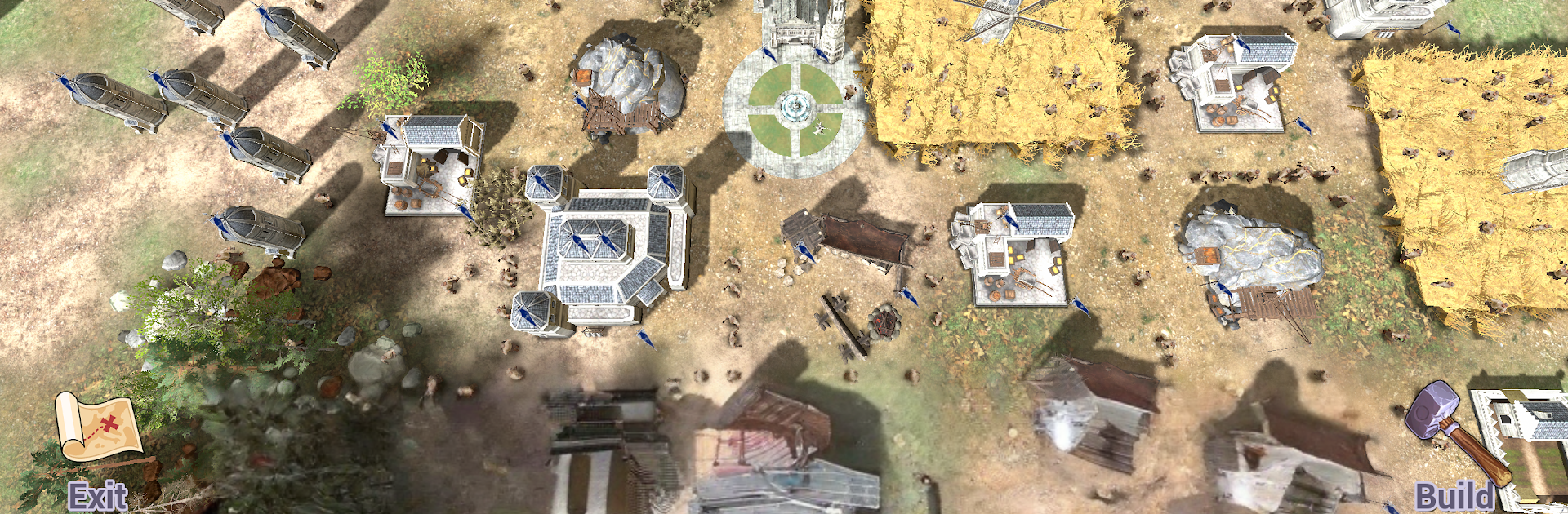
    Fully 3D visuals keep the action readable even when the army count spikes. Sieges feel heavy, units have presence, and the scale never gets lost.

  • Global map multiplayer
    Grow an empire alongside other players on a shared world map. Build and fortify cities, gather resources, defend your borders, and push into enemy territory or rival clans.

  • Offline single-player
    No connection? No problem. Play a classic RTS base-building mode offline, recruit troops, and take over enemy strongholds at your own pace.

  • Online session matches
    Jump into competitive matches against players worldwide. Start from scratch, build fast, and outmaneuver opponents in focused RTS sessions.

  • Simple, powerful controls
    Command huge armies with controls that stay clean and responsive on mobile, even when the battlefield gets crowded.

  • Distinct factions and units
    Pick from three unique groups with their own personality and lineup:
    • Land of Stone: sturdy human builders fielding sword infantry, archers, cavalry, and catapults.
    • Iron Fortress: relentless orcs with blade troops, crossbow units, mounted raiders, and heavy ballistae.
    • Kingdom of Riders: a horse-driven human culture famed for swift cavalry and deadly horse archers.

Slay your opponents with your epic moves. Play it your way on BlueStacks and dominate the battlefield.


Game Features

Enhancements

  • Macros
  • Multi Instance
  • Multi Instance Sync
  • Eco Mode
  • Enhancements
Macros

Macros

Skip the boring parts of a game. Play Shadows of Empires: PvP RTS with Macros and get the edge. Simply record a sequence of commands and execute them at any moment.
Multi Instance

Multi Instance

Why limit to one game on your phone when you can play many on your PC? Open multiple instances of Shadows of Empires: PvP RTS at once with Multi-Instance. Leverage the power of different accounts by doing more.
Multi Instance Sync

Multi Instance Sync

Get the best out of Shadows of Empires: PvP RTS with Multi-Instance Sync. Play the game from different accounts and build your own empire. Use Multi-instance sync to repeat the action in the main BlueStacks instance on all other instances.
Eco Mode

Eco Mode

Find the rarest heroes by making multiple summons in Shadows of Empires: PvP RTS. And while you are at it, reduce your PC’s resource consumption with the Eco Mode. Farm efficiently. Get the best results.
Read More

How to Download and Play Shadows of Empires: PvP RTS on PC or Mac

  • Download and install BlueStacks on your PC or Mac

  • Complete Google sign-in to access the Play Store, or do it later

  • Look for Shadows of Empires: PvP RTS in the search bar at the top right corner

  • Click to install Shadows of Empires: PvP RTS from the search results

  • Complete Google sign-in (if you skipped step 2) to install Shadows of Empires: PvP RTS

  • Click the Shadows of Empires: PvP RTS icon on the home screen to start playing

video
Watch Video

Minimum System Requirements

With BlueStacks 5, you can get started on a PC that fulfills the following requirements.

  • Operating System

    Microsoft Windows 7 or above, macOS 11 (Big Sur) or above

  • Processor

    Intel, AMD or Apple Silicon Processor

  • RAM

    at least 4GB

  • HDD

    10GB Free Disk Space

Note:

* You must be an Administrator on your PC. Up to date graphics drivers from Microsoft or the chipset vendor.

Shadows of Empires: PvP RTS - FAQs

  • How to play Shadows of Empires: PvP RTS on Windows PC & Mac?

    Play Shadows of Empires: PvP RTS on your PC or Mac by following these simple steps.

    • Click on 'Play Shadows of Empires: PvP RTS on PC’ to download BlueStacks
    • Install it and log-in to Google Play Store
    • Launch and play the game.
  • Why is BlueStacks the fastest and safest platform to play games on PC?

    BlueStacks respects your privacy and is always safe and secure to use. It does not carry any malware, spyware, or any sort of additional software that could harm your PC.

    It is engineered to optimize speed and performance for a seamless gaming experience.

  • What are Shadows of Empires: PvP RTS PC requirements?

    Minimum requirement to run Shadows of Empires: PvP RTS on your PC

    • OS: Microsoft Windows 7 or above MacOS 11 (Big Sur) or above
    • Processor: Intel, AMD or Apple Silicon Processor
    • RAM: Your PC must have at least 4GB of RAM. (Note that having 4GB or more disk space is not a substitute for RAM)
    • HDD: 10GB Free Disk Space.
    • You must be an Administrator on your PC.