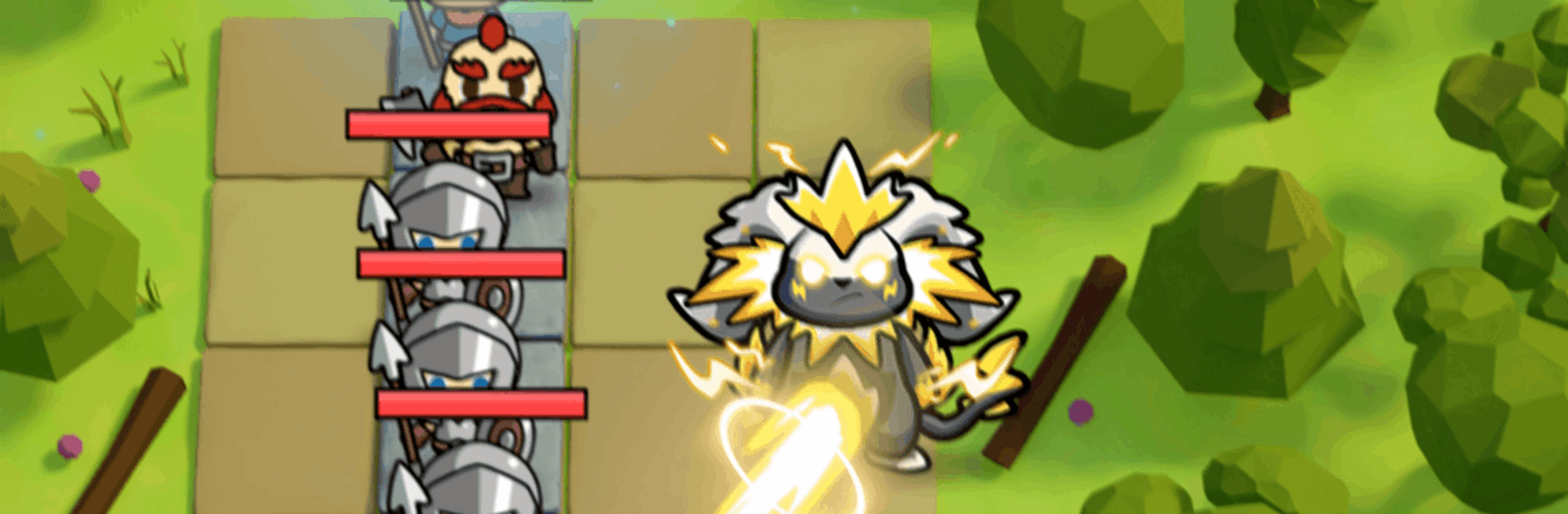
Shroom Guard: Mushroom Kingdom

Shroom Guard: Mushroom Kingdom

Strategy

| Playwind

Play on PC with BlueStacks or from our cloud

  • Overview
  • Game Features
  • How to Play

Page Modified On: September 11, 2026

Play Shroom Guard: Mushroom Kingdom on PC or Mac

Step into the World of Shroom Guard: Mushroom Kingdom, a thrilling Strategy game from the house of Playwind. Play this Android game on BlueStacks App Player and experience immersive gaming on PC or Mac.

About the Game

Shroom Guard: Mushroom Kingdom is a cheeky, mushroom-powered Strategy game where you stand tall as the kingdom’s last line of defense. You’ll mash monsters together, raise a quirky army, and hold back waves of “heroic” intruders who really should’ve stayed home. It’s fast to pick up, full of clever choices, and surprisingly hard to put down. Prefer playing on a bigger screen? It works great on BlueStacks.

Game Features

  • Merge to grow stronger: Combine matching creatures to create tougher, wilder forms with new attacks and higher stats—small sprouts become absolute units in just a few taps.
  • Build a living fortress: Place your guardians smartly, reinforce key lanes, and keep your core safe while enemies pour in from every angle.
  • Roguelike runs, fresh every time: Pick from rotating skills and perks each run, mix unusual combos, and adapt when the game throws you curveballs.
  • Quick to learn, deep to tinker: Simple controls and clear goals hide a surprising amount of nuance, with plenty of room to experiment and refine your favorite builds.
  • Power-ups with personality: Draft upgrades that change how your squad fights—faster attacks, splashy strikes, sticky slows, and more.
  • Waves that keep you honest: Face relentless raids that test placement, timing, and fuse choices; what worked last wave might not cut it next.
  • Progress that feels good: Unlock new monster types, discover synergies, and steadily turn your patch of the kingdom into an unbreakable stronghold.

Ready to top the leaderboard? We bet you do. Let precise controls and sharp visuals optimized on BlueStacks lead you to victory.


Game Features

Enhancements

  • Macros
  • Multi Instance
  • Multi Instance Sync
  • Eco Mode
  • Enhancements
Macros

Macros

Skip the boring parts of a game. Play Shroom Guard: Mushroom Kingdom with Macros and get the edge. Simply record a sequence of commands and execute them at any moment.
Multi Instance

Multi Instance

Why limit to one game on your phone when you can play many on your PC? Open multiple instances of Shroom Guard: Mushroom Kingdom at once with Multi-Instance. Leverage the power of different accounts by doing more.
Multi Instance Sync

Multi Instance Sync

Get the best out of Shroom Guard: Mushroom Kingdom with Multi-Instance Sync. Play the game from different accounts and build your own empire. Use Multi-instance sync to repeat the action in the main BlueStacks instance on all other instances.
Eco Mode

Eco Mode

Find the rarest heroes by making multiple summons in Shroom Guard: Mushroom Kingdom. And while you are at it, reduce your PC’s resource consumption with the Eco Mode. Farm efficiently. Get the best results.
Read More

How to Download and Play Shroom Guard: Mushroom Kingdom on PC or Mac

  • Download and install BlueStacks on your PC or Mac

  • Complete Google sign-in to access the Play Store, or do it later

  • Look for Shroom Guard: Mushroom Kingdom in the search bar at the top right corner

  • Click to install Shroom Guard: Mushroom Kingdom from the search results

  • Complete Google sign-in (if you skipped step 2) to install Shroom Guard: Mushroom Kingdom

  • Click the Shroom Guard: Mushroom Kingdom icon on the home screen to start playing

video
Watch Video

Minimum System Requirements

With BlueStacks 5, you can get started on a PC that fulfills the following requirements.

  • Operating System

    Microsoft Windows 7 or above, macOS 11 (Big Sur) or above

  • Processor

    Intel, AMD or Apple Silicon Processor

  • RAM

    at least 4GB

  • HDD

    10GB Free Disk Space

Note:

* You must be an Administrator on your PC. Up to date graphics drivers from Microsoft or the chipset vendor.

Shroom Guard: Mushroom Kingdom - FAQs

  • How to play Shroom Guard: Mushroom Kingdom on Windows PC & Mac?

    Play Shroom Guard: Mushroom Kingdom on your PC or Mac by following these simple steps.

    • Click on 'Play Shroom Guard: Mushroom Kingdom on PC’ to download BlueStacks
    • Install it and log-in to Google Play Store
    • Launch and play the game.
  • Why is BlueStacks the fastest and safest platform to play games on PC?

    BlueStacks respects your privacy and is always safe and secure to use. It does not carry any malware, spyware, or any sort of additional software that could harm your PC.

    It is engineered to optimize speed and performance for a seamless gaming experience.

  • What are Shroom Guard: Mushroom Kingdom PC requirements?

    Minimum requirement to run Shroom Guard: Mushroom Kingdom on your PC

    • OS: Microsoft Windows 7 or above MacOS 11 (Big Sur) or above
    • Processor: Intel, AMD or Apple Silicon Processor
    • RAM: Your PC must have at least 4GB of RAM. (Note that having 4GB or more disk space is not a substitute for RAM)
    • HDD: 10GB Free Disk Space.
    • You must be an Administrator on your PC.