Strategy Path
Strategy Path

Strategy Path

Strategy

| Feracore Studio

Play on PC with BlueStacks or from our cloud

  • Overview
  • Game Features
  • How to Play

Page Modified On: October 21, 2026

Play Strategy Path on PC or Mac

Strategy Path by Feracore Studio has plenty to keep you busy. BlueStacks lets you play it on PC or Mac with more screen space, better control, and fewer mobile limits.

About the Game

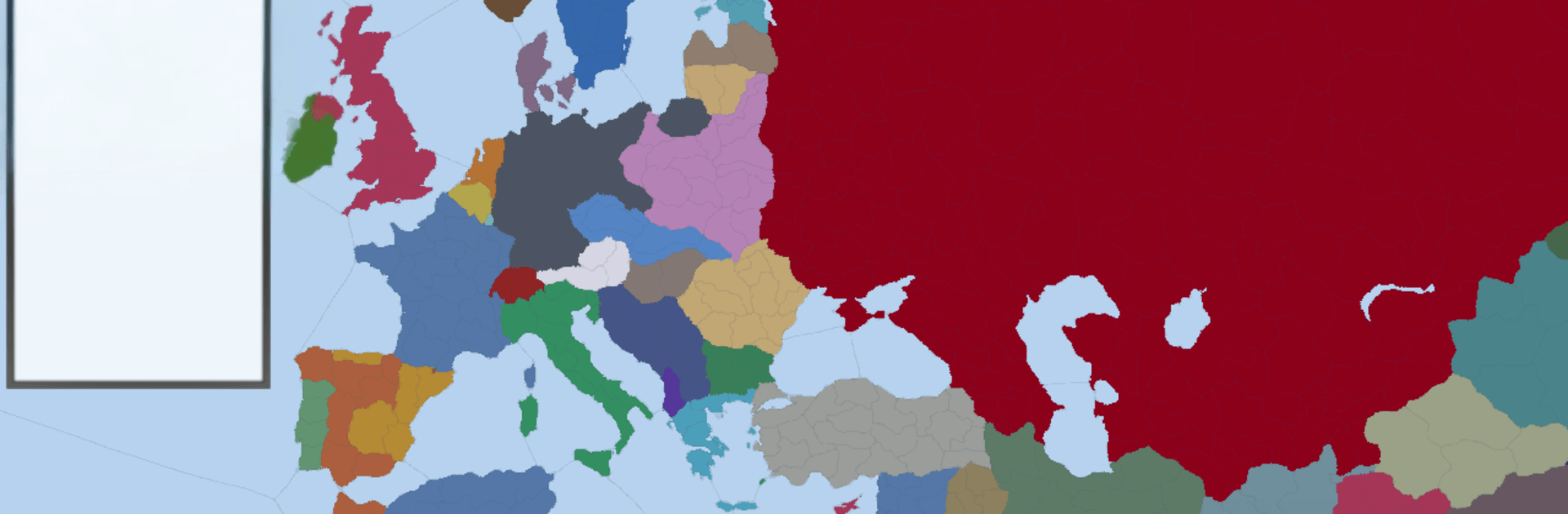
Strategy Path is a turn-based grand Strategy game about steering a nation through history and deciding exactly what kind of power it becomes. Want an empire, a scientific powerhouse, or a master manipulator pulling strings from behind the curtain? It’s all on the table, with politics, diplomacy, warfare, and research woven into every decision. Prefer playing on a larger display? It works nicely with BlueStacks, too.

Game Features

  • Lead your nation your way: Step into the role that suits you—president, monarch, or general secretary—and set the tone for your state’s future.
  • Warfare on your terms: Recruit, move, and disband armies; plan offensives; declare wars; sign peace deals; and organize non‑aggression pacts or alliances when it’s smart.
  • Diplomacy with teeth: Push rivals into fighting each other, trigger proxy conflicts, respond to ultimatums, and survive (or build) coalitions that can flip the balance of power.
  • Research that reshapes the world: Pursue scenario‑specific techs, from early military reforms to nuclear weapons and thermonuclear reactors, and watch your choices ripple across the map.
  • Institutions that evolve with history: Choose from 18 political institutions that unlock across eras, from democracy to absolute monarchy, each shifting how your country functions.
  • Laws that actually matter: Tweak trade rules, encourage population growth, or expand conscription—even to include women in the ranks—while weighing the real consequences.
  • Eras packed with flavor: Play distinct scenarios like Turn of the Millennium (1000), Age of the Horde (1279), Turning Point of Eras (1453), Rise of Empires (1700), World War I (1914), and World War II (1936), each with unique countries, tech, and institutions.
  • Built‑in editor for creators: Make your own scenarios from scratch—custom countries, technologies, politics—then play them and challenge friends to prove who’s the sharper strategist.

BlueStacks gives you more room to focus on the game and less time adjusting around mobile limitations.


Game Features

Enhancements

  • Macros
  • Multi Instance
  • Multi Instance Sync
  • Eco Mode
  • Enhancements
Macros

Macros

Skip the boring parts of a game. Play Strategy Path with Macros and get the edge. Simply record a sequence of commands and execute them at any moment.
Multi Instance

Multi Instance

Why limit to one game on your phone when you can play many on your PC? Open multiple instances of Strategy Path at once with Multi-Instance. Leverage the power of different accounts by doing more.
Multi Instance Sync

Multi Instance Sync

Get the best out of Strategy Path with Multi-Instance Sync. Play the game from different accounts and build your own empire. Use Multi-instance sync to repeat the action in the main BlueStacks instance on all other instances.
Eco Mode

Eco Mode

Find the rarest heroes by making multiple summons in Strategy Path. And while you are at it, reduce your PC’s resource consumption with the Eco Mode. Farm efficiently. Get the best results.
Read More

How to Download and Play Strategy Path on PC or Mac

  • Download and install BlueStacks on your PC or Mac

  • Complete Google sign-in to access the Play Store, or do it later

  • Look for Strategy Path in the search bar at the top right corner

  • Click to install Strategy Path from the search results

  • Complete Google sign-in (if you skipped step 2) to install Strategy Path

  • Click the Strategy Path icon on the home screen to start playing

video
Watch Video

Minimum System Requirements

With BlueStacks 5, you can get started on a PC that fulfills the following requirements.

  • Operating System

    Microsoft Windows 7 or above, macOS 11 (Big Sur) or above

  • Processor

    Intel, AMD or Apple Silicon Processor

  • RAM

    at least 4GB

  • HDD

    10GB Free Disk Space

Note:

* You must be an Administrator on your PC. Up to date graphics drivers from Microsoft or the chipset vendor.

Strategy Path - FAQs

  • How to play Strategy Path on Windows PC & Mac?

    Play Strategy Path on your PC or Mac by following these simple steps.

    • Click on 'Play Strategy Path on PC’ to download BlueStacks
    • Install it and log-in to Google Play Store
    • Launch and play the game.
  • Why is BlueStacks the fastest and safest platform to play games on PC?

    BlueStacks respects your privacy and is always safe and secure to use. It does not carry any malware, spyware, or any sort of additional software that could harm your PC.

    It is engineered to optimize speed and performance for a seamless gaming experience.

  • What are Strategy Path PC requirements?

    Minimum requirement to run Strategy Path on your PC

    • OS: Microsoft Windows 7 or above MacOS 11 (Big Sur) or above
    • Processor: Intel, AMD or Apple Silicon Processor
    • RAM: Your PC must have at least 4GB of RAM. (Note that having 4GB or more disk space is not a substitute for RAM)
    • HDD: 10GB Free Disk Space.
    • You must be an Administrator on your PC.