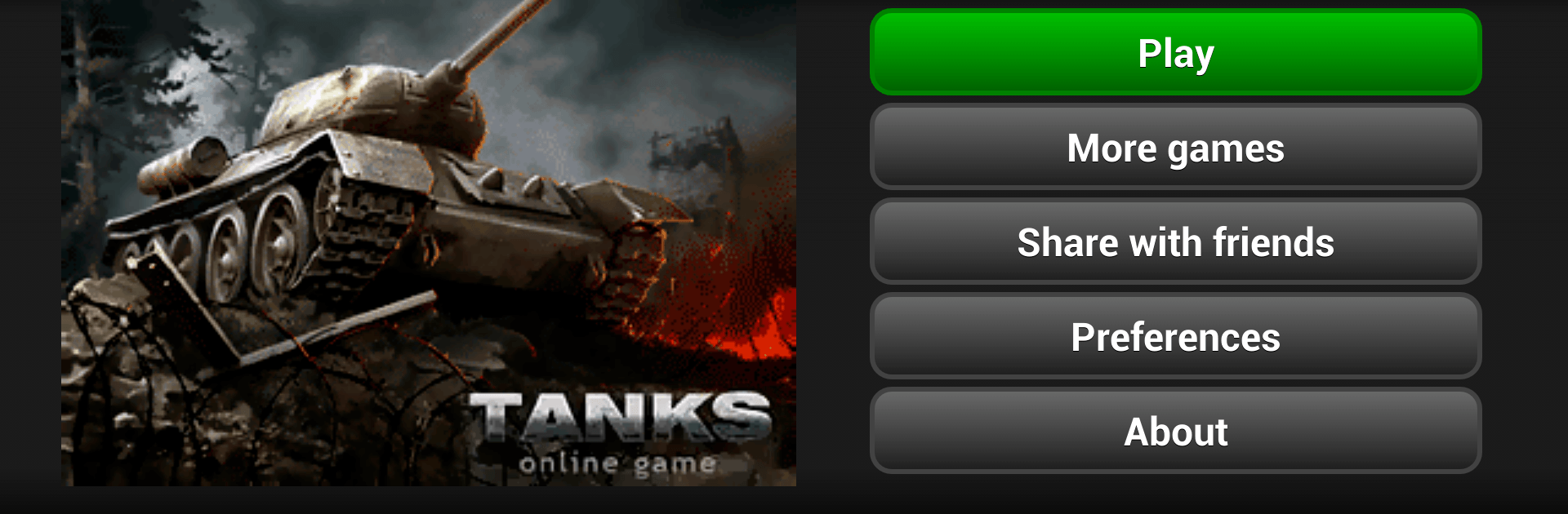
TANKS
TANKS

TANKS

Strategy

| HunterTechnology

Play on PC with BlueStacks or from our cloud

  • Overview
  • Game Features
  • How to Play

Page Modified On: April 10, 2026

Play TANKS on PC or Mac

Join millions to experience TANKS, an exciting Strategy game from HunterTechnology. With BlueStacks App Player, you are always a step ahead of your opponent, ready to outplay them with faster gameplay and better control with the mouse and keyboard on your PC or Mac.

About the Game

TANKS from HunterTechnology is a punchy, real-time Strategy experience where armor columns collide and decisions matter. You’ll command a growing roster of tanks, shape your base, and outthink real players in fast, high-stakes battles. It’s got that old-school tank-game charm with the speed and chaos of modern combat.

Game Features

  • Real-Time Mayhem: Jump into live clashes packed with armor, artillery, and plenty of explosions. Make quick calls or get outmaneuvered—there’s no pause button here.
  • Campaign + PvP: Tackle bite-sized missions with unique battle layouts, then switch to skirmishes against real opponents to test your tactics under pressure.
  • Cross-Platform Access: Play on your phone or fire it up on PC with BlueStacks if you want a bigger screen and comfy controls.
  • Hangar Management: Check your fleet at a glance, compare stats, and plan upgrades. Your hangar is where strategies start taking shape.
  • Smart Upgrades: Improve units, unlock new armored vehicles, and fine-tune your lineup for different enemy types and map setups.
  • Base Control Made Simple: Manage construction and direct your guns from an intuitive control panel that keeps the focus on the fight.
  • Resource Snapshot: Keep tabs on your current supplies and economy so you can push offensives or shore up defenses at the right time.
  • Hall of Fame: Look up rankings, chase personal bests, and see where your squad stands among the greats.
  • Easy Sharing: Send battle links and highlights with friends via SMS, email, or social apps—show off those clutch wins.

Get ready for a buttery smooth, high-performance gaming action only on BlueStacks.

Game Features

Enhancements

  • Macros
  • Multi Instance
  • Multi Instance Sync
  • Eco Mode
  • Enhancements
Macros

Macros

Skip the boring parts of a game. Play TANKS with Macros and get the edge. Simply record a sequence of commands and execute them at any moment.
Multi Instance

Multi Instance

Why limit to one game on your phone when you can play many on your PC? Open multiple instances of TANKS at once with Multi-Instance. Leverage the power of different accounts by doing more.
Multi Instance Sync

Multi Instance Sync

Get the best out of TANKS with Multi-Instance Sync. Play the game from different accounts and build your own empire. Use Multi-instance sync to repeat the action in the main BlueStacks instance on all other instances.
Eco Mode

Eco Mode

Find the rarest heroes by making multiple summons in TANKS. And while you are at it, reduce your PC’s resource consumption with the Eco Mode. Farm efficiently. Get the best results.
Read More

How to Download and Play TANKS on PC or Mac

  • Download and install BlueStacks on your PC or Mac

  • Complete Google sign-in to access the Play Store, or do it later

  • Look for TANKS in the search bar at the top right corner

  • Click to install TANKS from the search results

  • Complete Google sign-in (if you skipped step 2) to install TANKS

  • Click the TANKS icon on the home screen to start playing

video
Watch Video

Minimum System Requirements

With BlueStacks 5, you can get started on a PC that fulfills the following requirements.

  • Operating System

    Microsoft Windows 7 or above, macOS 11 (Big Sur) or above

  • Processor

    Intel, AMD or Apple Silicon Processor

  • RAM

    at least 4GB

  • HDD

    10GB Free Disk Space

Note:

* You must be an Administrator on your PC. Up to date graphics drivers from Microsoft or the chipset vendor.

TANKS - FAQs

  • How to play TANKS on Windows PC & Mac?

    Play TANKS on your PC or Mac by following these simple steps.

    • Click on 'Play TANKS on PC’ to download BlueStacks
    • Install it and log-in to Google Play Store
    • Launch and play the game.
  • Why is BlueStacks the fastest and safest platform to play games on PC?

    BlueStacks respects your privacy and is always safe and secure to use. It does not carry any malware, spyware, or any sort of additional software that could harm your PC.

    It is engineered to optimize speed and performance for a seamless gaming experience.

  • What are TANKS PC requirements?

    Minimum requirement to run TANKS on your PC

    • OS: Microsoft Windows 7 or above MacOS 11 (Big Sur) or above
    • Processor: Intel, AMD or Apple Silicon Processor
    • RAM: Your PC must have at least 4GB of RAM. (Note that having 4GB or more disk space is not a substitute for RAM)
    • HDD: 10GB Free Disk Space.
    • You must be an Administrator on your PC.