The Chairman
The Chairman

The Chairman

Strategy

| LagostaVentures

Play on PC with BlueStacks or from our cloud

  • Overview
  • Game Features
  • How to Play

Page Modified On: June 25, 2026

Play The Chairman on PC or Mac

Bring your A-game to The Chairman, the Strategy game sensation from LagostaVentures. Give your gameplay the much-needed boost with precise game controls, high FPS graphics, and top-tier features on your PC or Mac with BlueStacks.

About the Game

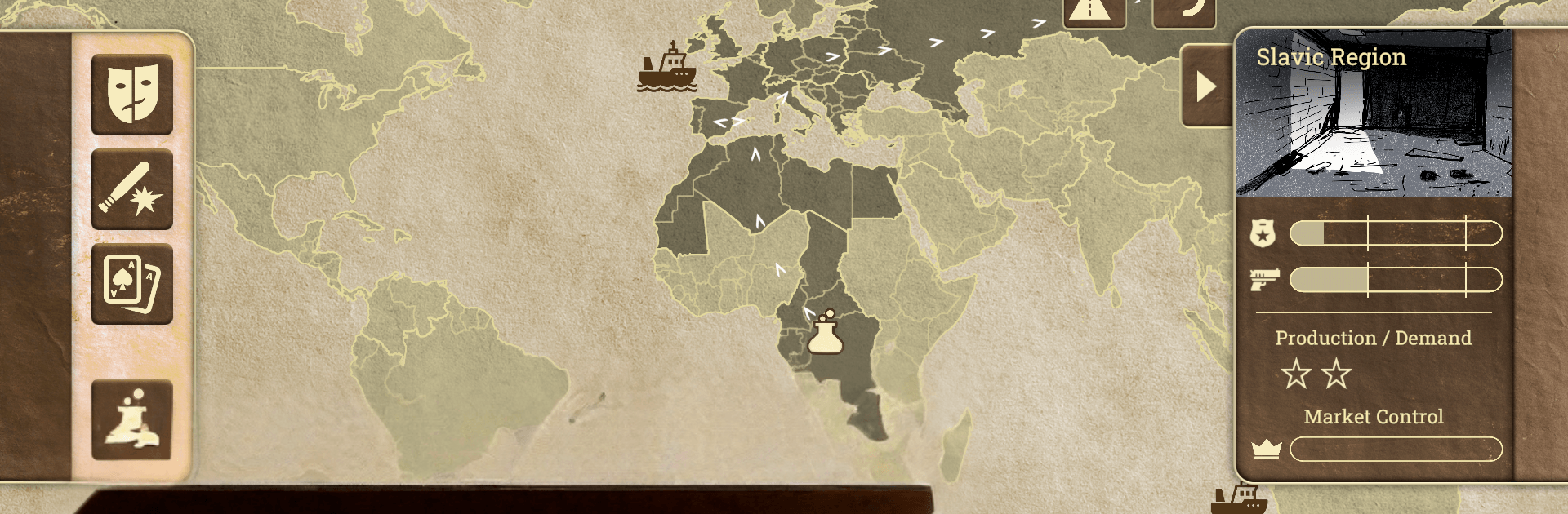
The Chairman is a Strategy game about building power quietly and pulling the right strings at the right time. You’re not here to win a single battle—you’re here to control the board. Map out your empire, juggle risky choices, and see how far your influence can reach before someone pushes back.

Game Features

  • Global Market Takeover: Aim for full control of the world’s commerce by expanding into 25 distinct regions, each with its own quirks, bottlenecks, and money-making angles.
  • Choose Your Patron: Pick a leader with a defined temperament and unique abilities that reshape how you play—aggressive, diplomatic, calculating, or something in between.
  • Build the Network: Set up essential labs, stitch together safe routes, and fine-tune distribution so your operation runs smooth under pressure.
  • Decisions With Consequences: Navigate 90+ events that test your resource management and nerve. Cut deals, outmaneuver rivals, and twist messy situations into opportunities.
  • Power Through Investment: Every upgrade matters. Boost production, tighten logistics, and stack passive bonuses that quietly tip the odds in your favor.
  • Outthink the Opposition: Police scrutiny, rival interference, and your own judgment calls are constant obstacles. Balance profit, exposure, and timing to stay one step ahead.
  • Play Your Way on PC: Prefer a bigger screen and crisp control? The Chairman also plays well on BlueStacks, making long sessions and careful planning feel even smoother.

BlueStacks gives you more room to focus on the game and less time adjusting around mobile limitations.


Game Features

Enhancements

  • Macros
  • Multi Instance
  • Multi Instance Sync
  • Eco Mode
  • Enhancements
Macros

Macros

Skip the boring parts of a game. Play The Chairman with Macros and get the edge. Simply record a sequence of commands and execute them at any moment.
Multi Instance

Multi Instance

Why limit to one game on your phone when you can play many on your PC? Open multiple instances of The Chairman at once with Multi-Instance. Leverage the power of different accounts by doing more.
Multi Instance Sync

Multi Instance Sync

Get the best out of The Chairman with Multi-Instance Sync. Play the game from different accounts and build your own empire. Use Multi-instance sync to repeat the action in the main BlueStacks instance on all other instances.
Eco Mode

Eco Mode

Find the rarest heroes by making multiple summons in The Chairman. And while you are at it, reduce your PC’s resource consumption with the Eco Mode. Farm efficiently. Get the best results.
Read More

How to Download and Play The Chairman on PC or Mac

  • Download and install BlueStacks on your PC or Mac

  • Complete Google sign-in to access the Play Store, or do it later

  • Look for The Chairman in the search bar at the top right corner

  • Click to install The Chairman from the search results

  • Complete Google sign-in (if you skipped step 2) to install The Chairman

  • Click the The Chairman icon on the home screen to start playing

video
Watch Video

Minimum System Requirements

With BlueStacks 5, you can get started on a PC that fulfills the following requirements.

  • Operating System

    Microsoft Windows 7 or above, macOS 11 (Big Sur) or above

  • Processor

    Intel, AMD or Apple Silicon Processor

  • RAM

    at least 4GB

  • HDD

    10GB Free Disk Space

Note:

* You must be an Administrator on your PC. Up to date graphics drivers from Microsoft or the chipset vendor.

The Chairman - FAQs

  • How to play The Chairman on Windows PC & Mac?

    Play The Chairman on your PC or Mac by following these simple steps.

    • Click on 'Play The Chairman on PC’ to download BlueStacks
    • Install it and log-in to Google Play Store
    • Launch and play the game.
  • Why is BlueStacks the fastest and safest platform to play games on PC?

    BlueStacks respects your privacy and is always safe and secure to use. It does not carry any malware, spyware, or any sort of additional software that could harm your PC.

    It is engineered to optimize speed and performance for a seamless gaming experience.

  • What are The Chairman PC requirements?

    Minimum requirement to run The Chairman on your PC

    • OS: Microsoft Windows 7 or above MacOS 11 (Big Sur) or above
    • Processor: Intel, AMD or Apple Silicon Processor
    • RAM: Your PC must have at least 4GB of RAM. (Note that having 4GB or more disk space is not a substitute for RAM)
    • HDD: 10GB Free Disk Space.
    • You must be an Administrator on your PC.