ThreeKingdoms Conqueror

ThreeKingdoms Conqueror

Strategy

| EasyTech Games

Play on PC with BlueStacks or from our cloud

  • Overview
  • Game Features
  • How to Play

Page Modified On: July 11, 2025

Play ThreeKingdoms Conqueror on PC or Mac

ThreeKingdoms Conqueror brings the Strategy genre to life, and throws up exciting challenges for gamers. Developed by EasyTech, this Android game is best experienced on BlueStacks, the World’s #1 app player for PC and Mac users.

About the Game

ThreeKingdoms Conqueror from EasyTech puts you right in the middle of epic warfare and clever strategy. If you’ve ever wanted to call the shots in ancient China, this is your stage. Rally legendary generals, command your troops, and see if you can outthink rivals and unite the land under one flag.

Game Features

  • Legendary Generals
    Take your pick from more than 240 historic figures—each general has their own special skills and abilities. It’s not just about collecting, either; finding smart combos can totally change how every fight goes.

  • Diverse Units
    With 29 unique unit types available, there’s always a new tactic to try. Every kind of troop brings its own strengths to the battlefield, so your approach can really switch up based on your lineup.

  • Huge Inventory of Items
    Over 100 different items can tip the scales in your favor. Whether you want to boost a hero, shield your army, or swing a tricky battle, you’ve got options.

  • Epic Campaigns & Chapters
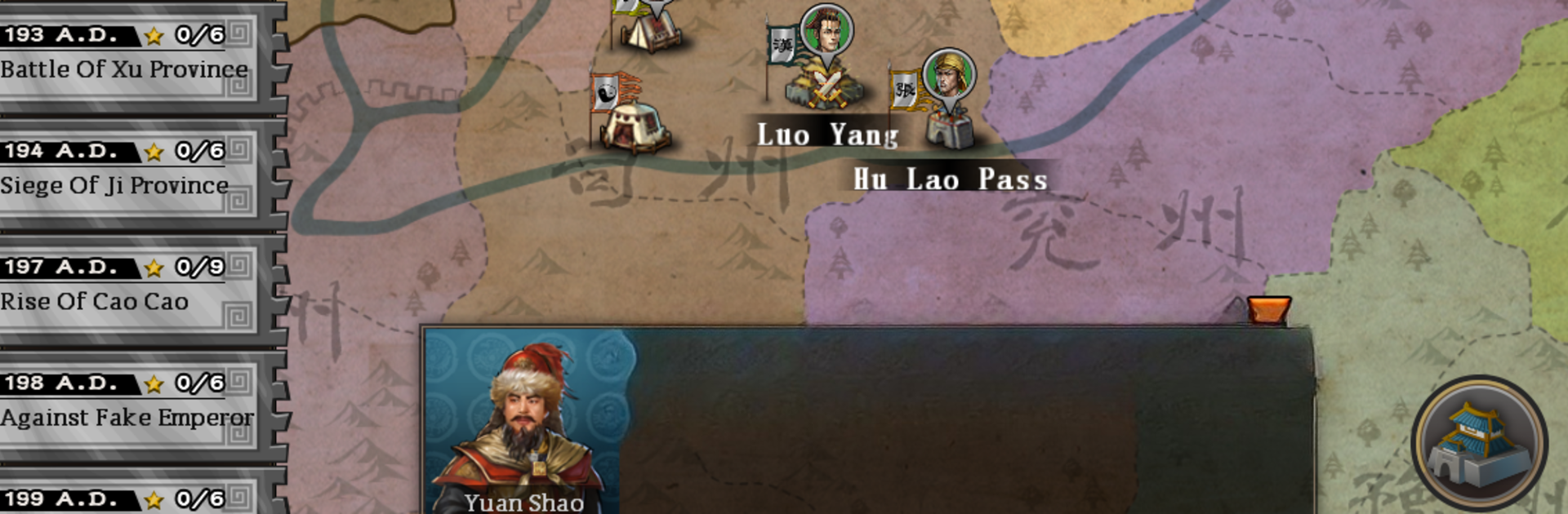
    There are around 20 chapters, each split into dozens of well-known historical campaigns. The stories and scenarios make every mission feel alive—sometimes you’ll feel the weight of history on your next move.

  • Conquest Mode
    This is where the map lights up and the stakes get high. Try your luck at capturing all 14 provinces, test your power against other players, or even deal with neighboring threats like Rome and Yamatai. Every decision counts.

  • Achievements & Progress
    Starting from scratch? No worries. There are more than 100 achievements waiting, plus hidden treasures, rare generals, and a chance to climb the leaderboards in both local and national rankings.

If you want to make those tactical battles feel extra sharp, playing on BlueStacks kicks things up a notch with crisp controls and a smoother experience.

Slay your opponents with your epic moves. Play it your way on BlueStacks and dominate the battlefield.


Game Features

Enhancements

  • Macros
  • Multi Instance
  • Multi Instance Sync
  • Eco Mode
  • Enhancements
Macros

Macros

Skip the boring parts of a game. Play ThreeKingdoms Conqueror with Macros and get the edge. Simply record a sequence of commands and execute them at any moment.
Multi Instance

Multi Instance

Why limit to one game on your phone when you can play many on your PC? Open multiple instances of ThreeKingdoms Conqueror at once with Multi-Instance. Leverage the power of different accounts by doing more.
Multi Instance Sync

Multi Instance Sync

Get the best out of ThreeKingdoms Conqueror with Multi-Instance Sync. Play the game from different accounts and build your own empire. Use Multi-instance sync to repeat the action in the main BlueStacks instance on all other instances.
Eco Mode

Eco Mode

Find the rarest heroes by making multiple summons in ThreeKingdoms Conqueror. And while you are at it, reduce your PC’s resource consumption with the Eco Mode. Farm efficiently. Get the best results.
Read More

How to Download and Play ThreeKingdoms Conqueror on PC or Mac

  • Download and install BlueStacks on your PC or Mac

  • Complete Google sign-in to access the Play Store, or do it later

  • Look for ThreeKingdoms Conqueror in the search bar at the top right corner

  • Click to install ThreeKingdoms Conqueror from the search results

  • Complete Google sign-in (if you skipped step 2) to install ThreeKingdoms Conqueror

  • Click the ThreeKingdoms Conqueror icon on the home screen to start playing

video
Watch Video

Minimum System Requirements

With BlueStacks 5, you can get started on a PC that fulfills the following requirements.

  • Operating System

    Microsoft Windows 7 or above, macOS 11 (Big Sur) or above

  • Processor

    Intel, AMD or Apple Silicon Processor

  • RAM

    at least 4GB

  • HDD

    10GB Free Disk Space

Note:

* You must be an Administrator on your PC. Up to date graphics drivers from Microsoft or the chipset vendor.

ThreeKingdoms Conqueror - FAQs

  • How to play ThreeKingdoms Conqueror on Windows PC & Mac?

    Play ThreeKingdoms Conqueror on your PC or Mac by following these simple steps.

    • Click on 'Play ThreeKingdoms Conqueror on PC’ to download BlueStacks
    • Install it and log-in to Google Play Store
    • Launch and play the game.
  • Why is BlueStacks the fastest and safest platform to play games on PC?

    BlueStacks respects your privacy and is always safe and secure to use. It does not carry any malware, spyware, or any sort of additional software that could harm your PC.

    It is engineered to optimize speed and performance for a seamless gaming experience.

  • What are ThreeKingdoms Conqueror PC requirements?

    Minimum requirement to run ThreeKingdoms Conqueror on your PC

    • OS: Microsoft Windows 7 or above MacOS 11 (Big Sur) or above
    • Processor: Intel, AMD or Apple Silicon Processor
    • RAM: Your PC must have at least 4GB of RAM. (Note that having 4GB or more disk space is not a substitute for RAM)
    • HDD: 10GB Free Disk Space.
    • You must be an Administrator on your PC.