Tower Defense: AMazing TD

Tower Defense: AMazing TD

Strategy

| Go4 Games

Play on PC with BlueStacks or from our cloud

  • Overview
  • Game Features
  • How to Play

Page Modified On: August 03, 2026

Play Tower Defense: AMazing TD on PC or Mac

Tower Defense: AMazing TD by Go4 Games has plenty to keep you busy. BlueStacks lets you play it on PC or Mac with more screen space, better control, and fewer mobile limits.

About the Game

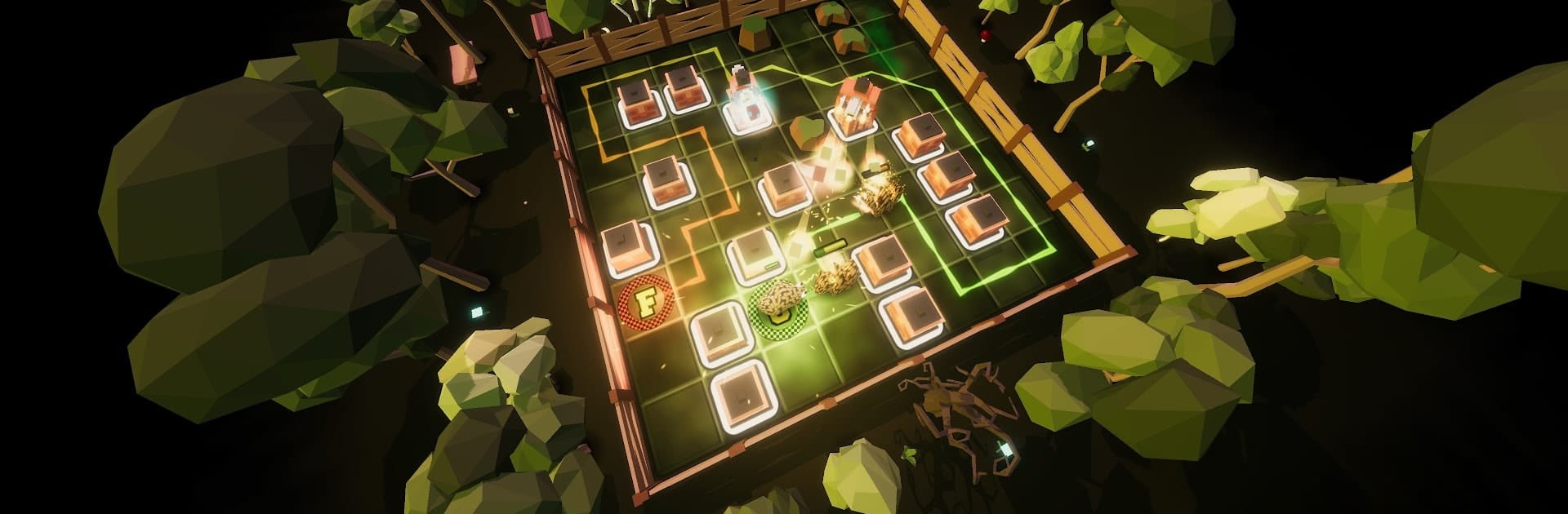
Tower Defense: AMazing TD is a Strategy sandbox built for players who love tinkering, testing, and outsmarting waves of tricky foes. You’re not just placing towers—you’re shaping the path itself, building clever mazes that squeeze every bit of value from your defenses. Jump into quick 1v1 battles, push your limits in Survival, or experiment with endlessly varied maps. Prefer playing on a bigger screen? It runs smoothly on BlueStacks, too.

Game Features

  • Real-time Duels: Go head-to-head in fair 1v1 matches that reward sharp planning and quick adjustments.
  • Daily/Weekly Leaderboards: Compete on fresh, pseudo-random maps that reset regularly, then climb based on wave reached and total damage.
  • Blazing Speed Options: Speed things up—up to 16x—so long runs and Endless maps never drag.
  • Watch, Learn, Improve: Study replays from other players to spot smarter paths, timing tricks, and build orders.
  • Maze Builder, Your Way: Craft intricate routes, use money spots wisely, and funnel enemies into brutal kill zones.
  • Smart Guidance: Path previews and builder tips help you understand how your layout shapes enemy movement.
  • Deep Tower Roster: Mix towers with distinct roles and powers, stack synergies, and tailor builds to each map’s quirks.
  • Relentless Variety: Face tens of thousands of enemy combinations, from fast runners to tanky bosses that pressure your setup.
  • Fair Play, No Gimmicks: No pay-to-win, no loot boxes—your strategy does the talking.
  • Online and Offline: Play competitive PvP or practice against the computer when you’re offline.
  • Survival Mode: Endure escalating waves and see how long your maze can hold.
  • Clean 3D Look: Crisp visuals and effects keep the battlefield readable while still feeling punchy.

Start your journey now. Download the game on BlueStacks, invite your friends, and march on a new adventure.


Game Features

Enhancements

  • Macros
  • Multi Instance
  • Multi Instance Sync
  • Eco Mode
  • Enhancements
Macros

Macros

Skip the boring parts of a game. Play Tower Defense: AMazing TD with Macros and get the edge. Simply record a sequence of commands and execute them at any moment.
Multi Instance

Multi Instance

Why limit to one game on your phone when you can play many on your PC? Open multiple instances of Tower Defense: AMazing TD at once with Multi-Instance. Leverage the power of different accounts by doing more.
Multi Instance Sync

Multi Instance Sync

Get the best out of Tower Defense: AMazing TD with Multi-Instance Sync. Play the game from different accounts and build your own empire. Use Multi-instance sync to repeat the action in the main BlueStacks instance on all other instances.
Eco Mode

Eco Mode

Find the rarest heroes by making multiple summons in Tower Defense: AMazing TD. And while you are at it, reduce your PC’s resource consumption with the Eco Mode. Farm efficiently. Get the best results.
Read More

How to Download and Play Tower Defense: AMazing TD on PC or Mac

  • Download and install BlueStacks on your PC or Mac

  • Complete Google sign-in to access the Play Store, or do it later

  • Look for Tower Defense: AMazing TD in the search bar at the top right corner

  • Click to install Tower Defense: AMazing TD from the search results

  • Complete Google sign-in (if you skipped step 2) to install Tower Defense: AMazing TD

  • Click the Tower Defense: AMazing TD icon on the home screen to start playing

video
Watch Video

Minimum System Requirements

With BlueStacks 5, you can get started on a PC that fulfills the following requirements.

  • Operating System

    Microsoft Windows 7 or above, macOS 11 (Big Sur) or above

  • Processor

    Intel, AMD or Apple Silicon Processor

  • RAM

    at least 4GB

  • HDD

    10GB Free Disk Space

Note:

* You must be an Administrator on your PC. Up to date graphics drivers from Microsoft or the chipset vendor.

Tower Defense: AMazing TD - FAQs

  • How to play Tower Defense: AMazing TD on Windows PC & Mac?

    Play Tower Defense: AMazing TD on your PC or Mac by following these simple steps.

    • Click on 'Play Tower Defense: AMazing TD on PC’ to download BlueStacks
    • Install it and log-in to Google Play Store
    • Launch and play the game.
  • Why is BlueStacks the fastest and safest platform to play games on PC?

    BlueStacks respects your privacy and is always safe and secure to use. It does not carry any malware, spyware, or any sort of additional software that could harm your PC.

    It is engineered to optimize speed and performance for a seamless gaming experience.

  • What are Tower Defense: AMazing TD PC requirements?

    Minimum requirement to run Tower Defense: AMazing TD on your PC

    • OS: Microsoft Windows 7 or above MacOS 11 (Big Sur) or above
    • Processor: Intel, AMD or Apple Silicon Processor
    • RAM: Your PC must have at least 4GB of RAM. (Note that having 4GB or more disk space is not a substitute for RAM)
    • HDD: 10GB Free Disk Space.
    • You must be an Administrator on your PC.