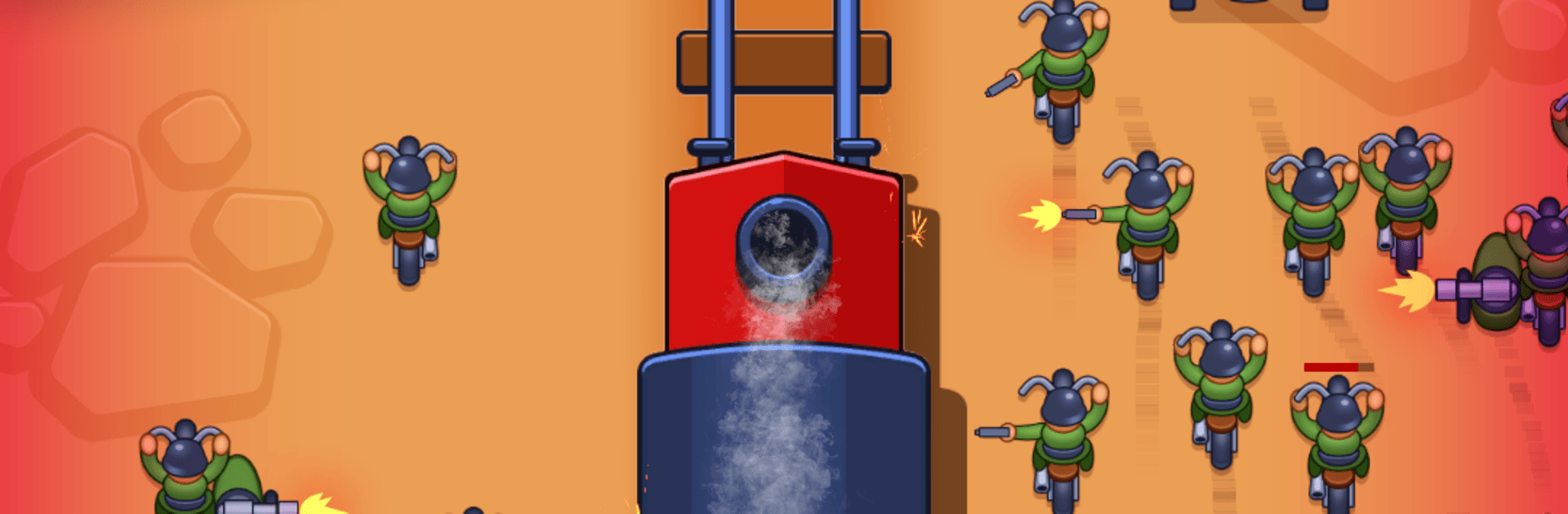
Train Assault: Idle defense

Train Assault: Idle defense

Strategy

| PIXEL FEDERATION, s.r.o.

Play on PC with BlueStacks or from our cloud

  • Overview
  • Game Features
  • How to Play

Page Modified On: April 24, 2026

Play Train Assault: Idle defense on PC or Mac

Join millions to experience Train Assault: Idle defense, an exciting Strategy game from PIXEL FEDERATION, s.r.o.. With BlueStacks App Player, you are always a step ahead of your opponent, ready to outplay them with faster gameplay and better control with the mouse and keyboard on your PC or Mac.

About the Game

Ever wanted to turn a locomotive into a bruiser that chews through ambushes and keeps the cargo safe? Train Assault: Idle defense hands you the controls of a customizable war train and lets you mix chill idle gains with sharp, moment-to-moment decisions. It’s a Strategy game from PIXEL FEDERATION, s.r.o. where smart loadouts, timing, and upgrades matter—plays great on BlueStacks if you like your clicky chaos on PC.

Game Features

  • Rolling fortress: Bolt on cannons, flamers, machine guns, rockets, and lasers to turn your engine into a multi-lane threat with serious bite.
  • Varied missions: Some runs have you barreling down hostile tracks, others make you guard precious cargo at a standstill—both call for different turret spots and tactics.
  • Weapons with roles: Pair rapid-fire tools for crowd control with heavy hitters that punch through armor, then fine-tune for the enemies you expect.
  • Five damage flavors: Play with distinct damage types and their synergies to counter tanks, speedy bikes, and everything in between.
  • Pre-mission boosters: Pick temporary perks—more range, quicker fire, harder hits—to shape each battle before the whistle blows.
  • Progress that sticks: Upgrade your train’s parts, armor, and modules, then keep pushing further as idle rewards and daily bonuses stack up.
  • Threats from all sides: Expect 360-degree assaults and waves that test your placement, cooldown timing, and resource spending.
  • Strategy, not grind: Short runs, clear upgrade paths, and meaningful choices keep the action snappy while your long-term build steadily snowballs.

Start your journey now. Download the game on BlueStacks, invite your friends, and march on a new adventure.


Game Features

Enhancements

  • Macros
  • Multi Instance
  • Multi Instance Sync
  • Eco Mode
  • Enhancements
Macros

Macros

Skip the boring parts of a game. Play Train Assault: Idle defense with Macros and get the edge. Simply record a sequence of commands and execute them at any moment.
Multi Instance

Multi Instance

Why limit to one game on your phone when you can play many on your PC? Open multiple instances of Train Assault: Idle defense at once with Multi-Instance. Leverage the power of different accounts by doing more.
Multi Instance Sync

Multi Instance Sync

Get the best out of Train Assault: Idle defense with Multi-Instance Sync. Play the game from different accounts and build your own empire. Use Multi-instance sync to repeat the action in the main BlueStacks instance on all other instances.
Eco Mode

Eco Mode

Find the rarest heroes by making multiple summons in Train Assault: Idle defense. And while you are at it, reduce your PC’s resource consumption with the Eco Mode. Farm efficiently. Get the best results.
Read More

How to Download and Play Train Assault: Idle defense on PC or Mac

  • Download and install BlueStacks on your PC or Mac

  • Complete Google sign-in to access the Play Store, or do it later

  • Look for Train Assault: Idle defense in the search bar at the top right corner

  • Click to install Train Assault: Idle defense from the search results

  • Complete Google sign-in (if you skipped step 2) to install Train Assault: Idle defense

  • Click the Train Assault: Idle defense icon on the home screen to start playing

video
Watch Video

Minimum System Requirements

With BlueStacks 5, you can get started on a PC that fulfills the following requirements.

  • Operating System

    Microsoft Windows 7 or above, macOS 11 (Big Sur) or above

  • Processor

    Intel, AMD or Apple Silicon Processor

  • RAM

    at least 4GB

  • HDD

    10GB Free Disk Space

Note:

* You must be an Administrator on your PC. Up to date graphics drivers from Microsoft or the chipset vendor.

Train Assault: Idle defense - FAQs

  • How to play Train Assault: Idle defense on Windows PC & Mac?

    Play Train Assault: Idle defense on your PC or Mac by following these simple steps.

    • Click on 'Play Train Assault: Idle defense on PC’ to download BlueStacks
    • Install it and log-in to Google Play Store
    • Launch and play the game.
  • Why is BlueStacks the fastest and safest platform to play games on PC?

    BlueStacks respects your privacy and is always safe and secure to use. It does not carry any malware, spyware, or any sort of additional software that could harm your PC.

    It is engineered to optimize speed and performance for a seamless gaming experience.

  • What are Train Assault: Idle defense PC requirements?

    Minimum requirement to run Train Assault: Idle defense on your PC

    • OS: Microsoft Windows 7 or above MacOS 11 (Big Sur) or above
    • Processor: Intel, AMD or Apple Silicon Processor
    • RAM: Your PC must have at least 4GB of RAM. (Note that having 4GB or more disk space is not a substitute for RAM)
    • HDD: 10GB Free Disk Space.
    • You must be an Administrator on your PC.