Ultimate Rider Open World Game

Ultimate Rider Open World Game

Strategy

| Skorax

Play on PC with BlueStacks or from our cloud

  • Overview
  • Game Features
  • How to Play

Page Modified On: August 11, 2026

Play Ultimate Rider Open World Game on PC or Mac

Ultimate Rider Open World Game by Skorax has plenty to keep you busy. BlueStacks lets you play it on PC or Mac with more screen space, better control, and fewer mobile limits.

About the Game

Ultimate Rider Open World Game drops you into a restless city where every block tells a different story—and every decision can flip the script. It’s a Strategy twist on an open-world driving sandbox: plan your moves, pick your battles, and turn fast getaways into a long game of power. Want speed, stunts, and smart choices all in one place? This is that sweet spot.

Game Features

  • Massive Open World: Roam a sprawling map with busy rail lines, industrial yards, and rooftop shortcuts begging for risky jumps.
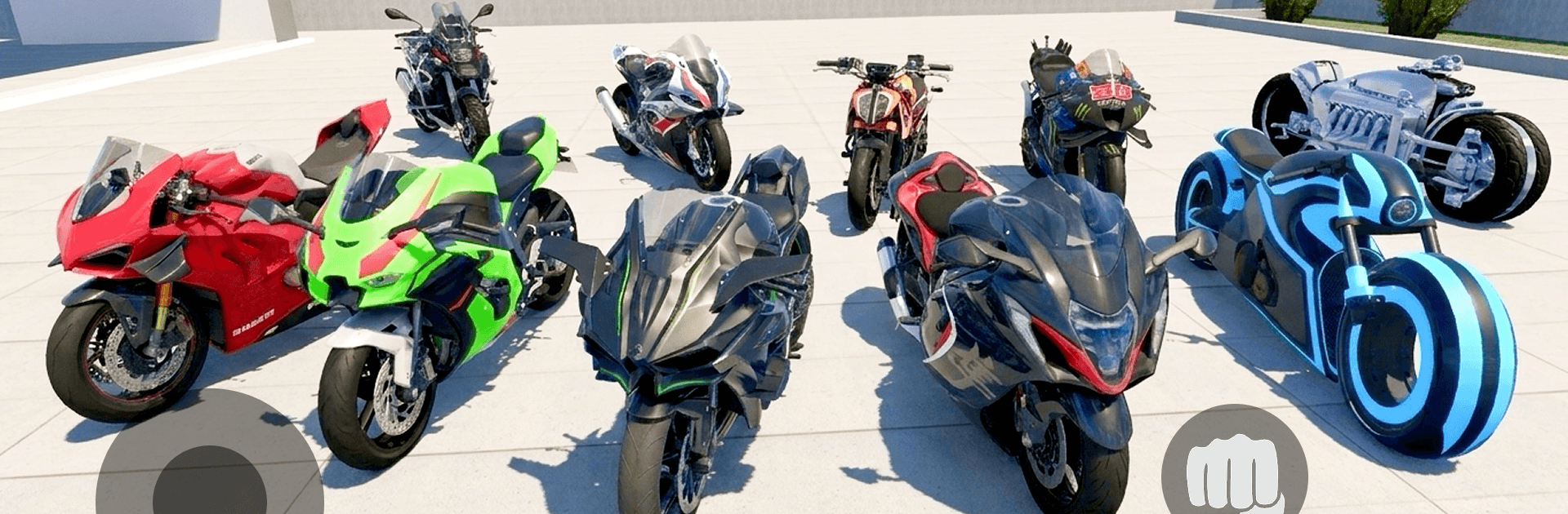
  • 50+ Vehicles: Swap between cars, superbikes, dirt bikes, helicopters, planes, and even tanks when subtlety isn’t the plan.
  • Real Driving Feel: Weighty physics, crunchy deformation, and raw engine notes make every scrape and slide feel earned.
  • Races and Stunt Playlists: Hit checkpoint sprints, freestyle arenas, and sky-high mega ramps that twist above the skyline.
  • Street Conflict: Expect tense shootouts, crew clashes, and nerve-wracking boosts in a city that never plays nice.
  • Heat and Pursuits: Stir up trouble, then outthink the cops with alleys, tunnels, and off-road detours when sirens close in.
  • Deep Customization: Tune performance, tweak paint and body parts, and switch up your character’s look to match your vibe.
  • Dedicated Racing & Drift Modes: Thread traffic at speed or link clean drifts on focused tracks—no police interruptions here.
  • Bike Mastery: Nail wheelies, stoppies, endos, and wild aerial drifts with responsive two‑wheel handling.
  • Build It Your Way (Offline): Take risky jobs, stash your cash, and expand your corner of the city on your own timeline.
  • Play on PC: Prefer a bigger screen and keyboard? It runs smoothly on BlueStacks without fuss.

Get ready for a buttery smooth, high-performance gaming action only on BlueStacks.

Game Features

Enhancements

  • Macros
  • Multi Instance
  • Multi Instance Sync
  • Eco Mode
  • Enhancements
Macros

Macros

Skip the boring parts of a game. Play Ultimate Rider Open World Game with Macros and get the edge. Simply record a sequence of commands and execute them at any moment.
Multi Instance

Multi Instance

Why limit to one game on your phone when you can play many on your PC? Open multiple instances of Ultimate Rider Open World Game at once with Multi-Instance. Leverage the power of different accounts by doing more.
Multi Instance Sync

Multi Instance Sync

Get the best out of Ultimate Rider Open World Game with Multi-Instance Sync. Play the game from different accounts and build your own empire. Use Multi-instance sync to repeat the action in the main BlueStacks instance on all other instances.
Eco Mode

Eco Mode

Find the rarest heroes by making multiple summons in Ultimate Rider Open World Game. And while you are at it, reduce your PC’s resource consumption with the Eco Mode. Farm efficiently. Get the best results.
Read More

How to Download and Play Ultimate Rider Open World Game on PC or Mac

  • Download and install BlueStacks on your PC or Mac

  • Complete Google sign-in to access the Play Store, or do it later

  • Look for Ultimate Rider Open World Game in the search bar at the top right corner

  • Click to install Ultimate Rider Open World Game from the search results

  • Complete Google sign-in (if you skipped step 2) to install Ultimate Rider Open World Game

  • Click the Ultimate Rider Open World Game icon on the home screen to start playing

video
Watch Video

Minimum System Requirements

With BlueStacks 5, you can get started on a PC that fulfills the following requirements.

  • Operating System

    Microsoft Windows 7 or above, macOS 11 (Big Sur) or above

  • Processor

    Intel, AMD or Apple Silicon Processor

  • RAM

    at least 4GB

  • HDD

    10GB Free Disk Space

Note:

* You must be an Administrator on your PC. Up to date graphics drivers from Microsoft or the chipset vendor.

Ultimate Rider Open World Game - FAQs

  • How to play Ultimate Rider Open World Game on Windows PC & Mac?

    Play Ultimate Rider Open World Game on your PC or Mac by following these simple steps.

    • Click on 'Play Ultimate Rider Open World Game on PC’ to download BlueStacks
    • Install it and log-in to Google Play Store
    • Launch and play the game.
  • Why is BlueStacks the fastest and safest platform to play games on PC?

    BlueStacks respects your privacy and is always safe and secure to use. It does not carry any malware, spyware, or any sort of additional software that could harm your PC.

    It is engineered to optimize speed and performance for a seamless gaming experience.

  • What are Ultimate Rider Open World Game PC requirements?

    Minimum requirement to run Ultimate Rider Open World Game on your PC

    • OS: Microsoft Windows 7 or above MacOS 11 (Big Sur) or above
    • Processor: Intel, AMD or Apple Silicon Processor
    • RAM: Your PC must have at least 4GB of RAM. (Note that having 4GB or more disk space is not a substitute for RAM)
    • HDD: 10GB Free Disk Space.
    • You must be an Administrator on your PC.