US Human Rescue Simulator Game

US Human Rescue Simulator Game

Strategy

| 47 Cloud 2023

Play on PC with BlueStacks or from our cloud

  • Overview
  • Game Features
  • How to Play

Page Modified On: December 09, 2025

Play US Human Rescue Simulator Game on PC or Mac

Step into the World of US Human Rescue Simulator Game, a thrilling Strategy game from the house of 47 Cloud 2023. Play this Android game on BlueStacks App Player and experience immersive gaming on PC or Mac.

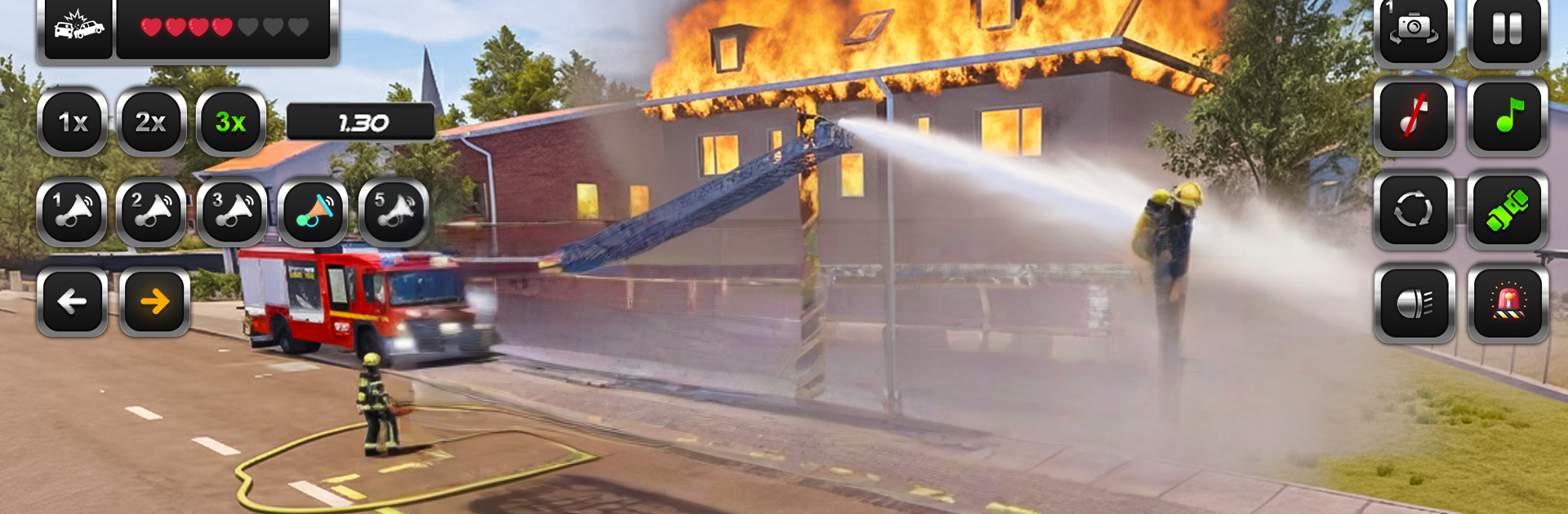
US Human Rescue Simulator Game feels like a fast, citywide shift where the player hops between emergency roles and just gets to work. A call pops, the map marks a route, and it is off in whatever makes sense for the job. Ambulance runs are about threading traffic with the siren going, scooping a patient, and hustling to the hospital without clobbering every curb. Fire truck jobs switch to spraying down flames and parking in the right spot so the hose actually reaches. Flood scenes pull out the rescue boat, steering around debris and current, and when things go vertical the helicopter comes in with simple hoist pickups from rooftops. It is more arcade than strict simulator, which makes it easy to pick up and tough to put down for one more mission.

The 3D look is clean and readable, with bright lights and loud sirens doing most of the drama. Controls are straightforward, and swapping vehicles keeps the loop from getting stale, even if a few mission templates repeat. Small bumps in the physics can be funny in the good way, like clipping a cone or taking a curb too hot and losing a few seconds. On PC through BlueStacks, steering with keys and panning the camera with a mouse makes the helicopter and boat sections feel a lot smoother, and quick restarts mean mistakes do not sting for long. Short, timer driven runs make it good for quick sessions, and it scratches that rescue itch without menus or paperwork getting in the way.

Slay your opponents with your epic moves. Play it your way on BlueStacks and dominate the battlefield.


Game Features

Enhancements

  • Macros
  • Multi Instance
  • Multi Instance Sync
  • Eco Mode
  • Enhancements
Macros

Macros

Skip the boring parts of a game. Play US Human Rescue Simulator Game with Macros and get the edge. Simply record a sequence of commands and execute them at any moment.
Multi Instance

Multi Instance

Why limit to one game on your phone when you can play many on your PC? Open multiple instances of US Human Rescue Simulator Game at once with Multi-Instance. Leverage the power of different accounts by doing more.
Multi Instance Sync

Multi Instance Sync

Get the best out of US Human Rescue Simulator Game with Multi-Instance Sync. Play the game from different accounts and build your own empire. Use Multi-instance sync to repeat the action in the main BlueStacks instance on all other instances.
Eco Mode

Eco Mode

Find the rarest heroes by making multiple summons in US Human Rescue Simulator Game. And while you are at it, reduce your PC’s resource consumption with the Eco Mode. Farm efficiently. Get the best results.
Read More

How to Download and Play US Human Rescue Simulator Game on PC or Mac

  • Download and install BlueStacks on your PC or Mac

  • Complete Google sign-in to access the Play Store, or do it later

  • Look for US Human Rescue Simulator Game in the search bar at the top right corner

  • Click to install US Human Rescue Simulator Game from the search results

  • Complete Google sign-in (if you skipped step 2) to install US Human Rescue Simulator Game

  • Click the US Human Rescue Simulator Game icon on the home screen to start playing

video
Watch Video

Minimum System Requirements

With BlueStacks 5, you can get started on a PC that fulfills the following requirements.

  • Operating System

    Microsoft Windows 7 or above, macOS 11 (Big Sur) or above

  • Processor

    Intel, AMD or Apple Silicon Processor

  • RAM

    at least 4GB

  • HDD

    10GB Free Disk Space

Note:

* You must be an Administrator on your PC. Up to date graphics drivers from Microsoft or the chipset vendor.

US Human Rescue Simulator Game - FAQs

  • How to play US Human Rescue Simulator Game on Windows PC & Mac?

    Play US Human Rescue Simulator Game on your PC or Mac by following these simple steps.

    • Click on 'Play US Human Rescue Simulator Game on PC’ to download BlueStacks
    • Install it and log-in to Google Play Store
    • Launch and play the game.
  • Why is BlueStacks the fastest and safest platform to play games on PC?

    BlueStacks respects your privacy and is always safe and secure to use. It does not carry any malware, spyware, or any sort of additional software that could harm your PC.

    It is engineered to optimize speed and performance for a seamless gaming experience.

  • What are US Human Rescue Simulator Game PC requirements?

    Minimum requirement to run US Human Rescue Simulator Game on your PC

    • OS: Microsoft Windows 7 or above MacOS 11 (Big Sur) or above
    • Processor: Intel, AMD or Apple Silicon Processor
    • RAM: Your PC must have at least 4GB of RAM. (Note that having 4GB or more disk space is not a substitute for RAM)
    • HDD: 10GB Free Disk Space.
    • You must be an Administrator on your PC.