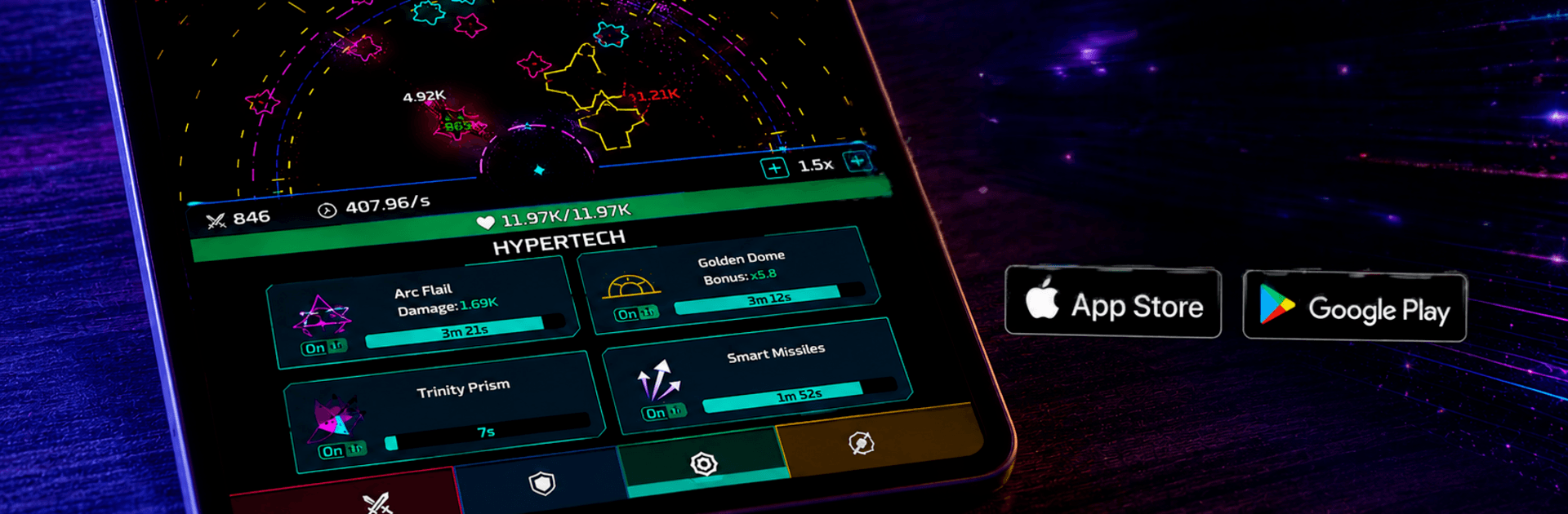
Utopia: The Idle Tower Defense

Utopia: The Idle Tower Defense

Strategy

| Legendary Labs

Play on PC with BlueStacks or from our cloud

  • Overview
  • Game Features
  • How to Play

Page Modified On: July 06, 2026

Play Utopia: The Idle Tower Defense on PC or Mac

Step into the World of Utopia: The Idle Tower Defense, a thrilling Strategy game from the house of Legendary Labs. Play this Android game on BlueStacks App Player and experience immersive gaming on PC or Mac.

About the Game

Utopia: The Idle Tower Defense is a neon‑soaked Strategy game where getting knocked down is part of getting stronger. You’ll stack futuristic towers, blast through alien swarms, and use every “oops, I lost that wave” moment to unlock permanent upgrades. It’s chill when you want it to be, intense when the pressure rises, and it keeps moving even when you’re offline.

Game Features

  • Fall-Forward Progression — Losing a wave isn’t failure; it’s fuel. Each defeat hands you resources for permanent boosts, so the next run hits harder and lasts longer.
  • Idle, Offline Action — Your towers keep fighting while you’re away. Come back to progress, resources, and new upgrade options without babysitting the screen.
  • Deep Upgrade Web — Tinker with a full skill tree and tons of upgrade paths. Mix energy boosts, weapon tiers, and tower perks to build a setup that actually fits your playstyle.
  • Neon Sci‑Fi Vibe — Slick visuals, glowing effects, and a dark, futuristic atmosphere make every volley of lasers feel satisfying.
  • Turrets and Energy Weapons — Drop turrets, fire up laser cannons, and stack lethal combos that melt alien fleets before they reach your base.
  • Endless Waves & Boss Fights — Procedurally generated waves keep the challenge fresh, with big boss encounters that test your build and timing.
  • Strategy at the Core — Decide when to push, when to bank resources, and which upgrades to chase. Small choices snowball into big power spikes.
  • Fair Play, No Nonsense — No Wi‑Fi required and no interstitial ads breaking your flow. Just play, earn, and upgrade at your pace.
  • PC-Friendly Option — Prefer keyboard and mouse? It runs smoothly on BlueStacks if you like playing on a larger screen.

BlueStacks gives you more room to focus on the game and less time adjusting around mobile limitations.


Game Features

Enhancements

  • Macros
  • Multi Instance
  • Multi Instance Sync
  • Eco Mode
  • Enhancements
Macros

Macros

Skip the boring parts of a game. Play Utopia: The Idle Tower Defense with Macros and get the edge. Simply record a sequence of commands and execute them at any moment.
Multi Instance

Multi Instance

Why limit to one game on your phone when you can play many on your PC? Open multiple instances of Utopia: The Idle Tower Defense at once with Multi-Instance. Leverage the power of different accounts by doing more.
Multi Instance Sync

Multi Instance Sync

Get the best out of Utopia: The Idle Tower Defense with Multi-Instance Sync. Play the game from different accounts and build your own empire. Use Multi-instance sync to repeat the action in the main BlueStacks instance on all other instances.
Eco Mode

Eco Mode

Find the rarest heroes by making multiple summons in Utopia: The Idle Tower Defense. And while you are at it, reduce your PC’s resource consumption with the Eco Mode. Farm efficiently. Get the best results.
Read More

How to Download and Play Utopia: The Idle Tower Defense on PC or Mac

  • Download and install BlueStacks on your PC or Mac

  • Complete Google sign-in to access the Play Store, or do it later

  • Look for Utopia: The Idle Tower Defense in the search bar at the top right corner

  • Click to install Utopia: The Idle Tower Defense from the search results

  • Complete Google sign-in (if you skipped step 2) to install Utopia: The Idle Tower Defense

  • Click the Utopia: The Idle Tower Defense icon on the home screen to start playing

video
Watch Video

Minimum System Requirements

With BlueStacks 5, you can get started on a PC that fulfills the following requirements.

  • Operating System

    Microsoft Windows 7 or above, macOS 11 (Big Sur) or above

  • Processor

    Intel, AMD or Apple Silicon Processor

  • RAM

    at least 4GB

  • HDD

    10GB Free Disk Space

Note:

* You must be an Administrator on your PC. Up to date graphics drivers from Microsoft or the chipset vendor.

Utopia: The Idle Tower Defense - FAQs

  • How to play Utopia: The Idle Tower Defense on Windows PC & Mac?

    Play Utopia: The Idle Tower Defense on your PC or Mac by following these simple steps.

    • Click on 'Play Utopia: The Idle Tower Defense on PC’ to download BlueStacks
    • Install it and log-in to Google Play Store
    • Launch and play the game.
  • Why is BlueStacks the fastest and safest platform to play games on PC?

    BlueStacks respects your privacy and is always safe and secure to use. It does not carry any malware, spyware, or any sort of additional software that could harm your PC.

    It is engineered to optimize speed and performance for a seamless gaming experience.

  • What are Utopia: The Idle Tower Defense PC requirements?

    Minimum requirement to run Utopia: The Idle Tower Defense on your PC

    • OS: Microsoft Windows 7 or above MacOS 11 (Big Sur) or above
    • Processor: Intel, AMD or Apple Silicon Processor
    • RAM: Your PC must have at least 4GB of RAM. (Note that having 4GB or more disk space is not a substitute for RAM)
    • HDD: 10GB Free Disk Space.
    • You must be an Administrator on your PC.