Valorant Lineups Pro

Valorant Lineups Pro

Strategy

| Fiction Developers

Play on PC with BlueStacks or from our cloud

  • Overview
  • Game Features
  • How to Play

Page Modified On: October 23, 2026

Play Valorant Lineups Pro on PC or Mac

Bring your A-game to Valorant Lineups Pro, the Strategy game sensation from Fiction Developers. Give your gameplay the much-needed boost with precise game controls, high FPS graphics, and top-tier features on your PC or Mac with BlueStacks.

About the Game

Valorant Lineups Pro is a Strategy companion for players who like winning rounds with brains, not guesswork. It packs a huge library of utility lineups and shows you exactly how to set them up—so you’re not eyeballing that smoke or praying a dart lands. Studying on a larger screen with BlueStacks can make planning even smoother, especially when you want to zoom in on tiny lineups and angles.

Game Features

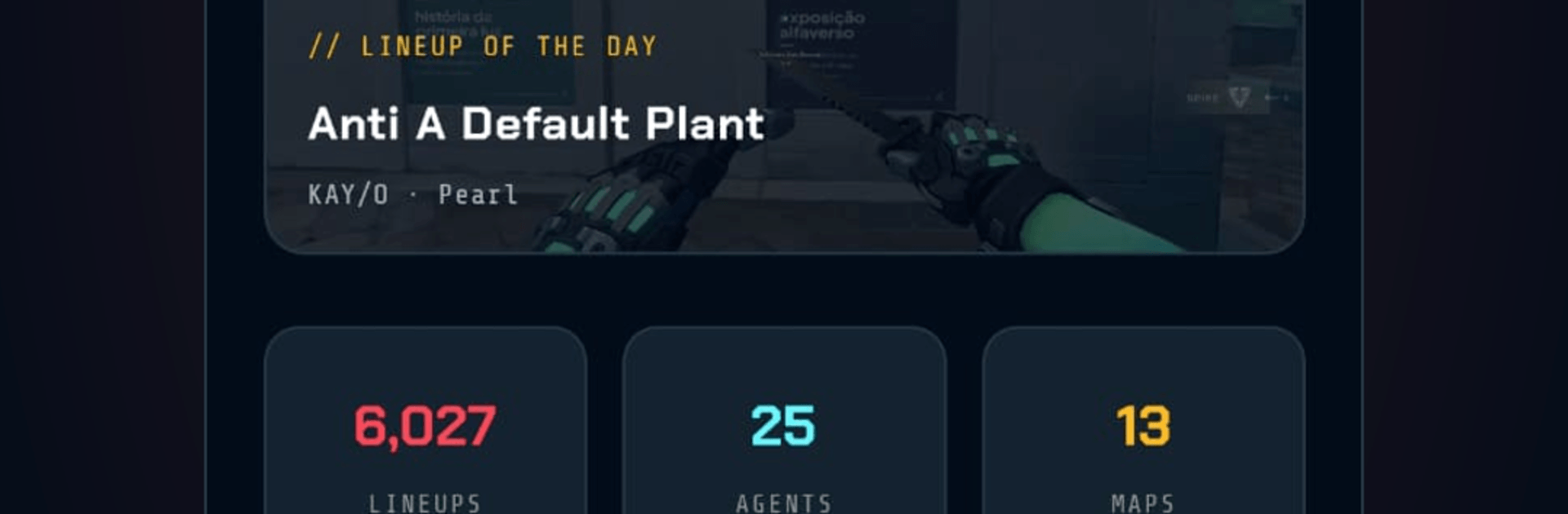
  • Massive lineup library: Browse thousands of curated smokes, flashes, mollies, walls, recon and ult setups spanning every agent, every map, and every site on attack and defense.
  • Step-by-step visuals: Follow clear stand-aim-result images you can zoom into, so you know precisely where to plant your feet and where to place your crosshair.
  • Smart search and filters: Find what you need fast by filtering lineups by agent, map, side, and site—no more scrolling forever.
  • Favorites and sync: Save clutch lineups to your favorites and keep them synced across your devices for easy access before a match.
  • Recent history: Jump back to setups you just checked without retracing your path—handy during map load or timeouts.
  • All agents, all maps: From Brimstone, Viper, Omen, Astra, Harbor, Clove, Sova, KAY/O, Fade, Gekko, Killjoy, and Cypher to the current pool like Ascent, Bind, Haven, Icebox, Lotus, Sunset, Split, Breeze, Abyss, and Corrode—it’s all covered.
  • Clean, fast interface: Minimal clutter and quick loading help you learn a lineup in seconds and get back to the game.
  • Free and private: It’s free to use with no ads and no third‑party tracking; sign in only if you want your saved lineups synced.
  • Practice-ready ideas: Post-plant smokes, retake flashes, lurk mollies, quick execs—pick one a day and build a reliable toolbox.

BlueStacks gives you more room to focus on the game and less time adjusting around mobile limitations.


Game Features

Enhancements

  • Macros
  • Multi Instance
  • Multi Instance Sync
  • Eco Mode
  • Enhancements
Macros

Macros

Skip the boring parts of a game. Play Valorant Lineups Pro with Macros and get the edge. Simply record a sequence of commands and execute them at any moment.
Multi Instance

Multi Instance

Why limit to one game on your phone when you can play many on your PC? Open multiple instances of Valorant Lineups Pro at once with Multi-Instance. Leverage the power of different accounts by doing more.
Multi Instance Sync

Multi Instance Sync

Get the best out of Valorant Lineups Pro with Multi-Instance Sync. Play the game from different accounts and build your own empire. Use Multi-instance sync to repeat the action in the main BlueStacks instance on all other instances.
Eco Mode

Eco Mode

Find the rarest heroes by making multiple summons in Valorant Lineups Pro. And while you are at it, reduce your PC’s resource consumption with the Eco Mode. Farm efficiently. Get the best results.
Read More

How to Download and Play Valorant Lineups Pro on PC or Mac

  • Download and install BlueStacks on your PC or Mac

  • Complete Google sign-in to access the Play Store, or do it later

  • Look for Valorant Lineups Pro in the search bar at the top right corner

  • Click to install Valorant Lineups Pro from the search results

  • Complete Google sign-in (if you skipped step 2) to install Valorant Lineups Pro

  • Click the Valorant Lineups Pro icon on the home screen to start playing

video
Watch Video

Minimum System Requirements

With BlueStacks 5, you can get started on a PC that fulfills the following requirements.

  • Operating System

    Microsoft Windows 7 or above, macOS 11 (Big Sur) or above

  • Processor

    Intel, AMD or Apple Silicon Processor

  • RAM

    at least 4GB

  • HDD

    10GB Free Disk Space

Note:

* You must be an Administrator on your PC. Up to date graphics drivers from Microsoft or the chipset vendor.

Valorant Lineups Pro - FAQs

  • How to play Valorant Lineups Pro on Windows PC & Mac?

    Play Valorant Lineups Pro on your PC or Mac by following these simple steps.

    • Click on 'Play Valorant Lineups Pro on PC’ to download BlueStacks
    • Install it and log-in to Google Play Store
    • Launch and play the game.
  • Why is BlueStacks the fastest and safest platform to play games on PC?

    BlueStacks respects your privacy and is always safe and secure to use. It does not carry any malware, spyware, or any sort of additional software that could harm your PC.

    It is engineered to optimize speed and performance for a seamless gaming experience.

  • What are Valorant Lineups Pro PC requirements?

    Minimum requirement to run Valorant Lineups Pro on your PC

    • OS: Microsoft Windows 7 or above MacOS 11 (Big Sur) or above
    • Processor: Intel, AMD or Apple Silicon Processor
    • RAM: Your PC must have at least 4GB of RAM. (Note that having 4GB or more disk space is not a substitute for RAM)
    • HDD: 10GB Free Disk Space.
    • You must be an Administrator on your PC.