War of the Zombie
War of the Zombie

War of the Zombie

Strategy

| Van der Veer Games

Play on PC with BlueStacks or from our cloud

  • Overview
  • Game Features
  • How to Play

Page Modified On: September 02, 2025

Play War of the Zombie on PC or Mac

Explore a whole new adventure with War of the Zombie, a Strategy game created by Van der Veer Games. Experience great gameplay with BlueStacks, the most popular gaming platform to play Android games on your PC or Mac.

About the Game

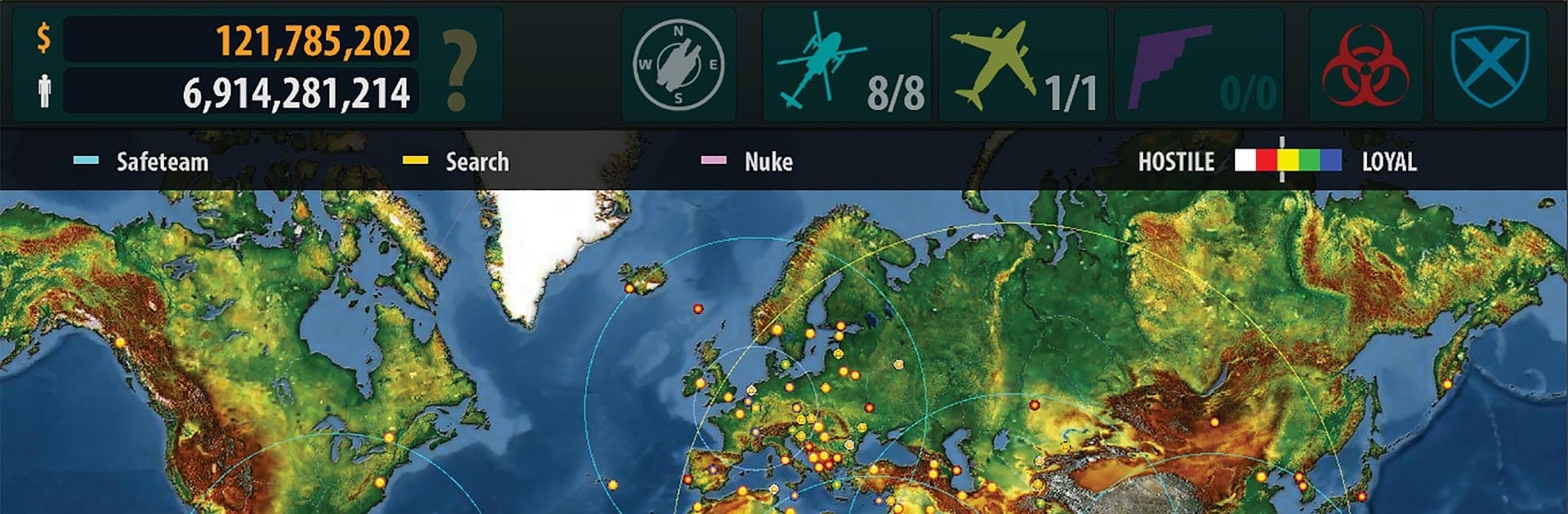
War of the Zombie is a gritty Strategy mix of global planning and on-the-ground action. You’re the operations lead for Safe Industries, steering its Ark Carrier across a world unraveling under an undead outbreak. Make tough calls, balance politics with survival, and drop into real-time missions where things can go sideways fast. Prefer a bigger screen and mouse? It runs smoothly on PC with BlueStacks.

Game Features

  • Global Carrier Command — Plot routes for the Ark Carrier, manage resources, and decide where your help (or firepower) is needed next.
  • Real-Time Raids with a 4-Marine Squad — Assemble and equip a four-person team, then deploy to chaotic hotspots where every bullet and decision counts.
  • Vehicles You Can Drive — Jump behind the wheel of Humvees, MRAPs, BMPs, Mobile Gun Systems, and tanks; drive and shoot right in the mission.
  • Fully Destructible Combat Zones — Blow through obstacles, change the battlefield, and adapt as cover disappears.
  • Street-to-Globe Zoom — Pinch-zoom from tight alleyways to the worldwide tactical map without losing situational awareness.
  • Grow Your Veterans — Station marines, train them up the ranks, and shape their roles as they gain experience.
  • Build a Full Staff — Recruit advisors, researchers, diplomats, and doctors to unlock options beyond brute force.
  • Research and Fabrication — Set up specialized labs, develop advanced tech, craft surplus, and keep your war chest funded.
  • Play the World Stage — Work with—or work around—over 200 governments: negotiate, bribe, airstrike, infect, or, when it comes to it, nuke.
  • Forward Operating Bases — Establish up to four FOBs to extend your reach and cut response times.
  • Procedural Scavenging — Explore randomized underground facilities for parts, intel, and rare gear.
  • Open-Ended Outbreak — The campaign keeps evolving and only truly ends if humanity doesn’t make it.
  • Language Support — Switch in-game text between English, Russian, German, French, or Spanish.

Developed by Van der Veer Games. Genre: Strategy.

Make your gaming sessions memorable with precise controls that give you an edge in close combats and visuals that pop up, bringing every character to life.


Game Features

Enhancements

  • Macros
  • Multi Instance
  • Multi Instance Sync
  • Eco Mode
  • Enhancements
Macros

Macros

Skip the boring parts of a game. Play War of the Zombie with Macros and get the edge. Simply record a sequence of commands and execute them at any moment.
Multi Instance

Multi Instance

Why limit to one game on your phone when you can play many on your PC? Open multiple instances of War of the Zombie at once with Multi-Instance. Leverage the power of different accounts by doing more.
Multi Instance Sync

Multi Instance Sync

Get the best out of War of the Zombie with Multi-Instance Sync. Play the game from different accounts and build your own empire. Use Multi-instance sync to repeat the action in the main BlueStacks instance on all other instances.
Eco Mode

Eco Mode

Find the rarest heroes by making multiple summons in War of the Zombie. And while you are at it, reduce your PC’s resource consumption with the Eco Mode. Farm efficiently. Get the best results.
Read More

How to Download and Play War of the Zombie on PC or Mac

  • Download and install BlueStacks on your PC or Mac

  • Complete Google sign-in to access the Play Store, or do it later

  • Look for War of the Zombie in the search bar at the top right corner

  • Click to install War of the Zombie from the search results

  • Complete Google sign-in (if you skipped step 2) to install War of the Zombie

  • Click the War of the Zombie icon on the home screen to start playing

video
Watch Video

Minimum System Requirements

With BlueStacks 5, you can get started on a PC that fulfills the following requirements.

  • Operating System

    Microsoft Windows 7 or above, macOS 11 (Big Sur) or above

  • Processor

    Intel, AMD or Apple Silicon Processor

  • RAM

    at least 4GB

  • HDD

    10GB Free Disk Space

Note:

* You must be an Administrator on your PC. Up to date graphics drivers from Microsoft or the chipset vendor.

War of the Zombie - FAQs

  • How to play War of the Zombie on Windows PC & Mac?

    Play War of the Zombie on your PC or Mac by following these simple steps.

    • Click on 'Play War of the Zombie on PC’ to download BlueStacks
    • Install it and log-in to Google Play Store
    • Launch and play the game.
  • Why is BlueStacks the fastest and safest platform to play games on PC?

    BlueStacks respects your privacy and is always safe and secure to use. It does not carry any malware, spyware, or any sort of additional software that could harm your PC.

    It is engineered to optimize speed and performance for a seamless gaming experience.

  • What are War of the Zombie PC requirements?

    Minimum requirement to run War of the Zombie on your PC

    • OS: Microsoft Windows 7 or above MacOS 11 (Big Sur) or above
    • Processor: Intel, AMD or Apple Silicon Processor
    • RAM: Your PC must have at least 4GB of RAM. (Note that having 4GB or more disk space is not a substitute for RAM)
    • HDD: 10GB Free Disk Space.
    • You must be an Administrator on your PC.