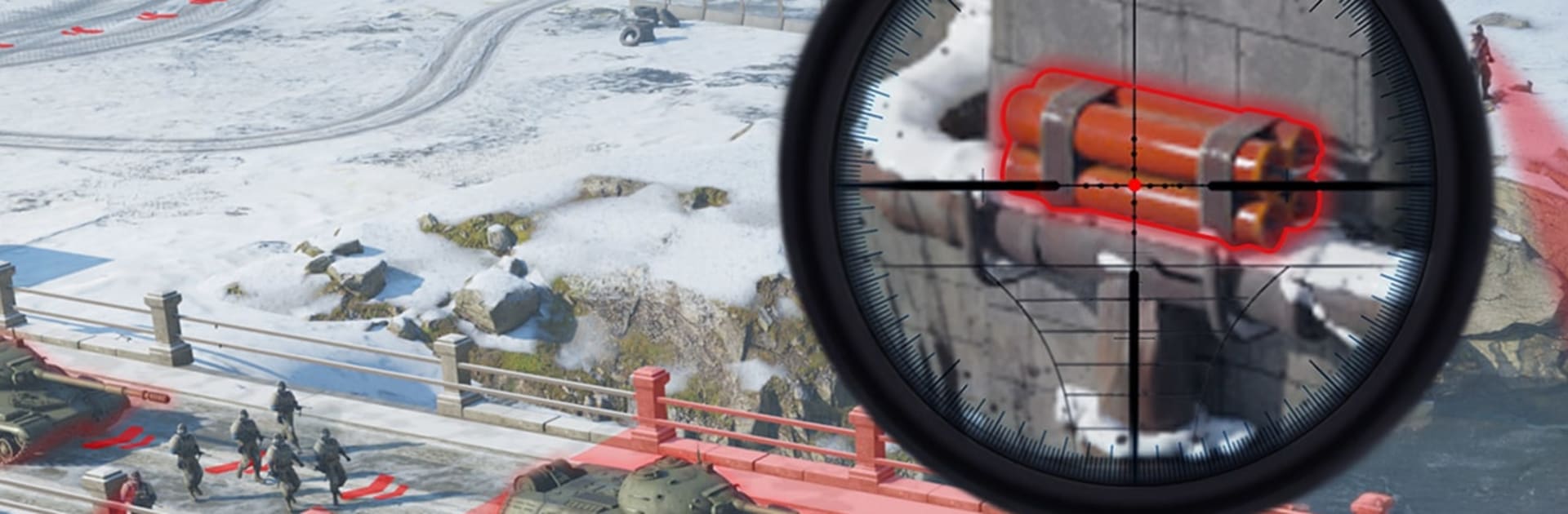
Warline: Sniper Frontier

Warline: Sniper Frontier

Strategy

| Powerfantasy HK Limited

Play on PC with BlueStacks or from our cloud

  • Overview
  • Game Features
  • How to Play

Page Modified On: August 20, 2026

Play Warline: Sniper Frontier on PC or Mac

Warline: Sniper Frontier by Powerfantasy HK Limited has plenty to keep you busy. BlueStacks lets you play it on PC or Mac with more screen space, better control, and fewer mobile limits.

About the Game

Warline: Sniper Frontier blends precise sniping with base building and large-scale command, letting you fight on the trigger and from the map. This Strategy game flips between tense, first-person shots and big-picture decisions where every choice shapes the frontline. Prefer aiming with a mouse? Playing on PC with BlueStacks makes those make-or-break moments feel extra sharp.

Game Features

  • Pinpoint Sniping: Line up high-value targets and crack enemy lines with a single, perfectly timed shot.
  • Heavy Firepower: Swap from sleek rifles to roaring machine guns, rocket systems, and even tank turrets when you need raw punch.
  • Cinematic Gunplay: Smooth controls, weighty recoil, and stylish slow-mo replays that make clutch hits wildly satisfying.
  • Urban Reclamation: Fight block by block, clear hostile zones, and reopen routes as you take districts back piece by piece.
  • Build and Fortify: Restore captured facilities, expand your base, and turn small victories into a durable war machine.
  • From Ghost to General: Sneak in solo, then scale up to coordinated strikes that reshape the battlefield in your favor.
  • Elite Operatives: Recruit specialists—from hardened veterans to undercover agents—and form a squad that fits how you like to play.
  • Combined Arms Support: Call in fighter jets, main battle tanks, and combat drones to pressure every angle of the fight.
  • Progression and Synergy: Train troops, upgrade officers, and unlock team combos that hit harder together than they ever could alone.
  • Global Alliances: Join forces with players worldwide to coordinate assaults, share resources, and hold the line against heavy pushback.
  • Research and Readiness: Invest in new tech, streamline logistics, and prepare your forces for conflicts that span multiple fronts.
  • Tactical Dominance: Push the front, outthink rival commanders, and make your name stick on every contested map.

Start playing Warline: Sniper Frontier on BlueStacks and get a smoother, more comfortable PC or Mac setup.


Game Features

Enhancements

  • Macros
  • Multi Instance
  • Multi Instance Sync
  • Eco Mode
  • Enhancements
Macros

Macros

Skip the boring parts of a game. Play Warline: Sniper Frontier with Macros and get the edge. Simply record a sequence of commands and execute them at any moment.
Multi Instance

Multi Instance

Why limit to one game on your phone when you can play many on your PC? Open multiple instances of Warline: Sniper Frontier at once with Multi-Instance. Leverage the power of different accounts by doing more.
Multi Instance Sync

Multi Instance Sync

Get the best out of Warline: Sniper Frontier with Multi-Instance Sync. Play the game from different accounts and build your own empire. Use Multi-instance sync to repeat the action in the main BlueStacks instance on all other instances.
Eco Mode

Eco Mode

Find the rarest heroes by making multiple summons in Warline: Sniper Frontier. And while you are at it, reduce your PC’s resource consumption with the Eco Mode. Farm efficiently. Get the best results.
Read More

How to Download and Play Warline: Sniper Frontier on PC or Mac

  • Download and install BlueStacks on your PC or Mac

  • Complete Google sign-in to access the Play Store, or do it later

  • Look for Warline: Sniper Frontier in the search bar at the top right corner

  • Click to install Warline: Sniper Frontier from the search results

  • Complete Google sign-in (if you skipped step 2) to install Warline: Sniper Frontier

  • Click the Warline: Sniper Frontier icon on the home screen to start playing

video
Watch Video

Minimum System Requirements

With BlueStacks 5, you can get started on a PC that fulfills the following requirements.

  • Operating System

    Microsoft Windows 7 or above, macOS 11 (Big Sur) or above

  • Processor

    Intel, AMD or Apple Silicon Processor

  • RAM

    at least 4GB

  • HDD

    10GB Free Disk Space

Note:

* You must be an Administrator on your PC. Up to date graphics drivers from Microsoft or the chipset vendor.

Warline: Sniper Frontier - FAQs

  • How to play Warline: Sniper Frontier on Windows PC & Mac?

    Play Warline: Sniper Frontier on your PC or Mac by following these simple steps.

    • Click on 'Play Warline: Sniper Frontier on PC’ to download BlueStacks
    • Install it and log-in to Google Play Store
    • Launch and play the game.
  • Why is BlueStacks the fastest and safest platform to play games on PC?

    BlueStacks respects your privacy and is always safe and secure to use. It does not carry any malware, spyware, or any sort of additional software that could harm your PC.

    It is engineered to optimize speed and performance for a seamless gaming experience.

  • What are Warline: Sniper Frontier PC requirements?

    Minimum requirement to run Warline: Sniper Frontier on your PC

    • OS: Microsoft Windows 7 or above MacOS 11 (Big Sur) or above
    • Processor: Intel, AMD or Apple Silicon Processor
    • RAM: Your PC must have at least 4GB of RAM. (Note that having 4GB or more disk space is not a substitute for RAM)
    • HDD: 10GB Free Disk Space.
    • You must be an Administrator on your PC.