水滸傳戰棋版
水滸傳戰棋版

水滸傳戰棋版

Strategy

| TianYuan Studio

Play on PC with BlueStacks or from our cloud

  • Overview
  • Game Features
  • How to Play

Page Modified On: August 11, 2026

Play 水滸傳戰棋版 on PC or Mac

Step into the World of 水滸傳戰棋版, a thrilling Strategy game from the house of TianYuan Studio. Play this Android game on BlueStacks App Player and experience immersive gaming on PC or Mac.

About the Game

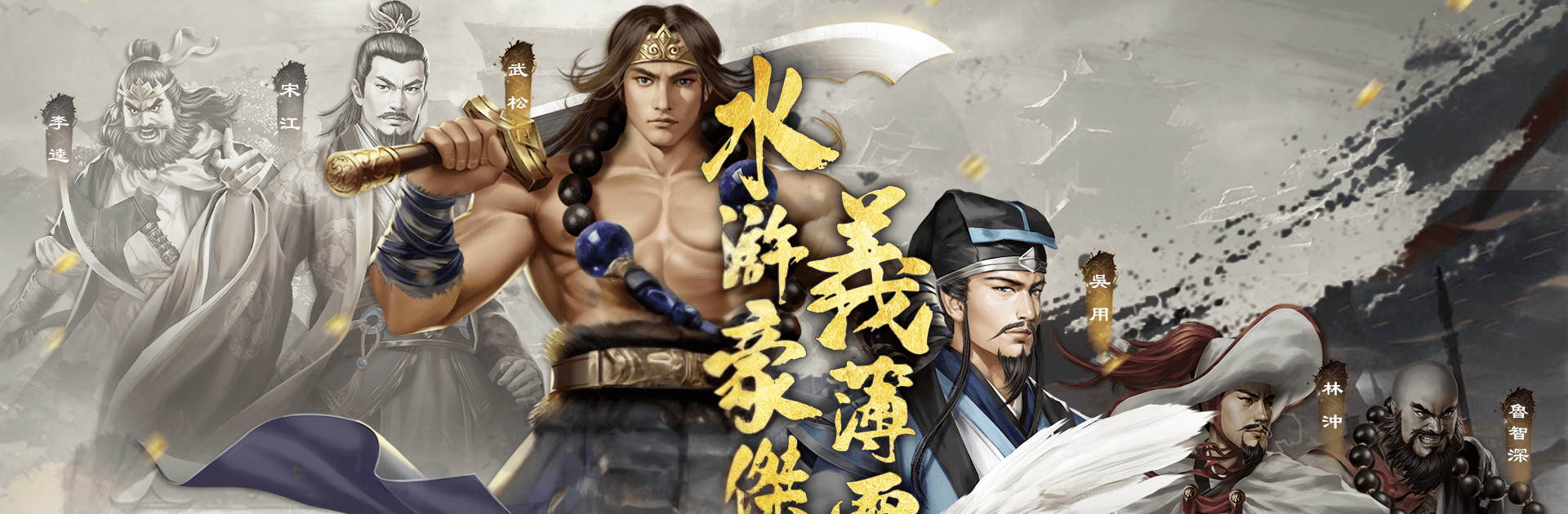
水滸傳戰棋版 puts you in the commander’s seat of a classic tale, reimagined as a turn-based Strategy adventure. You’ll guide Song Jiang and a growing roster of outlaws through story-rich battles where positioning, timing, and team synergy really matter. Prefer playing on a bigger screen with keyboard and mouse? It runs smoothly on BlueStacks, too.

Game Features

  • Turn-Based Tactics: Every move counts. Line up formations, bait enemies, and chain abilities to outthink tougher foes instead of just out-leveling them.
  • Branching Campaign: The narrative splits in the mid-to-late game, leading to two distinct routes and multiple endings shaped by your choices. Your decisions can even shift the fate of Liangshan’s heroes.
  • 108 Playable Heroes: Recruit legends one by one. Each character brings unique roles and traits, giving you plenty of room to experiment with squads that fit your style.
  • 60+ Handcrafted Stages: Take on a lengthy campaign packed with tightly designed encounters that reward smart planning and adaptation.
  • Gear and Treasures: Earn equipment straight from the battlefield and tune builds to squeeze out extra damage, survivability, or utility.
  • Challenge and Endless Modes: Test your limits beyond the main story with high-difficulty missions and an endurance mode that keeps the pressure on.
  • Hero Biographies: Dive into character-focused stories featuring icons like Wu Song, Lu Zhishen, and Lin Chong, and see how their distinct personalities play out in combat.

Ready to top the leaderboard? We bet you do. Let precise controls and sharp visuals optimized on BlueStacks lead you to victory.


Game Features

Enhancements

  • Macros
  • Multi Instance
  • Multi Instance Sync
  • Eco Mode
  • Enhancements
Macros

Macros

Skip the boring parts of a game. Play 水滸傳戰棋版 with Macros and get the edge. Simply record a sequence of commands and execute them at any moment.
Multi Instance

Multi Instance

Why limit to one game on your phone when you can play many on your PC? Open multiple instances of 水滸傳戰棋版 at once with Multi-Instance. Leverage the power of different accounts by doing more.
Multi Instance Sync

Multi Instance Sync

Get the best out of 水滸傳戰棋版 with Multi-Instance Sync. Play the game from different accounts and build your own empire. Use Multi-instance sync to repeat the action in the main BlueStacks instance on all other instances.
Eco Mode

Eco Mode

Find the rarest heroes by making multiple summons in 水滸傳戰棋版. And while you are at it, reduce your PC’s resource consumption with the Eco Mode. Farm efficiently. Get the best results.
Read More

How to Download and Play 水滸傳戰棋版 on PC or Mac

  • Download and install BlueStacks on your PC or Mac

  • Complete Google sign-in to access the Play Store, or do it later

  • Look for 水滸傳戰棋版 in the search bar at the top right corner

  • Click to install 水滸傳戰棋版 from the search results

  • Complete Google sign-in (if you skipped step 2) to install 水滸傳戰棋版

  • Click the 水滸傳戰棋版 icon on the home screen to start playing

video
Watch Video

Minimum System Requirements

With BlueStacks 5, you can get started on a PC that fulfills the following requirements.

  • Operating System

    Microsoft Windows 7 or above, macOS 11 (Big Sur) or above

  • Processor

    Intel, AMD or Apple Silicon Processor

  • RAM

    at least 4GB

  • HDD

    10GB Free Disk Space

Note:

* You must be an Administrator on your PC. Up to date graphics drivers from Microsoft or the chipset vendor.

水滸傳戰棋版 - FAQs

  • How to play 水滸傳戰棋版 on Windows PC & Mac?

    Play 水滸傳戰棋版 on your PC or Mac by following these simple steps.

    • Click on 'Play 水滸傳戰棋版 on PC’ to download BlueStacks
    • Install it and log-in to Google Play Store
    • Launch and play the game.
  • Why is BlueStacks the fastest and safest platform to play games on PC?

    BlueStacks respects your privacy and is always safe and secure to use. It does not carry any malware, spyware, or any sort of additional software that could harm your PC.

    It is engineered to optimize speed and performance for a seamless gaming experience.

  • What are 水滸傳戰棋版 PC requirements?

    Minimum requirement to run 水滸傳戰棋版 on your PC

    • OS: Microsoft Windows 7 or above MacOS 11 (Big Sur) or above
    • Processor: Intel, AMD or Apple Silicon Processor
    • RAM: Your PC must have at least 4GB of RAM. (Note that having 4GB or more disk space is not a substitute for RAM)
    • HDD: 10GB Free Disk Space.
    • You must be an Administrator on your PC.