




Why limit yourself to your small screen on the phone? Run Anchor Watch / Alarm, an app by IdeaBoys UG, best experienced on your PC or Mac with BlueStacks, the world’s #1 Android emulator.
About the App
Anchor Watch / Alarm is your on-board lookout after you drop the hook. Mark where your anchor sits, set a safe radius, and the app keeps an eye on your position, warning you if you drift or if GPS reception gets sketchy. Built by IdeaBoys UG in the Tools category, it’s designed to be simple, clear, and dependable when you need it most.
App Features
- Quick anchor marking: Save your anchor point with a tap; the built-in compass helps even if you’re not standing right over it.
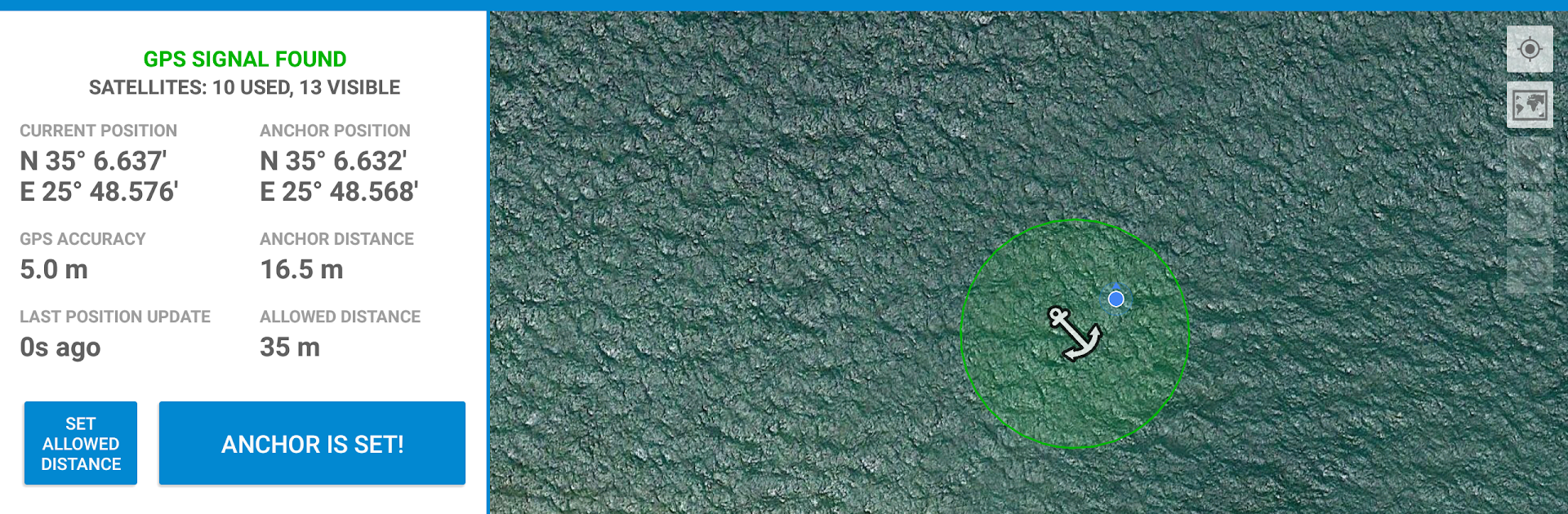
- Clear live data: Check your GPS fix, accuracy estimate, distance, and bearing to the anchor in real time.
- Drift radius alarms: Set your safe radius—if you move beyond it, you’ll get an audible alert you can actually hear.
- GPS signal guard: Get notified when reception drops or the fix becomes unreliable, so you can act before things escalate.
- Your choice of sound: Pick the alarm tone that fits your crew and surroundings.
- Exclusion zones: Create areas to ignore and cut down on nuisance alarms while you swing at anchor.
- Message alerts (Premium): When an alarm triggers, automatically send an instant message or email along with the sound alert.
- Map when online: See your location on a map when you have data; GPS tracking continues regardless.
- Status in notifications: Keep tabs from your notification shade while you handle other tasks on board.
- Battery and accuracy notes: Continuous GPS uses more power—charging helps—and open sky improves accuracy.
- Works across craft: Great for sailboats, motorboats, and any setup where drift control matters.
- Bigger screen option: Prefer a cabin display? Run it on your PC with BlueStacks for a wider map and easier monitoring.
Big screen. Bigger performance. Use BlueStacks on your PC or Mac to run your favorite apps.





