
Compass Steel
Compass Steel

Compass Steel

Tools

| SimplyWerx

Play on PC with BlueStacks or from our cloud

  • Overview
  • How to Download

Page Modified On: August 14, 2025

Run Compass Steel on PC or Mac

What’s better than using Compass Steel by SimplyWerx? Well, try it on a big screen, on your PC or Mac, with BlueStacks to see the difference.

About the App

Ever wished you had a reliable compass that just works, no ads getting in your way? Compass Steel by SimplyWerx keeps things simple, yet packs a nice mix of basic and advanced features for when you’re out and about. Whether you’re into hiking, stargazing, or just need a trusty digital compass on hand, this app’s got your back. Expect a clean experience without distractions—set it up your way, and get on with your adventure.

App Features

  • Customize Your Look
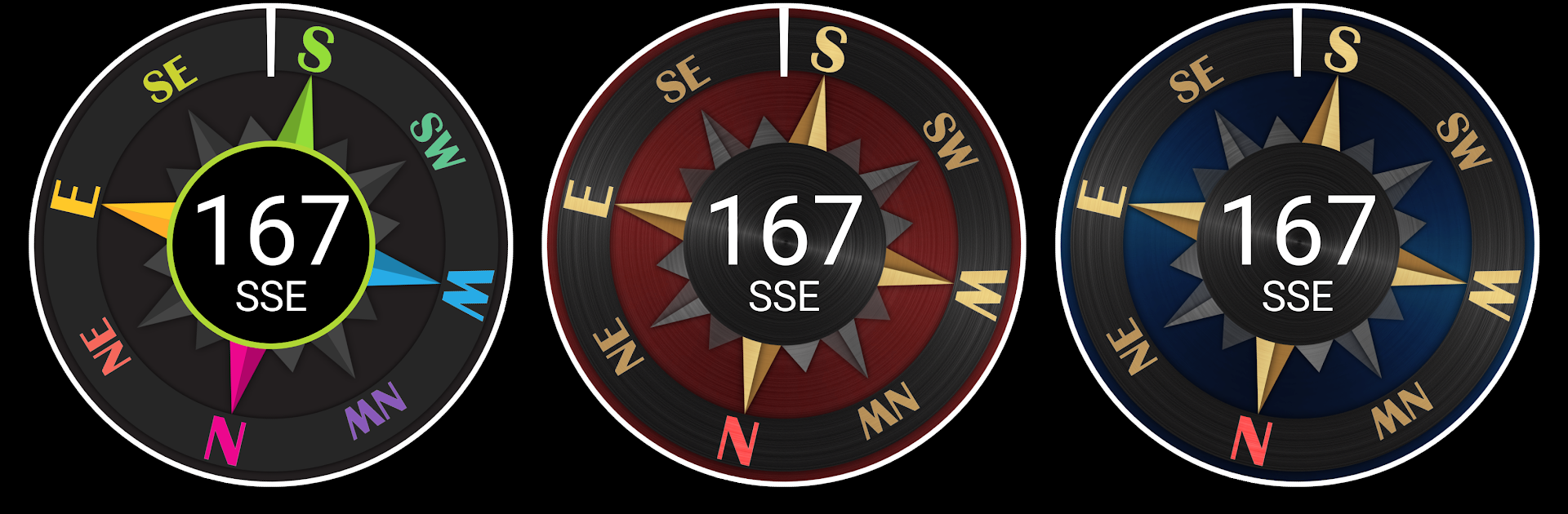
    Pick from several color themes to style your compass how you like. There’s something for everyone, whether you prefer classic or bold.

  • Two Compass Modes
    Switch between True mode (using True north) and Magnetic mode (using Magnetic north) depending on what you need—it’s quick and easy.

  • Track Sun & Moon
    Curious about where the sun or moon will be? Check their positions directly in the app, plus get handy times for sunrise, sunset, moonrise, and moonset.

  • Privacy Comes First
    No ads, no trackers, and no sketchy permissions—Compass Steel keeps your focus on navigation, not your data.

  • Advanced Goodies (Optional)
    Want even more? Unlock options like satellite mode with altitude info, a night-vision friendly mode, targeting for specific directions, custom compass units, and even the ability to set locations manually.

  • Clean, Distraction-Free
    There are no ads here at all—use it as much as you want, no interruptions. If you like what you see, donations are welcome but totally optional.

  • Works Smoothly with BlueStacks
    Need to use this on your computer? Compass Steel plays nicely with BlueStacks, so you can bring your compass tools to a bigger screen when you want.

Switch to BlueStacks and make the most of your apps on your PC or Mac.

How to Download and Run Compass Steel on PC or Mac

  • Download and install BlueStacks on your PC or Mac

  • Complete Google sign-in to access the Play Store, or do it later

  • Look for Compass Steel in the search bar at the top right corner

  • Click to install Compass Steel from the search results

  • Complete Google sign-in (if you skipped step 2) to install Compass Steel

  • Click the Compass Steel icon on the home screen to start playing

video
Watch Video

Minimum System Requirements

With BlueStacks 5, you can get started on a PC that fulfills the following requirements.

  • Operating System

    Microsoft Windows 7 or above, macOS 11 (Big Sur) or above

  • Processor

    Intel, AMD or Apple Silicon Processor

  • RAM

    at least 4GB

  • HDD

    10GB Free Disk Space

Note:

* You must be an Administrator on your PC. Up to date graphics drivers from Microsoft or the chipset vendor.

Compass Steel - FAQs

  • How to Run Compass Steel on Windows PC & Mac?

    Run Compass Steel on your PC or Mac by following these simple steps.

    • Click on ‘Download Compass Steel on PC’ to download BlueStacks
    • Install it and log-in to Google Play Store
    • Launch and run the app.
  • Why is BlueStacks the fastest and safest platform to play games on PC?

    BlueStacks respects your privacy and is always safe and secure to use. It does not carry any malware, spyware, or any sort of additional software that could harm your PC.

    It is engineered to optimize speed and performance for a seamless gaming experience.

  • What are Compass Steel PC requirements?

    Minimum requirement to run Compass Steel on your PC

    • OS: Microsoft Windows 7 and above:
    • Processor: Intel or AMD Processor:
    • RAM: Your PC must have at least 2GB of RAM. (Note that having 2GB or more disk space is not a substitute for RAM):
    • HDD: 5GB Free Disk Space.
    • You must be an Administrator on your PC.




