
Dexplorer
Dexplorer

Dexplorer

Tools

| Addons Detector

Play on PC with BlueStacks or from our cloud

  • Overview
  • How to Download

Page Modified On: January 09, 2026

Run Dexplorer on PC or Mac

Why limit yourself to your small screen on the phone? Run Dexplorer, an app by Addons Detector, best experienced on your PC or Mac with BlueStacks, the world’s #1 Android emulator.

About the App

Dexplorer is a handy way to peek inside the apps on your device and any APKs you’ve downloaded. Built by Addons Detector, this Tools app lets you browse code structures, resources, and key files without fuss. It’s great for developers, testers, or the curious, and it feels right at home on phones, tablets, or even on a bigger screen with BlueStacks.

App Features

  • APK and Dex browser: Scan your installed apps or open standalone APKs to see what’s inside without extracting everything first.
  • Class viewer: Walk through packages and classes, and check out fields and method signatures. There’s a lightweight decompiler so you can view structures, but not method bodies.
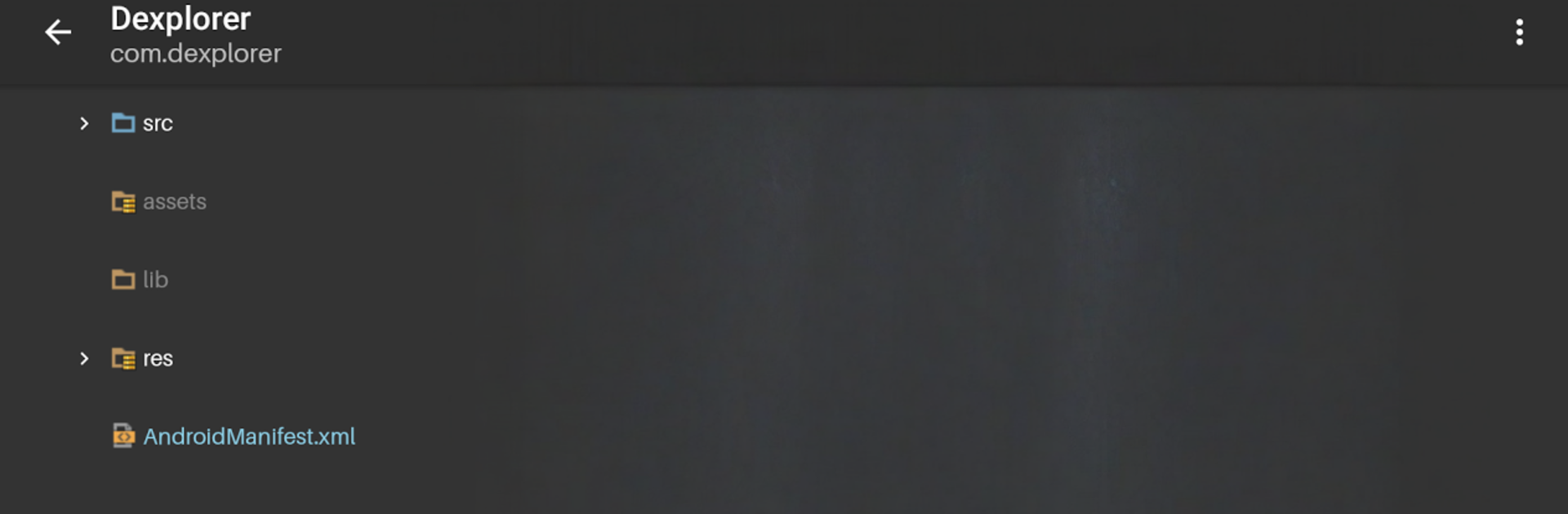
  • Resource explorer: Dig into assets, libraries, and res folders to understand how an app is put together.
  • Manifest at a glance: Open the Android manifest and quickly review permissions, components, and other essentials.
  • Smart previews:
  • XML with syntax highlighting for readable config files
  • Images with adjustable background colors for better contrast
  • Audio files with built-in playback
  • Fonts with live text preview
  • Plain text files, too
  • Open with your tools: Send files to your favorite editor or viewer right from Dexplorer.
  • Tablet-friendly layout: A clean two‑pane view makes browsing faster on larger screens.
  • Customizable look: Pick from different tree icons and syntax color themes to match your style.
  • Cleaner trees: Hide ActionBarSherlock/AppCompat resources to focus on what matters.
  • Proguard check: Quickly see how obfuscation affected class and member names in your build.
  • Thoughtful permissions: Uses storage for “Open with” and internet only for crash reporting—no analytics tracking.

Ready to experience Dexplorer on a bigger screen, in all its glory? Download BlueStacks now.

How to Download and Run Dexplorer on PC or Mac

  • Download and install BlueStacks on your PC or Mac

  • Complete Google sign-in to access the Play Store, or do it later

  • Look for Dexplorer in the search bar at the top right corner

  • Click to install Dexplorer from the search results

  • Complete Google sign-in (if you skipped step 2) to install Dexplorer

  • Click the Dexplorer icon on the home screen to start playing

video
Watch Video

Minimum System Requirements

With BlueStacks 5, you can get started on a PC that fulfills the following requirements.

  • Operating System

    Microsoft Windows 7 or above, macOS 11 (Big Sur) or above

  • Processor

    Intel, AMD or Apple Silicon Processor

  • RAM

    at least 4GB

  • HDD

    10GB Free Disk Space

Note:

* You must be an Administrator on your PC. Up to date graphics drivers from Microsoft or the chipset vendor.

Dexplorer - FAQs

  • How to Run Dexplorer on Windows PC & Mac?

    Run Dexplorer on your PC or Mac by following these simple steps.

    • Click on ‘Download Dexplorer on PC’ to download BlueStacks
    • Install it and log-in to Google Play Store
    • Launch and run the app.
  • Why is BlueStacks the fastest and safest platform to play games on PC?

    BlueStacks respects your privacy and is always safe and secure to use. It does not carry any malware, spyware, or any sort of additional software that could harm your PC.

    It is engineered to optimize speed and performance for a seamless gaming experience.

  • What are Dexplorer PC requirements?

    Minimum requirement to run Dexplorer on your PC

    • OS: Microsoft Windows 7 and above:
    • Processor: Intel or AMD Processor:
    • RAM: Your PC must have at least 2GB of RAM. (Note that having 2GB or more disk space is not a substitute for RAM):
    • HDD: 5GB Free Disk Space.
    • You must be an Administrator on your PC.




