
Digital Dashboard GPS Pro

Digital Dashboard GPS Pro

Tools

| luozirui

Play on PC with BlueStacks or from our cloud

  • Overview
  • How to Download

Page Modified On: September 19, 2025

Run Digital Dashboard GPS Pro on PC or Mac

Let BlueStacks turn your PC, Mac, or laptop into the perfect home for Digital Dashboard GPS Pro, a fun Tools app from luozirui.

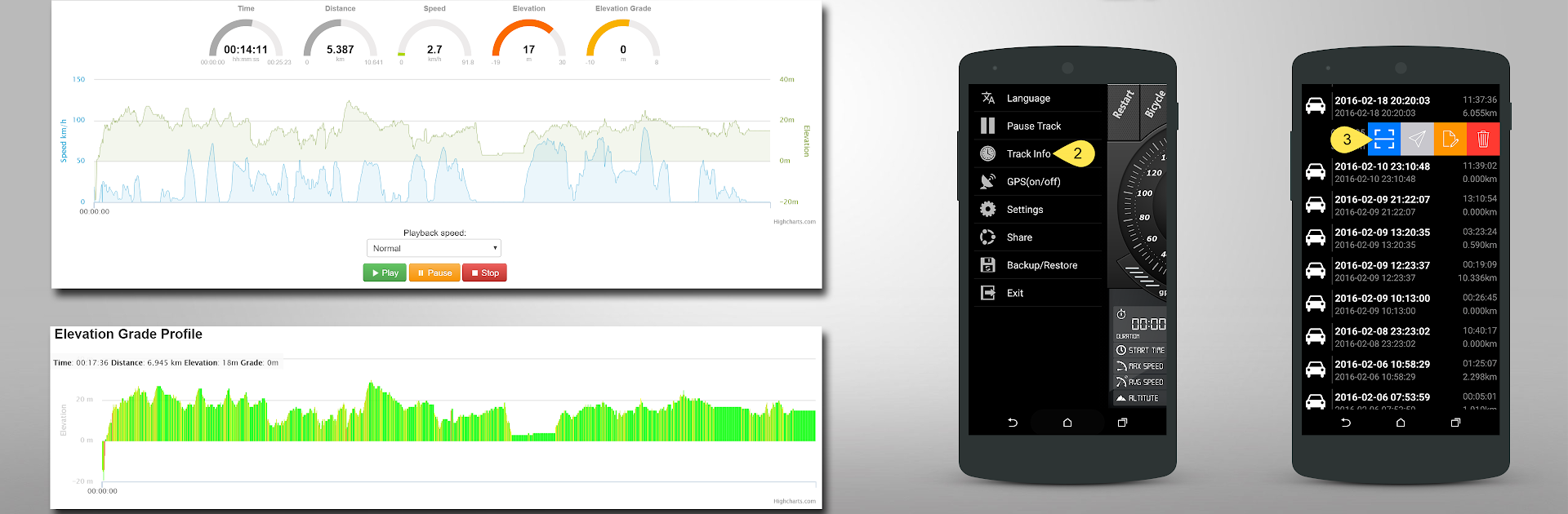
Digital Dashboard GPS Pro feels like a straightforward speedometer and trip logger that turns a screen into a clean dashboard. The layout is simple and readable, with big numbers and not much fluff, so it suits anyone who just wants speed and track info without digging through menus. It has a car speedometer view and a bike cyclometer view, and switching between mph and km/h is quick. There is a satellite page that shows how many are locked in and signal strength, plus a map view to place the current location and see movement in real time. It also records GPX tracks and saves them to storage, which makes it easy to export rides or drives into other tools later.

On a PC with BlueStacks, the big display is the best part, since everything is easier to glance at in a window while testing routes or looking over logs. It is not a turn by turn navigation app, more a live gauge plus a recorder, so it works well for people who like to track speed and keep tidy GPX files. The vibe is utility-first and it loads fast. Someone who wants fancy themes or social stuff will not find that here, but anyone who values accurate speed, quick unit switching, a basic map, and saved tracks will probably be happy.

BlueStacks gives you the much-needed freedom to experience your favorite apps on a bigger screen. Get it now.


How to Download and Run Digital Dashboard GPS Pro on PC or Mac

  • Download and install BlueStacks on your PC or Mac

  • Complete Google sign-in to access the Play Store, or do it later

  • Look for Digital Dashboard GPS Pro in the search bar at the top right corner

  • Click to install Digital Dashboard GPS Pro from the search results

  • Complete Google sign-in (if you skipped step 2) to install Digital Dashboard GPS Pro

  • Click the Digital Dashboard GPS Pro icon on the home screen to start playing

video
Watch Video

Minimum System Requirements

With BlueStacks 5, you can get started on a PC that fulfills the following requirements.

  • Operating System

    Microsoft Windows 7 or above, macOS 11 (Big Sur) or above

  • Processor

    Intel, AMD or Apple Silicon Processor

  • RAM

    at least 4GB

  • HDD

    10GB Free Disk Space

Note:

* You must be an Administrator on your PC. Up to date graphics drivers from Microsoft or the chipset vendor.

Digital Dashboard GPS Pro - FAQs

  • How to Run Digital Dashboard GPS Pro on Windows PC & Mac?

    Run Digital Dashboard GPS Pro on your PC or Mac by following these simple steps.

    • Click on ‘Download Digital Dashboard GPS Pro on PC’ to download BlueStacks
    • Install it and log-in to Google Play Store
    • Launch and run the app.
  • Why is BlueStacks the fastest and safest platform to play games on PC?

    BlueStacks respects your privacy and is always safe and secure to use. It does not carry any malware, spyware, or any sort of additional software that could harm your PC.

    It is engineered to optimize speed and performance for a seamless gaming experience.

  • What are Digital Dashboard GPS Pro PC requirements?

    Minimum requirement to run Digital Dashboard GPS Pro on your PC

    • OS: Microsoft Windows 7 and above:
    • Processor: Intel or AMD Processor:
    • RAM: Your PC must have at least 2GB of RAM. (Note that having 2GB or more disk space is not a substitute for RAM):
    • HDD: 5GB Free Disk Space.
    • You must be an Administrator on your PC.



