
Exodus
Exodus

Exodus

Tools

| Exodus Privacy

Play on PC with BlueStacks or from our cloud

  • Overview
  • How to Download

Page Modified On: January 02, 2026

Run Exodus on PC or Mac

Upgrade your experience. Try Exodus, the fantastic Tools app from Exodus Privacy, from the comfort of your laptop, PC, or Mac, only on BlueStacks.

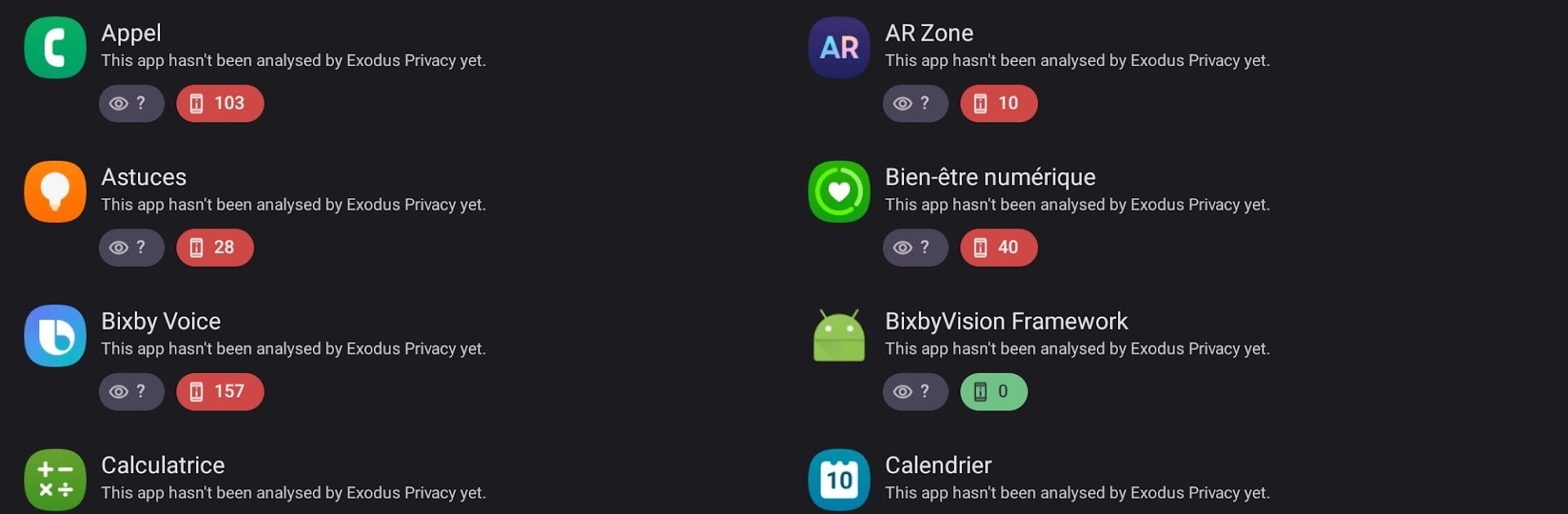
Exodus feels like a privacy x‑ray for the apps on a device. Open it and it scans what is installed, then pulls a report from the Exodus database for each one. The report shows which trackers the app includes and what permissions it asks for, laid out in a clean list that is easy to scroll through. Names of common trackers pop up, plus a breakdown of permissions like camera, location, contacts, all in one place so nothing feels hidden. On BlueStacks, the bigger screen and mouse make it simple to jump between apps, compare results, and decide what to keep or uninstall in the emulator. There is no fancy dashboard, just straight info that loads fast and gets out of the way.

What stands out is how transparent it is. Exodus does not block anything, it just tells users what is inside their apps so they can make choices. It works best for people who care about what data their apps might send out, or who want to check an app before trusting it. Reports depend on what the database knows, so a rare app might show less detail, but popular apps have plenty. It is developed by a French non profit focused on privacy, and the whole thing feels purpose built, no fluff. More tool than toy, useful to peek under the hood and see who is watching, or trying to.

Switch to BlueStacks and make the most of your apps on your PC or Mac.

How to Download and Run Exodus on PC or Mac

  • Download and install BlueStacks on your PC or Mac

  • Complete Google sign-in to access the Play Store, or do it later

  • Look for Exodus in the search bar at the top right corner

  • Click to install Exodus from the search results

  • Complete Google sign-in (if you skipped step 2) to install Exodus

  • Click the Exodus icon on the home screen to start playing

video
Watch Video

Minimum System Requirements

With BlueStacks 5, you can get started on a PC that fulfills the following requirements.

  • Operating System

    Microsoft Windows 7 or above, macOS 11 (Big Sur) or above

  • Processor

    Intel, AMD or Apple Silicon Processor

  • RAM

    at least 4GB

  • HDD

    10GB Free Disk Space

Note:

* You must be an Administrator on your PC. Up to date graphics drivers from Microsoft or the chipset vendor.

Exodus - FAQs

  • How to Run Exodus on Windows PC & Mac?

    Run Exodus on your PC or Mac by following these simple steps.

    • Click on ‘Download Exodus on PC’ to download BlueStacks
    • Install it and log-in to Google Play Store
    • Launch and run the app.
  • Why is BlueStacks the fastest and safest platform to play games on PC?

    BlueStacks respects your privacy and is always safe and secure to use. It does not carry any malware, spyware, or any sort of additional software that could harm your PC.

    It is engineered to optimize speed and performance for a seamless gaming experience.

  • What are Exodus PC requirements?

    Minimum requirement to run Exodus on your PC

    • OS: Microsoft Windows 7 and above:
    • Processor: Intel or AMD Processor:
    • RAM: Your PC must have at least 2GB of RAM. (Note that having 2GB or more disk space is not a substitute for RAM):
    • HDD: 5GB Free Disk Space.
    • You must be an Administrator on your PC.




