



Get freedom from your phone’s obvious limitations. Use G-NetLook Pro, made by GyokovSolutions, a Tools app on your PC or Mac with BlueStacks, and level up your experience.
About the App
G-NetLook Pro is a Tools app from GyokovSolutions built for people who live and breathe radio planning and optimization. It visualizes your mobile network, helps you validate neighbor relations, and lets you fine‑tune antenna tilt with real data. It’s a one-time purchase with no monthly fees, and if you like working on a bigger screen, it runs smoothly on BlueStacks too.
App Features
-
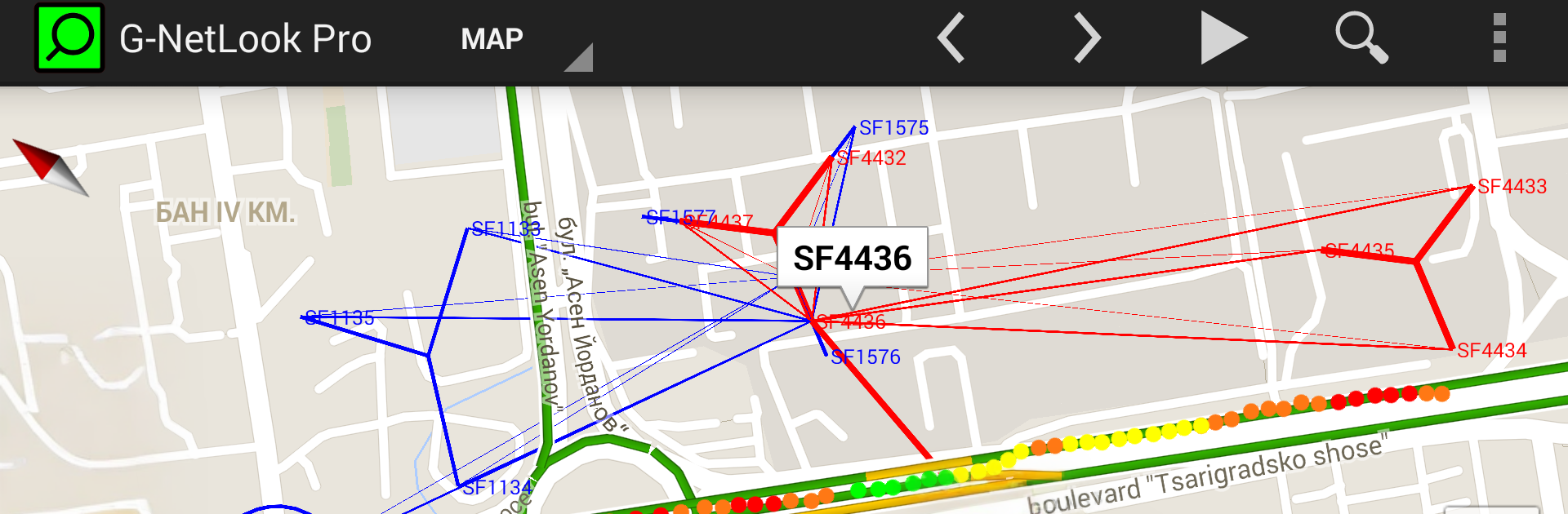
Network Map Visualization – See cells and neighbor cells on an interactive map, browse per‑cell details, run quick searches, and check neighbor reciprocity and distance so your topology actually makes sense. Note: to show serving and neighbor cells, you’ll need to load a cellfile with site locations.
-
Logfile Postprocessing – Open G-NetTrack Pro logs or measurements from your own database and view them on the map with serving/neighbor lines and thematic layers like level, quality, technology, PCI/PSC/BSIC, SNR, bitrate, speed, altitude, serving distance, bearing, antenna height, ARFCN, ping, and more.
-
Charts and Stats – Inspect any point, plot measurement charts, and generate histogram statistics. Export charts and summaries in HTML for quick desktop review.
-
Logfile Player and Multi-File Export – Replay routes, load several text logs at once, and export combined KML with your preferred legend thresholds.
-
Indoor-Friendly – Load floorplans to analyze indoor measurements without losing context.
-
Neighbors Analyzer – Automate neighbor cell planning and quickly spot missing neighbors that should be there but aren’t.
-
Tilt Optimizer – Calculate antenna tilt automatically, then adjust tilt, height, and vertical beamwidth to see how coverage changes.
-
Coverage and Beam Exports – Export single or multi‑cell coverage to KML, including central and ±3 dB beam planes, organized by technology and cell layers for easy viewing.
-
Flexible Data Exports – Export cells and neighbor relations in text or KML, with an option to include missing neighbors.
-
Online Database Support – Load measurement data and cell data from your own database or a public one. Works great alongside G-NetReport Pro for organizing field reports.
Switch to BlueStacks and make the most of your apps on your PC or Mac.





