


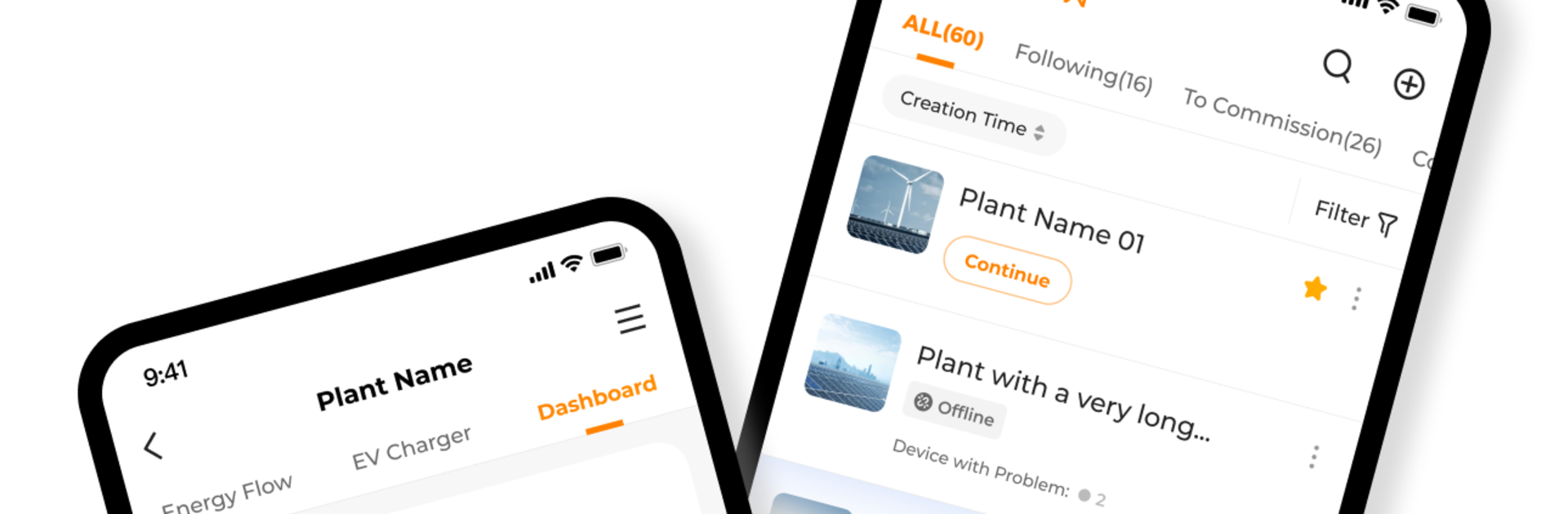


Let BlueStacks turn your PC, Mac, or laptop into the perfect home for iSolarCloud, a fun Tools app from Sungrow Power Supply Co., Ltd..
About the App
If keeping tabs on your solar setup sounds like a hassle, iSolarCloud wants to make that a thing of the past. This handy Tools app from Sungrow Power Supply Co., Ltd. lets you track and manage your solar plant’s performance right from your phone (or computer if you’re using BlueStacks). Whether you’re troubleshooting a hiccup or just curious about how much power you’re generating, iSolarCloud helps you stay in the loop without any technical headaches.
App Features
-
Simple Plant Connection
Getting your solar plant hooked up to the app is a breeze. With just a few steps, you can link everything together and start managing your system right away. -
Remote Monitoring
Want to check in on your equipment without leaving your seat? The app keeps a constant eye on your devices and lets you spot performance changes or potential issues—wherever you are. -
Easy Parameter Configuration
Tweak system settings straight from your phone. There’s no need to dig out wiring diagrams or stand in the sun fiddling with panels; just adjust what you need remotely. -
WLAN Setup Support
Connecting everything via Wi-Fi? No problem. iSolarCloud helps you set up and manage your WLAN connections, keeping things running smoothly without extra hassle. -
Real-Time Fault Management
If something goes wrong in your system, you’ll hear about it right away. The app not only reports problems but helps you keep track of exactly what’s happening, so you know when it’s time to take action. -
Instant Alarm Push Notifications
Stay updated with alerts the moment there’s a hiccup. Get notified immediately if something needs your attention—no need to check in constantly. -
Knowledge Repository
Got questions about your solar gear? The built-in knowledge base offers resources, guides, and tips for getting the most out of your setup. -
Device Monitoring Dashboard
Track everything from generation performance to status updates, all in a clean dashboard that makes sense at a glance.
And if you prefer checking all this on a bigger screen, BlueStacks lets you run iSolarCloud from your PC, making it even easier to manage your solar operations.
Ready to experience iSolarCloud on a bigger screen, in all its glory? Download BlueStacks now.





