
Kannada Calendar 2026

Kannada Calendar 2026

Tools

| Sanatan Panchang

Play on PC with BlueStacks or from our cloud

  • Overview
  • How to Download

Page Modified On: January 02, 2026

Run Kannada Calendar 2026 on PC or Mac

What’s better than using Kannada Calendar 2026 by Sanatan Panchang? Well, try it on a big screen, on your PC or Mac, with BlueStacks to see the difference.

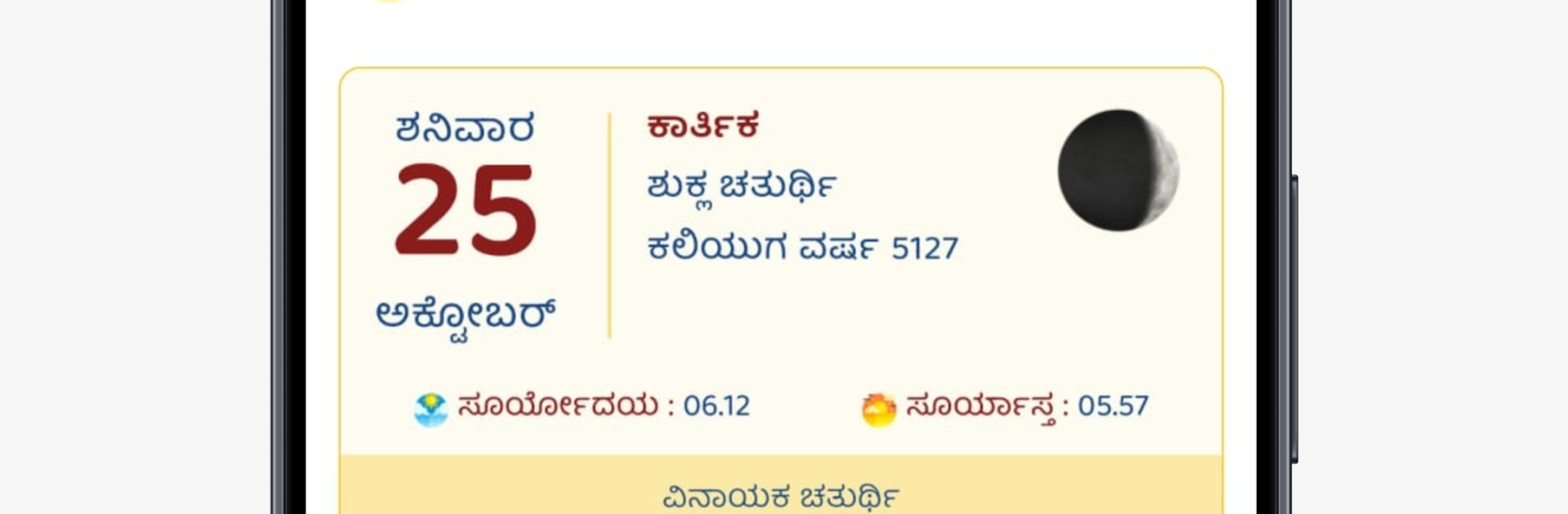
Kannada Calendar 2026 feels like a full panchang that just happens to be an app. On BlueStacks it opens to a simple dashboard that shows the day, date, tithi, and a small highlight for today, so there is no hunting for basics. The monthly pages are high resolution and come with Hindu deity images that look surprisingly crisp on a bigger screen. Scrolling through months with a mouse is quick, and typing reminders with a keyboard is a nice perk on PC. It also works offline, so the whole year stays at hand even without internet.

Beyond dates, it packs in the useful stuff people actually check. Daily tithi, nakshatra, yoga, karana, paksha and even sunrise, sunset and moon phases. Festivals for 2026 are clearly marked, public holidays stand out, and it supports planning vrats in advance. There are shubh muhurat lists for weddings, upanayan and a few special days, plus Sankashti Chaturthi moonrise timings by city which is a neat touch. Reminders help with fasting days, events, birthdays or anniversaries, and sharing a detail or a quote to friends is easy. The Arogyam section drops small health tips inspired by Ayurveda, and there is a daily inspirational line that is light but pleasant. The interface is tidy, loads fast, and on BlueStacks the bigger layout makes the information feel easier to parse, almost like flipping a wall calendar, just smarter.

Ready to experience Kannada Calendar 2026 on a bigger screen, in all its glory? Download BlueStacks now.


How to Download and Run Kannada Calendar 2026 on PC or Mac

  • Download and install BlueStacks on your PC or Mac

  • Complete Google sign-in to access the Play Store, or do it later

  • Look for Kannada Calendar 2026 in the search bar at the top right corner

  • Click to install Kannada Calendar 2026 from the search results

  • Complete Google sign-in (if you skipped step 2) to install Kannada Calendar 2026

  • Click the Kannada Calendar 2026 icon on the home screen to start playing

video
Watch Video

Minimum System Requirements

With BlueStacks 5, you can get started on a PC that fulfills the following requirements.

  • Operating System

    Microsoft Windows 7 or above, macOS 11 (Big Sur) or above

  • Processor

    Intel, AMD or Apple Silicon Processor

  • RAM

    at least 4GB

  • HDD

    10GB Free Disk Space

Note:

* You must be an Administrator on your PC. Up to date graphics drivers from Microsoft or the chipset vendor.

Kannada Calendar 2026 - FAQs

  • How to Run Kannada Calendar 2026 on Windows PC & Mac?

    Run Kannada Calendar 2026 on your PC or Mac by following these simple steps.

    • Click on ‘Download Kannada Calendar 2026 on PC’ to download BlueStacks
    • Install it and log-in to Google Play Store
    • Launch and run the app.
  • Why is BlueStacks the fastest and safest platform to play games on PC?

    BlueStacks respects your privacy and is always safe and secure to use. It does not carry any malware, spyware, or any sort of additional software that could harm your PC.

    It is engineered to optimize speed and performance for a seamless gaming experience.

  • What are Kannada Calendar 2026 PC requirements?

    Minimum requirement to run Kannada Calendar 2026 on your PC

    • OS: Microsoft Windows 7 and above:
    • Processor: Intel or AMD Processor:
    • RAM: Your PC must have at least 2GB of RAM. (Note that having 2GB or more disk space is not a substitute for RAM):
    • HDD: 5GB Free Disk Space.
    • You must be an Administrator on your PC.



