
LaMaille pour la pêche en mer

LaMaille pour la pêche en mer

Tools

| Eric Longuemare (ELDK)

Play on PC with BlueStacks or from our cloud

  • Overview
  • How to Download

Page Modified On: October 03, 2025

Run LaMaille pour la pêche en mer on PC or Mac

Multitask effortlessly on your PC or Mac as you try out LaMaille pour la pêche en mer, a Tools app by Eric Longuemare (ELDK) on BlueStacks.

About the App

LaMaille pour la pêche en mer is a practical Tools app that keeps France’s recreational sea fishing rules in your pocket. It’s built for everyday use on the shore, from a boat, or while gathering by foot, and it’s fast to navigate when you just need a clear answer. Expect straightforward info on legal sizes, quotas, and restrictions across the North Sea, English Channel, Atlantic, and Mediterranean.

App Features

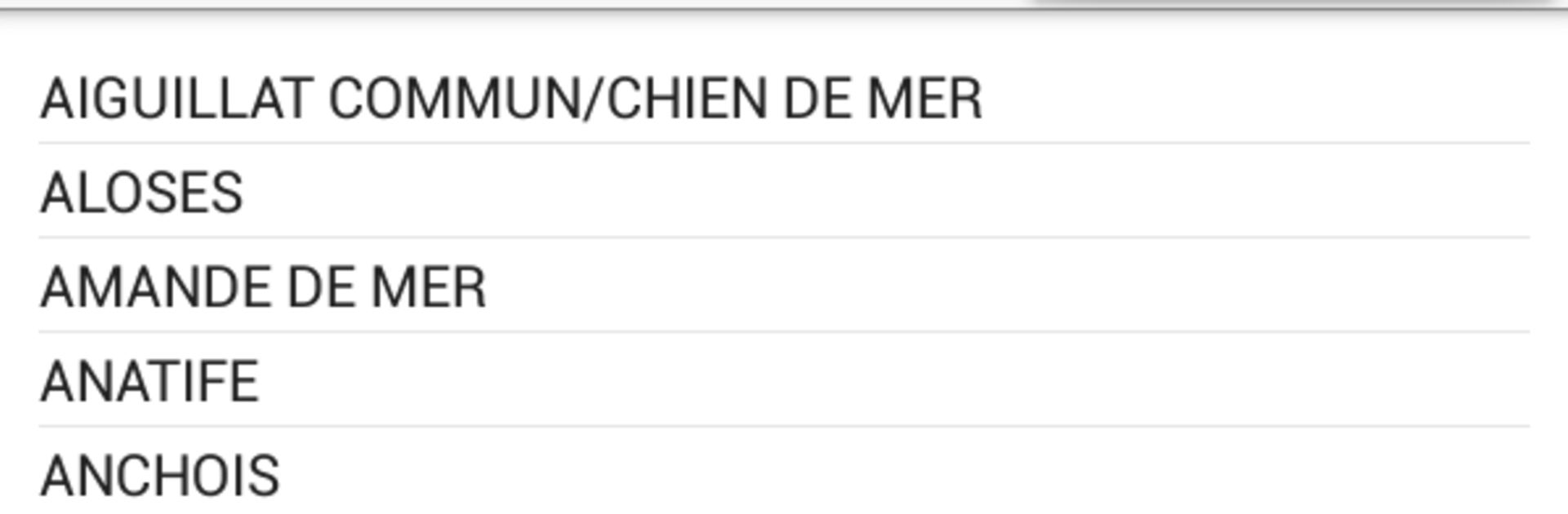
  • All species, A–Z: Browse an alphabetized list covering fish, shellfish, and crustaceans subject to French or EU rules, then open a species with a quick tap.
  • Clear rules per species: See legal size (maille), daily bag limits when applicable, bans or closed seasons, special management notes, and shellfish group details.
  • Photos when you need them: Turn on species images in settings; the first load uses data, then they’re cached for offline viewing.
  • Built for the field: After install and initial image downloads, the app works without 3G/4G/Wi‑Fi—perfect when you’re out on the rocks or offshore.
  • Quick regulatory updates: Information is refreshed promptly after official changes so you’re not guessing at the ramp.
  • Thumb‑friendly navigation: Swipe through the list and tap to open—simple, fast, and easy with wet hands.
  • Runs on older devices: Supports Android from version 2.3 and up, so that retired phone or tablet can still earn its keep.
  • Roadmap extras: Planned tools include an ID helper, local rule checks with geolocation for shore gathering zones and reserves, plus health alerts.
  • Optional support: A small paid edition (LaMaille – 1 euro) helps development without introducing feature gaps.
  • Flexible use: Prefer a bigger screen at home? You can run it on your computer with BlueStacks.
  • Made by Eric Longuemare (ELDK): Created for recreational anglers who want reliable info without the fluff.

BlueStacks gives you the much-needed freedom to experience your favorite apps on a bigger screen. Get it now.


How to Download and Run LaMaille pour la pêche en mer on PC or Mac

  • Download and install BlueStacks on your PC or Mac

  • Complete Google sign-in to access the Play Store, or do it later

  • Look for LaMaille pour la pêche en mer in the search bar at the top right corner

  • Click to install LaMaille pour la pêche en mer from the search results

  • Complete Google sign-in (if you skipped step 2) to install LaMaille pour la pêche en mer

  • Click the LaMaille pour la pêche en mer icon on the home screen to start playing

video
Watch Video

Minimum System Requirements

With BlueStacks 5, you can get started on a PC that fulfills the following requirements.

  • Operating System

    Microsoft Windows 7 or above, macOS 11 (Big Sur) or above

  • Processor

    Intel, AMD or Apple Silicon Processor

  • RAM

    at least 4GB

  • HDD

    10GB Free Disk Space

Note:

* You must be an Administrator on your PC. Up to date graphics drivers from Microsoft or the chipset vendor.

LaMaille pour la pêche en mer - FAQs

  • How to Run LaMaille pour la pêche en mer on Windows PC & Mac?

    Run LaMaille pour la pêche en mer on your PC or Mac by following these simple steps.

    • Click on ‘Download LaMaille pour la pêche en mer on PC’ to download BlueStacks
    • Install it and log-in to Google Play Store
    • Launch and run the app.
  • Why is BlueStacks the fastest and safest platform to play games on PC?

    BlueStacks respects your privacy and is always safe and secure to use. It does not carry any malware, spyware, or any sort of additional software that could harm your PC.

    It is engineered to optimize speed and performance for a seamless gaming experience.

  • What are LaMaille pour la pêche en mer PC requirements?

    Minimum requirement to run LaMaille pour la pêche en mer on your PC

    • OS: Microsoft Windows 7 and above:
    • Processor: Intel or AMD Processor:
    • RAM: Your PC must have at least 2GB of RAM. (Note that having 2GB or more disk space is not a substitute for RAM):
    • HDD: 5GB Free Disk Space.
    • You must be an Administrator on your PC.



