



Let BlueStacks turn your PC, Mac, or laptop into the perfect home for Map Inspector – for WoT PC, a fun Tools app from Sergey Karpushin.
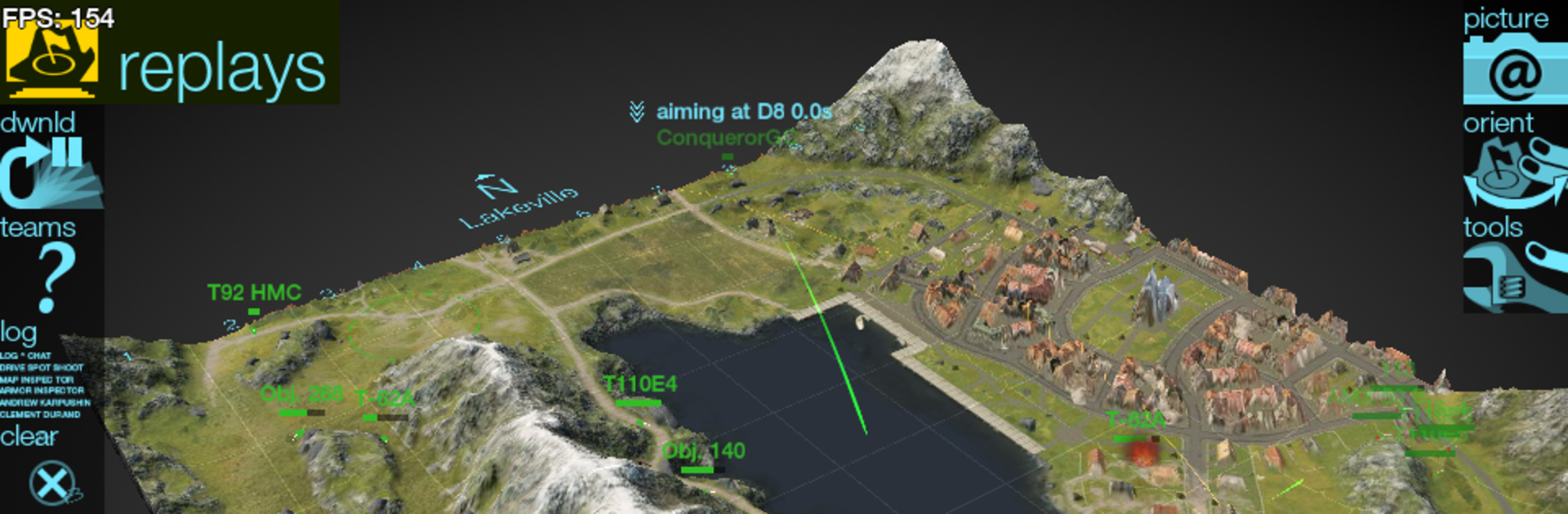
Map Inspector feels like a sandbox for World of Tanks PC maps. It lets players pick a map, spin a full 3D model, and really study the terrain instead of guessing during a match. The standout bit is how many layers it can show. Swap between a clean HD look that matches the game and a technical skin that exposes altitude, slopes, and other hidden details that affect where a tank can climb, peek, or fall off. It even marks every tree, bush, and destructible so someone can plan a sneaky spotting bush or a safe push without finding out the hard way.
There is a live view range display for any tank, so lines of sight and spotting borders are not a mystery. Replays can be loaded to analyze routes, angles, and damage spots from a top-down or free camera view, which is super handy after a rough loss. On PC with BlueStacks, the mouse makes camera control and fine zooming feel natural, and it runs smooth enough to alt-tab during queue time. No ads getting in the way. It supports English, Russian, and French, with more promised, and the devs seem to add features over time. It is an independent fan tool, not from Wargaming, which explains the focus on practical info over fluff. For anyone who likes planning hull-down ridges, safe rotations, crossfire lines, or arty-safe pockets, it is basically a training room without the hassle.
Switch to BlueStacks and make the most of your apps on your PC or Mac.





