



Let BlueStacks turn your PC, Mac, or laptop into the perfect home for MAX! Remote, a fun Tools app from Johannes Utzig.
About the App
MAX! Remote is a handy Tools app from Johannes Utzig that puts your MAX! heating setup right at your fingertips. Connect it to your MAX! Cube on your home network to switch modes, fine-tune rooms, and see what’s happening across the house—no MAX! Portal account required. Prefer a bigger screen? You can also use it through BlueStacks on your computer.
App Features
- One-tap house modes: Switch all rooms to Auto, Comfort, Eco, or Off with a single tap.
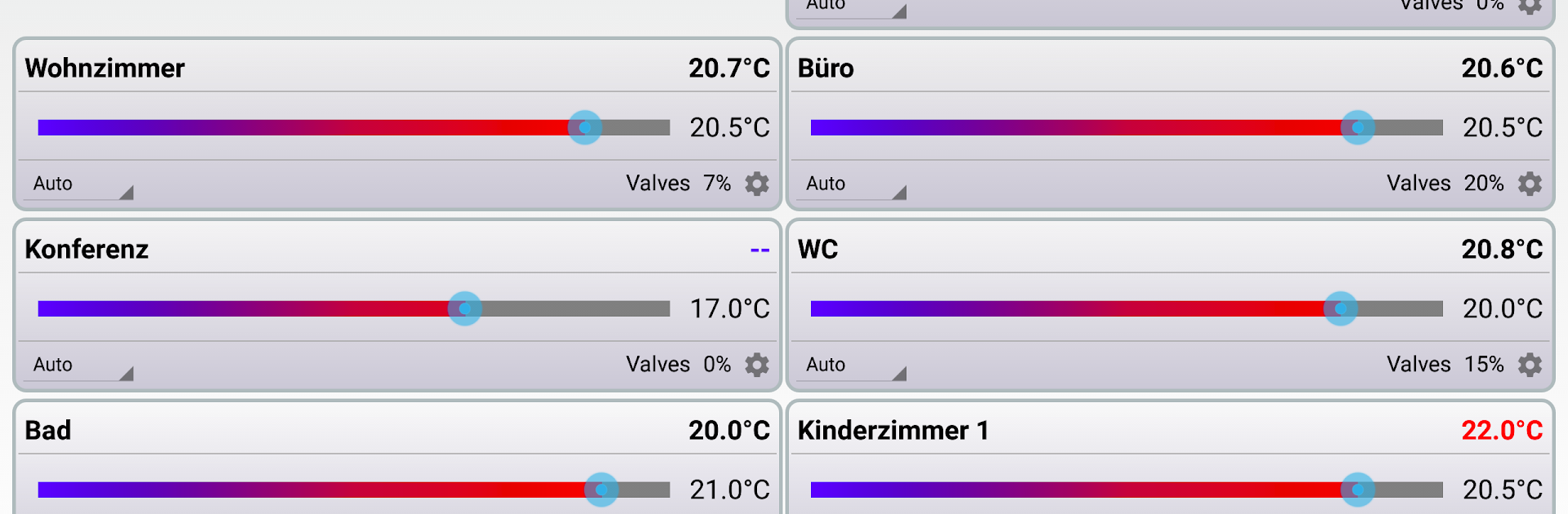
- Room-by-room control: Pick Auto, Manual, or Boost for each room and adjust temps with a smooth slider.
- Live temps at a glance: View both current and target temperatures, even without a wall thermostat.
- Weekly schedules: Create and manage week programs that match your routine and save you energy.
- Saveable profiles: Back up and restore heating profiles to quickly move between preferred setups.
- Automation ready: Works with Tasker, Locale, and Llama so you can build custom rules and triggers.
- Google Drive support: Store or sync app data using Google Drive for easy backup.
- Local weather view: Check nearby weather to help you plan heating changes more intelligently.
- Valve activity insight: See how much each valve is currently engaged for better system awareness.
- Smart alerts: Get indicators for low battery, open windows, or radio connectivity issues.
- Remote access option: Want control while away? Set up a VPN on your router to reach your Cube securely.
- Requirements and notes: You’ll need a MAX! Cube accessible on your network. This is an unofficial app and isn’t affiliated with the MAX! system’s manufacturer. If the official MAX! configuration software is open, the Cube won’t accept new connections—close other MAX! apps before using this one.
Ready to experience MAX! Remote on a bigger screen, in all its glory? Download BlueStacks now.





