
MTG Search (scan deck-builder)

MTG Search (scan deck-builder)

Tools

| gstraymond

Play on PC with BlueStacks or from our cloud

  • Overview
  • How to Download

Page Modified On: October 13, 2025

Run MTG Search (scan deck-builder) on PC or Mac

What’s better than using MTG Search (scan deck-builder) by gstraymond? Well, try it on a big screen, on your PC or Mac, with BlueStacks to see the difference.

About the App
MTG Search (scan deck-builder) is a clean, handy companion for your Magic: The Gathering habit. Built by gstraymond in the Tools genre, it puts the entire card catalog right in your pocket and makes it easy to look up details, build decks, and keep track of what you want to buy. Prefer a bigger view while brewing? It also runs smoothly on a desktop setup with BlueStacks. This is an unofficial companion and isn’t produced or endorsed by Wizards of the Coast.

App Features
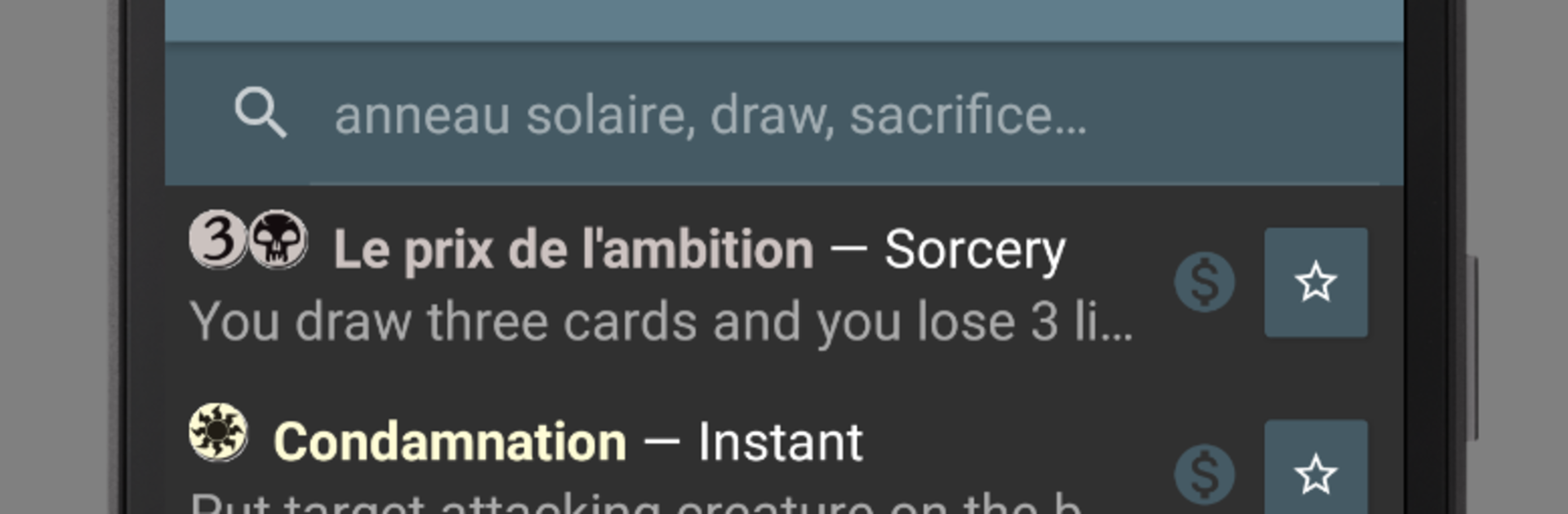
– Fast card lookup: Browse cards from 1993 to today and find what you need in seconds.
– Text search that understands MTG: Look up titles, rules text, types, and more with quick, reliable results.
– Powerful filters: Narrow by color, CMC, set, rarity, and other essentials to zero in on the perfect card.
– Mix and match searches: Combine text and filters together for super-precise results.
– Complete card info: See the latest Oracle rules text, every printing a card’s had, and useful reference details.
– Images for each printing: Flip through card images by set to compare frames, art, and variations.
– Price checks: Get a snapshot of card prices to help guide trades and purchases.
– Deck builder with stats: Build decks from your searches and review detailed stats to spot gaps or curve issues.
– Import and export decks: Move lists in and out with ease so you can share or back them up anytime.
– Wishlist tracking: Save cards you’re hunting for and keep your buying plans organized.

Eager to take your app experience to the next level? Start right away by downloading BlueStacks on your PC or Mac.


How to Download and Run MTG Search (scan deck-builder) on PC or Mac

  • Download and install BlueStacks on your PC or Mac

  • Complete Google sign-in to access the Play Store, or do it later

  • Look for MTG Search (scan deck-builder) in the search bar at the top right corner

  • Click to install MTG Search (scan deck-builder) from the search results

  • Complete Google sign-in (if you skipped step 2) to install MTG Search (scan deck-builder)

  • Click the MTG Search (scan deck-builder) icon on the home screen to start playing

video
Watch Video

Minimum System Requirements

With BlueStacks 5, you can get started on a PC that fulfills the following requirements.

  • Operating System

    Microsoft Windows 7 or above, macOS 11 (Big Sur) or above

  • Processor

    Intel, AMD or Apple Silicon Processor

  • RAM

    at least 4GB

  • HDD

    10GB Free Disk Space

Note:

* You must be an Administrator on your PC. Up to date graphics drivers from Microsoft or the chipset vendor.

MTG Search (scan deck-builder) - FAQs

  • How to Run MTG Search (scan deck-builder) on Windows PC & Mac?

    Run MTG Search (scan deck-builder) on your PC or Mac by following these simple steps.

    • Click on ‘Download MTG Search (scan deck-builder) on PC’ to download BlueStacks
    • Install it and log-in to Google Play Store
    • Launch and run the app.
  • Why is BlueStacks the fastest and safest platform to play games on PC?

    BlueStacks respects your privacy and is always safe and secure to use. It does not carry any malware, spyware, or any sort of additional software that could harm your PC.

    It is engineered to optimize speed and performance for a seamless gaming experience.

  • What are MTG Search (scan deck-builder) PC requirements?

    Minimum requirement to run MTG Search (scan deck-builder) on your PC

    • OS: Microsoft Windows 7 and above:
    • Processor: Intel or AMD Processor:
    • RAM: Your PC must have at least 2GB of RAM. (Note that having 2GB or more disk space is not a substitute for RAM):
    • HDD: 5GB Free Disk Space.
    • You must be an Administrator on your PC.



