
مؤذني - أوقات الصلاة والقبلة

مؤذني - أوقات الصلاة والقبلة

Tools

| محمود القائد

Play on PC with BlueStacks or from our cloud

  • Overview
  • How to Download

Page Modified On: October 24, 2025

Run مؤذني - أوقات الصلاة والقبلة on PC or Mac

Upgrade your experience. Try مؤذني – أوقات الصلاة والقبلة, the fantastic Tools app from محمود القائد, from the comfort of your laptop, PC, or Mac, only on BlueStacks.

مؤذني feels like a calm, well organized prayer companion that just gets out of the way and does what it should. On BlueStacks, the layout looks clean on a bigger screen, the compass for Qibla is easy to read, and the notifications still show up reliably while doing other stuff on the PC. It figures out location on its own and gives accurate prayer times without a long setup. The home screen widget inside the emulator is handy for a quick glance, and the overall design is simple enough that anyone can find what they need fast.

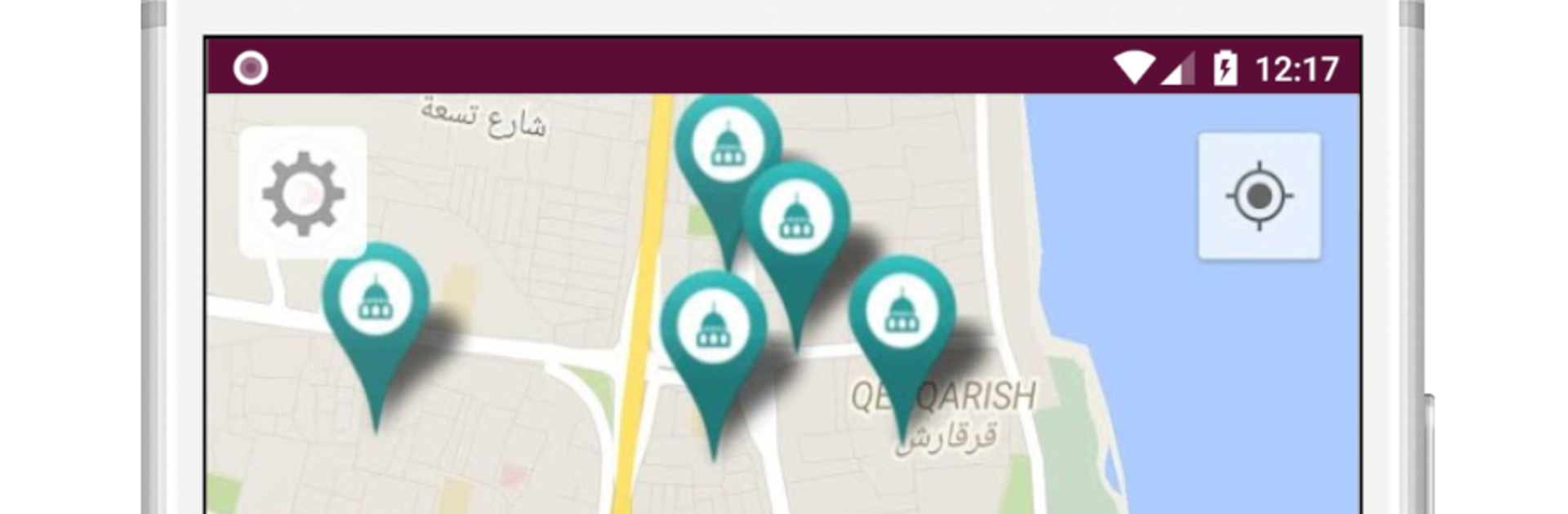
What stands out is how much users can tune the alerts. There are reminders before, during, and after the Adhan, a dedicated Fajr alarm, and extra prompts for morning and evening adhkar. It can show nearby mosques and point to the closest one. There is a full week prayer timetable, automatic silent mode during prayer, and even calculations for midnight and the last third of the night. It also shows Islamic occasions across the year, has gentle nudges for Duha and fasting on Monday and Thursday, and includes a quick switch between Gregorian and Hijri dates. Sharing today’s times with family or a group is a tap away. All of this is free and there are no ads, which makes using it daily feel smooth rather than busy or noisy. Running it on BlueStacks just makes the whole thing roomier and easier to keep open alongside work.

Switch to BlueStacks and make the most of your apps on your PC or Mac.

How to Download and Run مؤذني - أوقات الصلاة والقبلة on PC or Mac

  • Download and install BlueStacks on your PC or Mac

  • Complete Google sign-in to access the Play Store, or do it later

  • Look for مؤذني - أوقات الصلاة والقبلة in the search bar at the top right corner

  • Click to install مؤذني - أوقات الصلاة والقبلة from the search results

  • Complete Google sign-in (if you skipped step 2) to install مؤذني - أوقات الصلاة والقبلة

  • Click the مؤذني - أوقات الصلاة والقبلة icon on the home screen to start playing

video
Watch Video

Minimum System Requirements

With BlueStacks 5, you can get started on a PC that fulfills the following requirements.

  • Operating System

    Microsoft Windows 7 or above, macOS 11 (Big Sur) or above

  • Processor

    Intel, AMD or Apple Silicon Processor

  • RAM

    at least 4GB

  • HDD

    10GB Free Disk Space

Note:

* You must be an Administrator on your PC. Up to date graphics drivers from Microsoft or the chipset vendor.

مؤذني - أوقات الصلاة والقبلة - FAQs

  • How to Run مؤذني - أوقات الصلاة والقبلة on Windows PC & Mac?

    Run مؤذني - أوقات الصلاة والقبلة on your PC or Mac by following these simple steps.

    • Click on ‘Download مؤذني - أوقات الصلاة والقبلة on PC’ to download BlueStacks
    • Install it and log-in to Google Play Store
    • Launch and run the app.
  • Why is BlueStacks the fastest and safest platform to play games on PC?

    BlueStacks respects your privacy and is always safe and secure to use. It does not carry any malware, spyware, or any sort of additional software that could harm your PC.

    It is engineered to optimize speed and performance for a seamless gaming experience.

  • What are مؤذني - أوقات الصلاة والقبلة PC requirements?

    Minimum requirement to run مؤذني - أوقات الصلاة والقبلة on your PC

    • OS: Microsoft Windows 7 and above:
    • Processor: Intel or AMD Processor:
    • RAM: Your PC must have at least 2GB of RAM. (Note that having 2GB or more disk space is not a substitute for RAM):
    • HDD: 5GB Free Disk Space.
    • You must be an Administrator on your PC.




