
NDSIII Lite
NDSIII Lite

NDSIII Lite

Tools

| Nisscan

Play on PC with BlueStacks or from our cloud

  • Overview
  • How to Download

Page Modified On: January 09, 2026

Run NDSIII Lite on PC or Mac

Multitask effortlessly on your PC or Mac as you try out NDSIII Lite, a Tools app by Nisscan on BlueStacks.

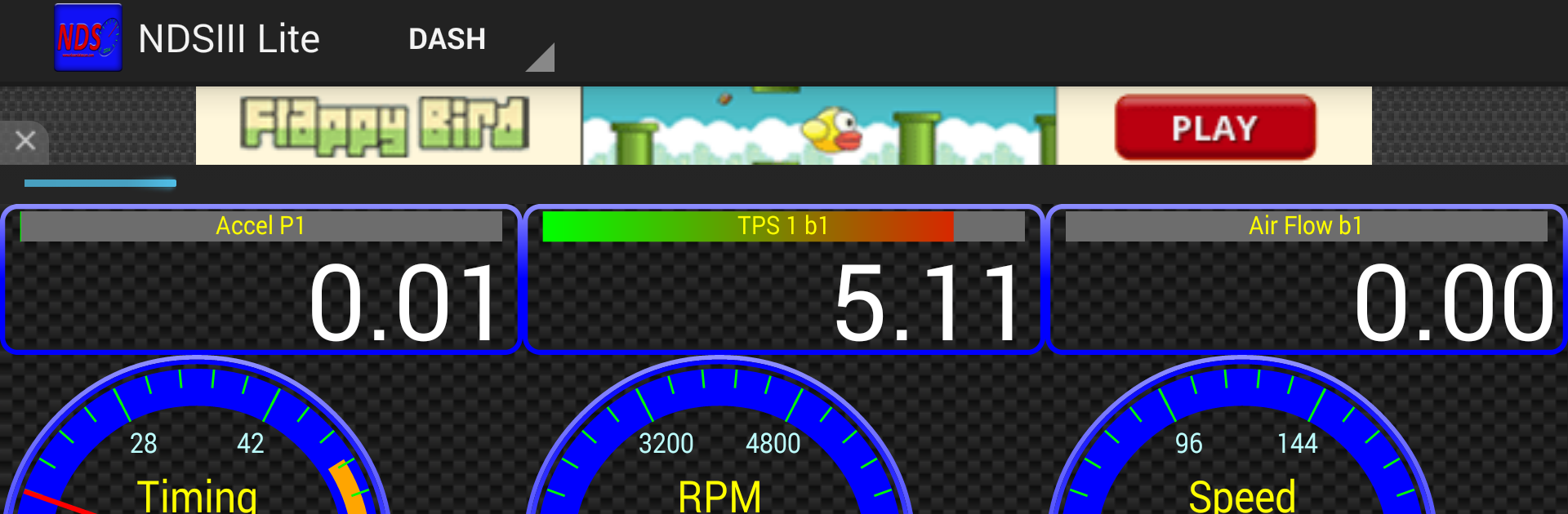
NDSIII Lite is a straight-to-the-point Nissan and Infiniti diagnostic app. It targets newer cars with the standard 16 pin OBDII port, usually build from around 2007 onward, and it talks to the engine ECU using the Consult III protocol over CAN. That matters because it reaches more of the car’s own data than the usual generic OBD apps. The layout feels plain and practical, so someone can plug in an adapter, connect, and start checking engine info without hunting through fancy menus. Petrol or diesel does not matter here, it just focuses on engine diagnostics rather than every single module. The OBD port is normally near the fuse box, so finding it is not a headache.

It is designed for ELM327 based adapters, which are cheap and easy to get, but the version matters. Those common v2.1 clones often miss commands and will not work right. Look for v1.5 or v1.4 hardware and life gets easier. On a PC with BlueStacks, the bigger screen makes the data and codes way easier to read, and pairing a Bluetooth or USB adapter is simple enough once the dongle is sorted. The Lite build includes ads, and there is a paid option that removes them if that bugs the user. Overall it feels like a no fuss tool for people who want Nissan or Infiniti engine data that is more detailed than basic OBD, without getting too complicated.

Ready to experience NDSIII Lite on a bigger screen, in all its glory? Download BlueStacks now.

How to Download and Run NDSIII Lite on PC or Mac

  • Download and install BlueStacks on your PC or Mac

  • Complete Google sign-in to access the Play Store, or do it later

  • Look for NDSIII Lite in the search bar at the top right corner

  • Click to install NDSIII Lite from the search results

  • Complete Google sign-in (if you skipped step 2) to install NDSIII Lite

  • Click the NDSIII Lite icon on the home screen to start playing

video
Watch Video

Minimum System Requirements

With BlueStacks 5, you can get started on a PC that fulfills the following requirements.

  • Operating System

    Microsoft Windows 7 or above, macOS 11 (Big Sur) or above

  • Processor

    Intel, AMD or Apple Silicon Processor

  • RAM

    at least 4GB

  • HDD

    10GB Free Disk Space

Note:

* You must be an Administrator on your PC. Up to date graphics drivers from Microsoft or the chipset vendor.

NDSIII Lite - FAQs

  • How to Run NDSIII Lite on Windows PC & Mac?

    Run NDSIII Lite on your PC or Mac by following these simple steps.

    • Click on ‘Download NDSIII Lite on PC’ to download BlueStacks
    • Install it and log-in to Google Play Store
    • Launch and run the app.
  • Why is BlueStacks the fastest and safest platform to play games on PC?

    BlueStacks respects your privacy and is always safe and secure to use. It does not carry any malware, spyware, or any sort of additional software that could harm your PC.

    It is engineered to optimize speed and performance for a seamless gaming experience.

  • What are NDSIII Lite PC requirements?

    Minimum requirement to run NDSIII Lite on your PC

    • OS: Microsoft Windows 7 and above:
    • Processor: Intel or AMD Processor:
    • RAM: Your PC must have at least 2GB of RAM. (Note that having 2GB or more disk space is not a substitute for RAM):
    • HDD: 5GB Free Disk Space.
    • You must be an Administrator on your PC.




