
Photos To Directories By Date

Photos To Directories By Date

Tools

| Michal Bukáček

Play on PC with BlueStacks or from our cloud

  • Overview
  • How to Download

Page Modified On: December 22, 2025

Run Photos To Directories By Date on PC or Mac

Let BlueStacks turn your PC, Mac, or laptop into the perfect home for Photos To Directories By Date, a fun Tools app from Michal Bukáček.

About the App

Your camera roll is growing by the day, and finding anything in that mess takes forever. Photos To Directories By Date does the boring part for you: it sweeps through your photos and videos and drops them into neat, date‑based folders—automatically. Built by Michal Bukáček, this Tools app keeps things simple, fast, and tidy so you can stop sorting and get back to shooting. Prefer using your desktop? You can run it with BlueStacks too.

App Features

  • One-tap cleanup: Hit a single button and watch your gallery get organized into dated folders without babysitting the process.
  • Day or month grouping: Sort your media by exact day for detailed timelines or by month for a broader view—your choice.
  • Works with phone and SD card: Whether files live in internal storage or on an SD card, the app finds them and organizes them right inside your camera folder.
  • Custom date formats: Pick the date style you like in Settings so your folders look the way you want.
  • Rename with context: Add your own labels to created folders while keeping the “date_yourtext” format for smooth operation. Example: 2025-07-04_Fireworks.
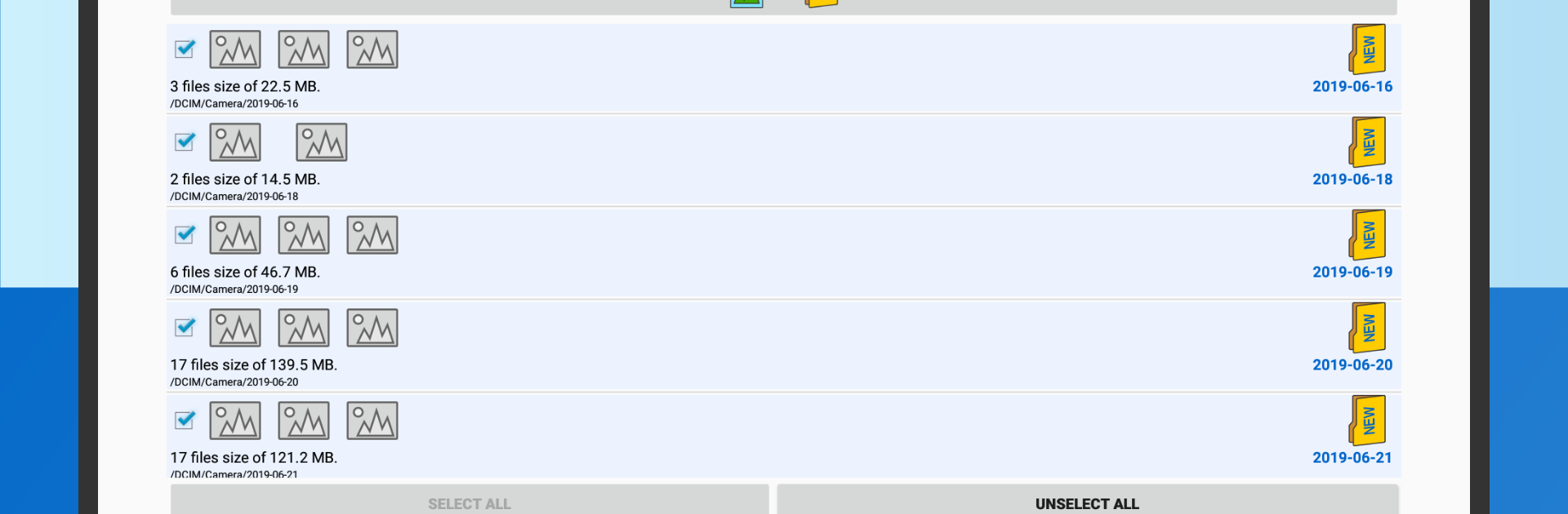
  • Clear previews and details: Glance at thumbnails and file info so you know what’s being sorted before and after the move.
  • Backup-friendly structure: Preps your library for cloud or offline backups by putting everything in predictable, easy-to-browse folders.
  • Great after big moments: Shot a late-night party, a weekend trip, or a long work shoot? Bundle those moments by the time they happened without any manual dragging.
  • Fast and lightweight: No bloat, no fuss—just a quick utility that handles large batches without making your phone feel sluggish.

BlueStacks brings your apps to life on a bigger screen—seamless and straightforward.

How to Download and Run Photos To Directories By Date on PC or Mac

  • Download and install BlueStacks on your PC or Mac

  • Complete Google sign-in to access the Play Store, or do it later

  • Look for Photos To Directories By Date in the search bar at the top right corner

  • Click to install Photos To Directories By Date from the search results

  • Complete Google sign-in (if you skipped step 2) to install Photos To Directories By Date

  • Click the Photos To Directories By Date icon on the home screen to start playing

video
Watch Video

Minimum System Requirements

With BlueStacks 5, you can get started on a PC that fulfills the following requirements.

  • Operating System

    Microsoft Windows 7 or above, macOS 11 (Big Sur) or above

  • Processor

    Intel, AMD or Apple Silicon Processor

  • RAM

    at least 4GB

  • HDD

    10GB Free Disk Space

Note:

* You must be an Administrator on your PC. Up to date graphics drivers from Microsoft or the chipset vendor.

Photos To Directories By Date - FAQs

  • How to Run Photos To Directories By Date on Windows PC & Mac?

    Run Photos To Directories By Date on your PC or Mac by following these simple steps.

    • Click on ‘Download Photos To Directories By Date on PC’ to download BlueStacks
    • Install it and log-in to Google Play Store
    • Launch and run the app.
  • Why is BlueStacks the fastest and safest platform to play games on PC?

    BlueStacks respects your privacy and is always safe and secure to use. It does not carry any malware, spyware, or any sort of additional software that could harm your PC.

    It is engineered to optimize speed and performance for a seamless gaming experience.

  • What are Photos To Directories By Date PC requirements?

    Minimum requirement to run Photos To Directories By Date on your PC

    • OS: Microsoft Windows 7 and above:
    • Processor: Intel or AMD Processor:
    • RAM: Your PC must have at least 2GB of RAM. (Note that having 2GB or more disk space is not a substitute for RAM):
    • HDD: 5GB Free Disk Space.
    • You must be an Administrator on your PC.




