
RoboRemoFree Arduino Bluetooth

RoboRemoFree Arduino Bluetooth

Tools

| HARDCODED JOY S.R.L.

Play on PC with BlueStacks or from our cloud

  • Overview
  • How to Download

Page Modified On: August 22, 2025

Run RoboRemoFree Arduino Bluetooth on PC or Mac

Let BlueStacks turn your PC, Mac, or laptop into the perfect home for RoboRemoFree Arduino Bluetooth, a fun Tools app from hardcoded joy.

About the App

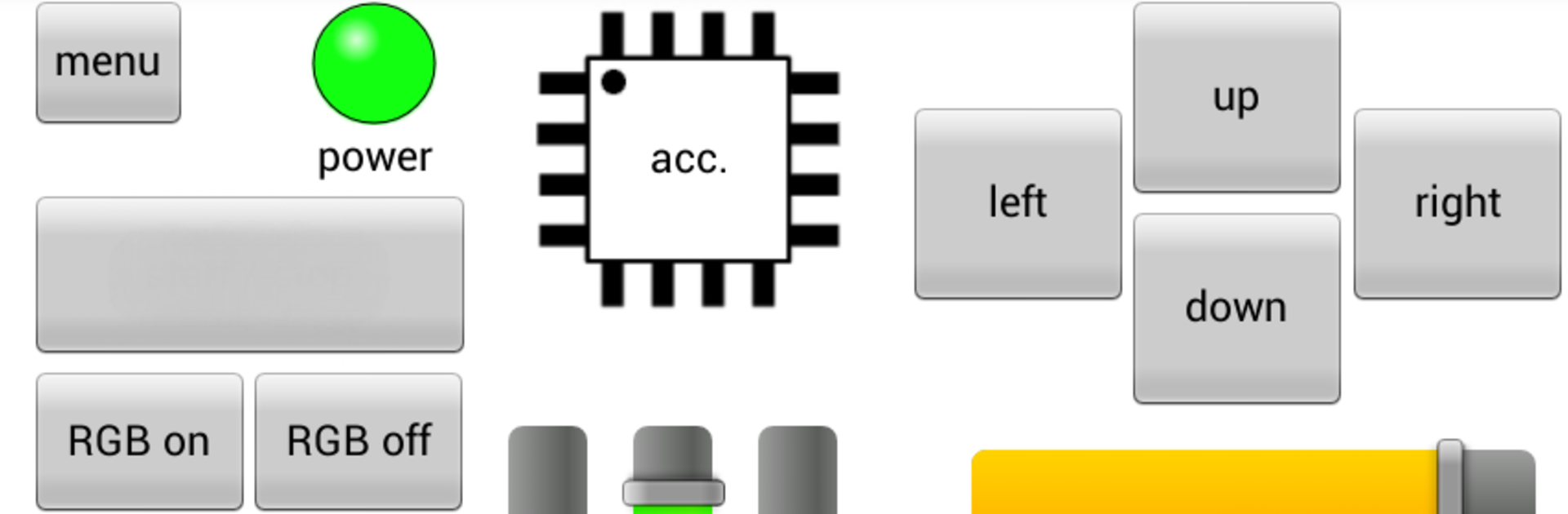
Ever wanted a simple way to control all your Arduino or Bluetooth DIY gadgets from your phone? RoboRemoFree Arduino Bluetooth, from hardcoded joy, makes it easy to set up your own custom remote controls—no coding headaches required. Swap buttons, add sliders, and even toss in some flashy LEDs, all designed exactly for your project. Whether you’re tinkering with smart home stuff, RC vehicles, or sensor displays, this Tools app puts flexibility right in your hands.

App Features

  • Drag-and-Drop Interface Creation
    Set up your remote just how you want it. Add buttons, sliders, or indicators for any function, so you don’t have to settle for someone else’s idea of “one size fits all.”

  • Real-Time Sensor Data Display
    Got sensors? Visualize live data with slick graphs and plots right on your device. No more staring at numeric dumps—see it all as it happens.

  • Accelerometer Control
    Use your phone’s tilt sensors to steer remote cars or control robotic arms. Handy for those projects where you want to do more than tap a button.

  • Multiple Ways to Connect
    Hook up via classic Bluetooth, Bluetooth Low Energy, WiFi (TCP, UDP), mobile internet, or even an old-school USB-to-Serial adapter if you’re feeling retro. It’s a solid choice for whatever hardware you have on hand.

  • Import/Export Custom Interfaces
    Save your creations or move them to another device—handy when you upgrade your phone or want to show off on a bigger screen (and yes, BlueStacks makes that super smooth).

  • Project Size Limitations
    Free version lets you add up to 5 items per interface, which is usually plenty for most straightforward setups.

  • No Ads or Data Collection
    No annoying pop-ups, and your data stays yours—just all the remote control power you need, with none of the distractions.

Ready to experience RoboRemoFree Arduino Bluetooth on a bigger screen, in all its glory? Download BlueStacks now.


How to Download and Run RoboRemoFree Arduino Bluetooth on PC or Mac

  • Download and install BlueStacks on your PC or Mac

  • Complete Google sign-in to access the Play Store, or do it later

  • Look for RoboRemoFree Arduino Bluetooth in the search bar at the top right corner

  • Click to install RoboRemoFree Arduino Bluetooth from the search results

  • Complete Google sign-in (if you skipped step 2) to install RoboRemoFree Arduino Bluetooth

  • Click the RoboRemoFree Arduino Bluetooth icon on the home screen to start playing

video
Watch Video

Minimum System Requirements

With BlueStacks 5, you can get started on a PC that fulfills the following requirements.

  • Operating System

    Microsoft Windows 7 or above, macOS 11 (Big Sur) or above

  • Processor

    Intel, AMD or Apple Silicon Processor

  • RAM

    at least 4GB

  • HDD

    10GB Free Disk Space

Note:

* You must be an Administrator on your PC. Up to date graphics drivers from Microsoft or the chipset vendor.

RoboRemoFree Arduino Bluetooth - FAQs

  • How to Run RoboRemoFree Arduino Bluetooth on Windows PC & Mac?

    Run RoboRemoFree Arduino Bluetooth on your PC or Mac by following these simple steps.

    • Click on ‘Download RoboRemoFree Arduino Bluetooth on PC’ to download BlueStacks
    • Install it and log-in to Google Play Store
    • Launch and run the app.
  • Why is BlueStacks the fastest and safest platform to play games on PC?

    BlueStacks respects your privacy and is always safe and secure to use. It does not carry any malware, spyware, or any sort of additional software that could harm your PC.

    It is engineered to optimize speed and performance for a seamless gaming experience.

  • What are RoboRemoFree Arduino Bluetooth PC requirements?

    Minimum requirement to run RoboRemoFree Arduino Bluetooth on your PC

    • OS: Microsoft Windows 7 and above:
    • Processor: Intel or AMD Processor:
    • RAM: Your PC must have at least 2GB of RAM. (Note that having 2GB or more disk space is not a substitute for RAM):
    • HDD: 5GB Free Disk Space.
    • You must be an Administrator on your PC.



