
Simple Digital Clock - DIGITAL CLOCK SHG2 FREE

Simple Digital Clock - DIGITAL CLOCK SHG2 FREE

Tools

| Y2PROM

Play on PC with BlueStacks or from our cloud

  • Overview
  • How to Download

Page Modified On: October 23, 2025

Run Simple Digital Clock - DIGITAL CLOCK SHG2 FREE on PC or Mac

Multitask effortlessly on your PC or Mac as you try out Simple Digital Clock – DIGITAL CLOCK SHG2 FREE, a Tools app by Y2PROM on BlueStacks.

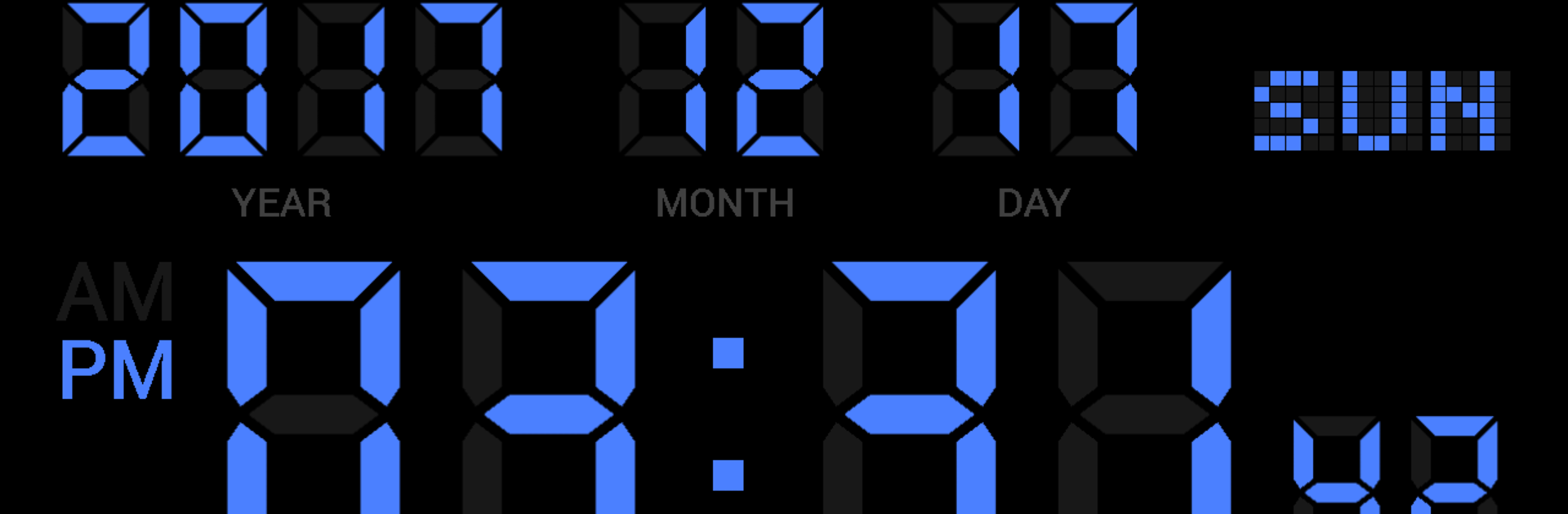
This one is a straight up digital clock that does exactly what it says, and that is kind of the charm. Big clean numbers, easy to read from across the room, and a bunch of knobs to tweak so it looks and behaves the way someone wants. On BlueStacks it sits nicely like a little desk clock on a monitor, full screen if needed, and there is a screensaver option to keep things from burning in. The clock can show seconds, make the colon blink, switch between 12 hour and 24 hour time, and there are date formats to move year, month, and day around. Brightness can be dialed up or down, colors can be swapped, and the frame can be square or rounded. There is even a battery gauge and a charging indicator if that matters.

The alarm setup is straight forward. Pick a time, choose a sound or a music file, set volume, turn on vibration, decide snooze length, and pick which days it repeats. There is an hourly time signal too, either a simple chime at the top of the hour or a spoken time using text to speech. Charging complete can play a tone or say that charging is done, which is oddly useful on a dock. The app hooks into the Google TTS engine so the talking bits sound clear, and there is a little test button for it. Paid stuff adds extra color editing and some finer control of sounds and quiet hours, but the free basics cover the main clock needs. Only heads up, if a device has aggressive power saving, make sure it does not put the clock to sleep or alarms might not fire.

Big screen. Bigger performance. Use BlueStacks on your PC or Mac to run your favorite apps.

How to Download and Run Simple Digital Clock - DIGITAL CLOCK SHG2 FREE on PC or Mac

  • Download and install BlueStacks on your PC or Mac

  • Complete Google sign-in to access the Play Store, or do it later

  • Look for Simple Digital Clock - DIGITAL CLOCK SHG2 FREE in the search bar at the top right corner

  • Click to install Simple Digital Clock - DIGITAL CLOCK SHG2 FREE from the search results

  • Complete Google sign-in (if you skipped step 2) to install Simple Digital Clock - DIGITAL CLOCK SHG2 FREE

  • Click the Simple Digital Clock - DIGITAL CLOCK SHG2 FREE icon on the home screen to start playing

video
Watch Video

Minimum System Requirements

With BlueStacks 5, you can get started on a PC that fulfills the following requirements.

  • Operating System

    Microsoft Windows 7 or above, macOS 11 (Big Sur) or above

  • Processor

    Intel, AMD or Apple Silicon Processor

  • RAM

    at least 4GB

  • HDD

    10GB Free Disk Space

Note:

* You must be an Administrator on your PC. Up to date graphics drivers from Microsoft or the chipset vendor.

Simple Digital Clock - DIGITAL CLOCK SHG2 FREE - FAQs

  • How to Run Simple Digital Clock - DIGITAL CLOCK SHG2 FREE on Windows PC & Mac?

    Run Simple Digital Clock - DIGITAL CLOCK SHG2 FREE on your PC or Mac by following these simple steps.

    • Click on ‘Download Simple Digital Clock - DIGITAL CLOCK SHG2 FREE on PC’ to download BlueStacks
    • Install it and log-in to Google Play Store
    • Launch and run the app.
  • Why is BlueStacks the fastest and safest platform to play games on PC?

    BlueStacks respects your privacy and is always safe and secure to use. It does not carry any malware, spyware, or any sort of additional software that could harm your PC.

    It is engineered to optimize speed and performance for a seamless gaming experience.

  • What are Simple Digital Clock - DIGITAL CLOCK SHG2 FREE PC requirements?

    Minimum requirement to run Simple Digital Clock - DIGITAL CLOCK SHG2 FREE on your PC

    • OS: Microsoft Windows 7 and above:
    • Processor: Intel or AMD Processor:
    • RAM: Your PC must have at least 2GB of RAM. (Note that having 2GB or more disk space is not a substitute for RAM):
    • HDD: 5GB Free Disk Space.
    • You must be an Administrator on your PC.




