
Time Arrow
Time Arrow

Time Arrow

Tools

| punchlinestudio

Play on PC with BlueStacks or from our cloud

  • Overview
  • How to Download

Page Modified On: October 03, 2025

Run Time Arrow on PC or Mac

Multitask effortlessly on your PC or Mac as you try out Time Arrow, a Tools app by punchlinestudio on BlueStacks.

About the App

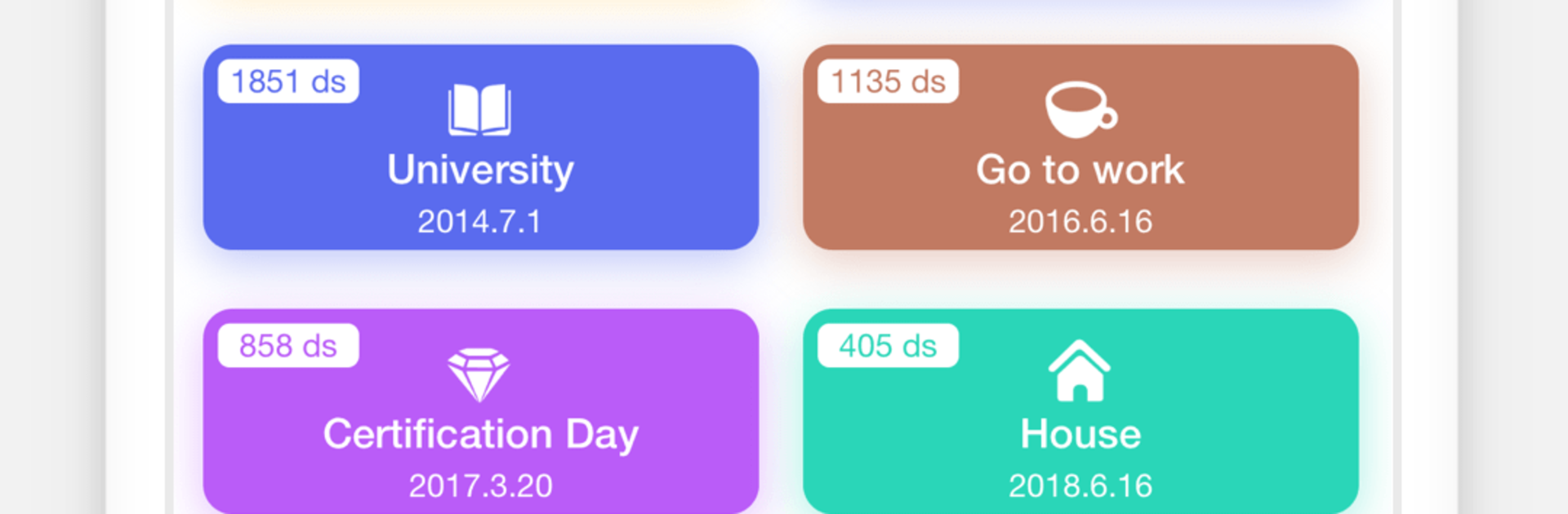
Time Arrow from punchlinestudio is a thoughtful Tools app that helps you keep track of the days that matter—big milestones, everyday reminders, and everything in between. Set up events once and watch the days count down (or up) with clean, easy-to-read views. Birthdays, rent, paydays, meds, workouts—if it’s on your mind, Time Arrow keeps it on your radar. Prefer a bigger screen? You can also run it on your PC or Mac with BlueStacks.

App Features

  • Visual cycles: See your month and year laid out in a simple, circular view so recurring dates are crystal clear at a glance.
  • Countdown or count‑up: Track how many days are left until an event or how many days have passed since it happened—your call.
  • Quick add: Create an event in seconds with handy presets. No long forms, no fuss.
  • Shareable cards: Turn any countdown into a stylish card you can send to friends or family.
  • Handy widgets: Pick from multiple home screen widgets for instant status without opening the app.
  • Cloud backup (Premium): Save your important dates to the cloud so they’re safe and ready when you switch devices.
  • Smart reminders (Premium): Get timely nudges as dates approach, so nothing slips through the cracks.
  • Calendar export (Premium): Add events to your phone’s system calendar and keep everything in one place.
  • App lock (Premium): Require a passcode at launch for a bit of extra privacy.
  • Hidden pages (Premium): Keep things minimal by hiding lists you don’t need to see every day.

BlueStacks gives you the much-needed freedom to experience your favorite apps on a bigger screen. Get it now.


How to Download and Run Time Arrow on PC or Mac

  • Download and install BlueStacks on your PC or Mac

  • Complete Google sign-in to access the Play Store, or do it later

  • Look for Time Arrow in the search bar at the top right corner

  • Click to install Time Arrow from the search results

  • Complete Google sign-in (if you skipped step 2) to install Time Arrow

  • Click the Time Arrow icon on the home screen to start playing

video
Watch Video

Minimum System Requirements

With BlueStacks 5, you can get started on a PC that fulfills the following requirements.

  • Operating System

    Microsoft Windows 7 or above, macOS 11 (Big Sur) or above

  • Processor

    Intel, AMD or Apple Silicon Processor

  • RAM

    at least 4GB

  • HDD

    10GB Free Disk Space

Note:

* You must be an Administrator on your PC. Up to date graphics drivers from Microsoft or the chipset vendor.

Time Arrow - FAQs

  • How to Run Time Arrow on Windows PC & Mac?

    Run Time Arrow on your PC or Mac by following these simple steps.

    • Click on ‘Download Time Arrow on PC’ to download BlueStacks
    • Install it and log-in to Google Play Store
    • Launch and run the app.
  • Why is BlueStacks the fastest and safest platform to play games on PC?

    BlueStacks respects your privacy and is always safe and secure to use. It does not carry any malware, spyware, or any sort of additional software that could harm your PC.

    It is engineered to optimize speed and performance for a seamless gaming experience.

  • What are Time Arrow PC requirements?

    Minimum requirement to run Time Arrow on your PC

    • OS: Microsoft Windows 7 and above:
    • Processor: Intel or AMD Processor:
    • RAM: Your PC must have at least 2GB of RAM. (Note that having 2GB or more disk space is not a substitute for RAM):
    • HDD: 5GB Free Disk Space.
    • You must be an Administrator on your PC.



