
Wyze Camera App - Cam Manager

Wyze Camera App - Cam Manager

Tools

| Tech App Engineers

Play on PC with BlueStacks or from our cloud

  • Overview
  • How to Download

Page Modified On: December 05, 2025

Run Wyze Camera App - Cam Manager on PC or Mac

Let BlueStacks turn your PC, Mac, or laptop into the perfect home for Wyze Camera App – Cam Manager, a fun Tools app from Tech App Engineers.

About the App

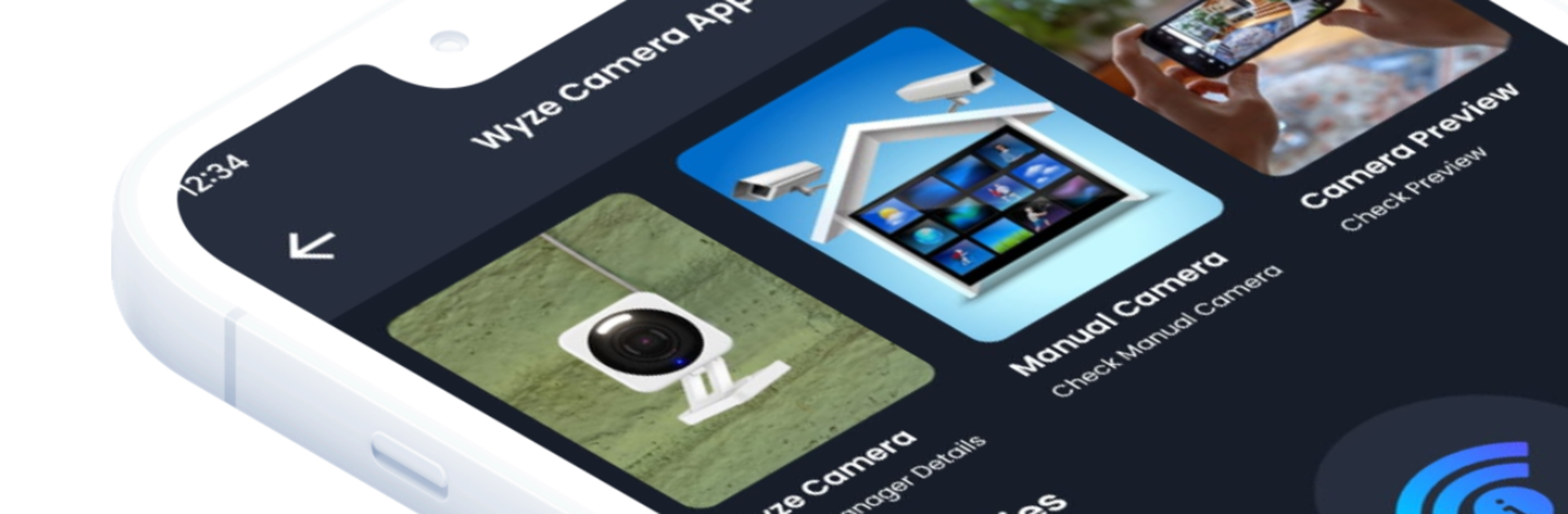
Wyze Camera App – Cam Manager makes setting up and understanding your WiFi cameras a lot less stressful. This Tools companion from Tech App Engineers walks you through common tasks with clear steps, simple checklists, and practical utilities that actually help. Prefer a bigger screen while you work? You can run it with BlueStacks to follow along as you mount or troubleshoot. Note: this is a guide and companion, not an official Wyze product.

App Features

  • Guided setup — Step-by-step instructions for first-time installs, reconnections, and network changes, with tips to avoid the usual hiccups.
  • Manual camera info — Quick-reference details for popular models, including what different status lights or sounds mean.
  • Camera previews — Positioning and coverage previews to help you figure out angles and blind spots before you screw anything into the wall.
  • IP calculator — Easily calculate subnets, ranges, and gateways when you’re adjusting router settings or creating a dedicated network.
  • Wi‑Fi information — See helpful network details like SSID, band, security type, and signal hints so you can choose the most stable connection.
  • Camera FAQs — Straightforward answers to common issues: QR code scanning, pairing loops, dropped connections, and more.
  • Device information — A handy readout of your phone/tablet’s basics (OS version, network status) to speed up troubleshooting.
  • Casting support — Cast the guide screens to a TV or display so you can keep both hands free while installing.
  • Hidden camera detector — A lightweight tool to scan for suspicious lenses or signals when you’re in unfamiliar spaces.

Switch to BlueStacks and make the most of your apps on your PC or Mac.

How to Download and Run Wyze Camera App - Cam Manager on PC or Mac

  • Download and install BlueStacks on your PC or Mac

  • Complete Google sign-in to access the Play Store, or do it later

  • Look for Wyze Camera App - Cam Manager in the search bar at the top right corner

  • Click to install Wyze Camera App - Cam Manager from the search results

  • Complete Google sign-in (if you skipped step 2) to install Wyze Camera App - Cam Manager

  • Click the Wyze Camera App - Cam Manager icon on the home screen to start playing

video
Watch Video

Minimum System Requirements

With BlueStacks 5, you can get started on a PC that fulfills the following requirements.

  • Operating System

    Microsoft Windows 7 or above, macOS 11 (Big Sur) or above

  • Processor

    Intel, AMD or Apple Silicon Processor

  • RAM

    at least 4GB

  • HDD

    10GB Free Disk Space

Note:

* You must be an Administrator on your PC. Up to date graphics drivers from Microsoft or the chipset vendor.

Wyze Camera App - Cam Manager - FAQs

  • How to Run Wyze Camera App - Cam Manager on Windows PC & Mac?

    Run Wyze Camera App - Cam Manager on your PC or Mac by following these simple steps.

    • Click on ‘Download Wyze Camera App - Cam Manager on PC’ to download BlueStacks
    • Install it and log-in to Google Play Store
    • Launch and run the app.
  • Why is BlueStacks the fastest and safest platform to play games on PC?

    BlueStacks respects your privacy and is always safe and secure to use. It does not carry any malware, spyware, or any sort of additional software that could harm your PC.

    It is engineered to optimize speed and performance for a seamless gaming experience.

  • What are Wyze Camera App - Cam Manager PC requirements?

    Minimum requirement to run Wyze Camera App - Cam Manager on your PC

    • OS: Microsoft Windows 7 and above:
    • Processor: Intel or AMD Processor:
    • RAM: Your PC must have at least 2GB of RAM. (Note that having 2GB or more disk space is not a substitute for RAM):
    • HDD: 5GB Free Disk Space.
    • You must be an Administrator on your PC.




