
XAPK APK Installer Downloader

XAPK APK Installer Downloader

Tools

| Smartago

Play on PC with BlueStacks or from our cloud

  • Overview
  • How to Download

Page Modified On: January 09, 2026

Run XAPK APK Installer Downloader on PC or Mac

Let BlueStacks turn your PC, Mac, or laptop into the perfect home for XAPK APK Installer Downloader, a fun Tools app from Smartago.

About the App

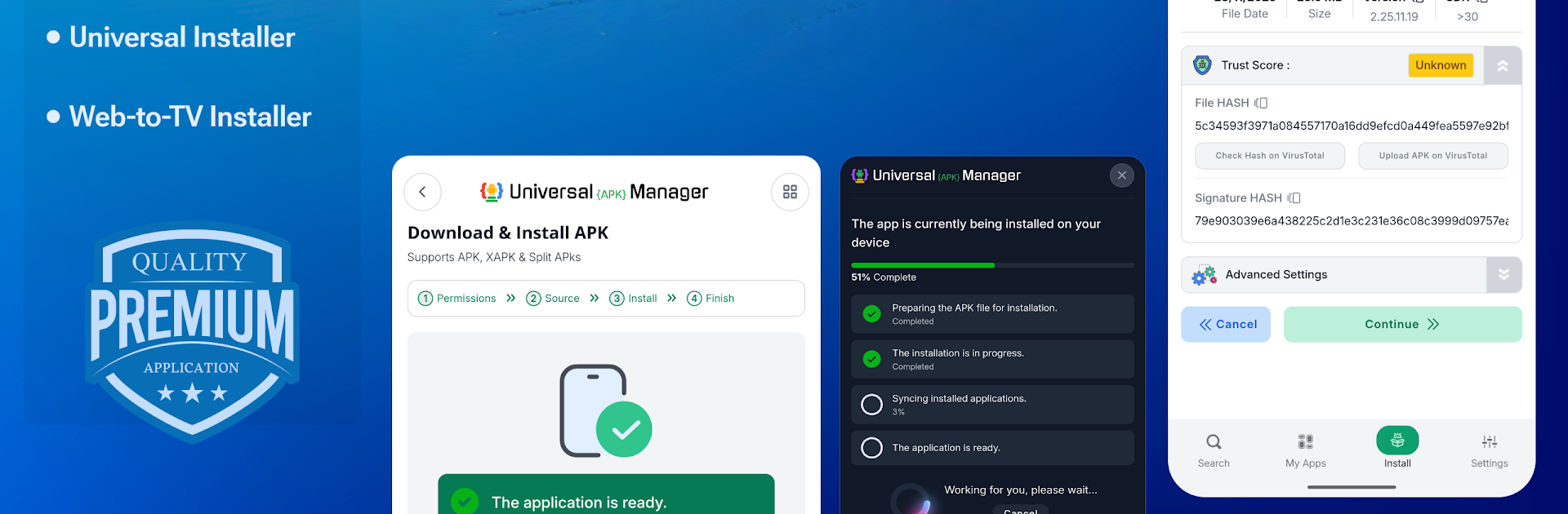
XAPK APK Installer Downloader from Smartago is a Tools app built for people who like full control over how apps get installed. It makes sideloading simple, handles tricky package formats without fuss, and keeps an eye on security so you don’t have to. Prefer trying apps on a PC with BlueStacks? It fits right in there, too.

App Features

  • Smart installers for every format: Install APK, XAPK, and split bundles (APKS/APKM) with automatic parsing, so complex packages just work.
  • True XAPK support: OBB files get placed in the right folder automatically—no hunting through storage or manual copying.
  • Bundle-ready and future-proof: Handles AAB and ZIP extras, with broad compatibility for current and emerging package types.
  • Web-to-TV sideloading: Send apps to Android TV, Fire TV, or Mi Box straight from your phone or browser—no USB drives, no cables.
  • URL and cloud installs: Paste a direct download link and let the app fetch and install it on your TV or device.
  • Fast Wi‑Fi transfers: Push files to your TV over your network for quick, cable-free setup.
  • Built-in safety check: Pre-install scanning with signature verification and VirusTotal tech flags risky files before they run.
  • App manager toolbox: Back up installed apps as APKs, remove unwanted system apps, and review permissions and activities in one place.
  • Storage cleanup: Find leftover OBBs and random install junk to free up space with a couple taps.
  • Works without Google services: Fully functional on devices that don’t ship with GMS, including custom ROMs and Fire devices.
  • TV and tablet friendly: A responsive interface built for remote controls (D‑Pad ready), no root required, and smooth on Android 5 through the latest versions.

Eager to take your app experience to the next level? Start right away by downloading BlueStacks on your PC or Mac.


How to Download and Run XAPK APK Installer Downloader on PC or Mac

  • Download and install BlueStacks on your PC or Mac

  • Complete Google sign-in to access the Play Store, or do it later

  • Look for XAPK APK Installer Downloader in the search bar at the top right corner

  • Click to install XAPK APK Installer Downloader from the search results

  • Complete Google sign-in (if you skipped step 2) to install XAPK APK Installer Downloader

  • Click the XAPK APK Installer Downloader icon on the home screen to start playing

video
Watch Video

Minimum System Requirements

With BlueStacks 5, you can get started on a PC that fulfills the following requirements.

  • Operating System

    Microsoft Windows 7 or above, macOS 11 (Big Sur) or above

  • Processor

    Intel, AMD or Apple Silicon Processor

  • RAM

    at least 4GB

  • HDD

    10GB Free Disk Space

Note:

* You must be an Administrator on your PC. Up to date graphics drivers from Microsoft or the chipset vendor.

XAPK APK Installer Downloader - FAQs

  • How to Run XAPK APK Installer Downloader on Windows PC & Mac?

    Run XAPK APK Installer Downloader on your PC or Mac by following these simple steps.

    • Click on ‘Download XAPK APK Installer Downloader on PC’ to download BlueStacks
    • Install it and log-in to Google Play Store
    • Launch and run the app.
  • Why is BlueStacks the fastest and safest platform to play games on PC?

    BlueStacks respects your privacy and is always safe and secure to use. It does not carry any malware, spyware, or any sort of additional software that could harm your PC.

    It is engineered to optimize speed and performance for a seamless gaming experience.

  • What are XAPK APK Installer Downloader PC requirements?

    Minimum requirement to run XAPK APK Installer Downloader on your PC

    • OS: Microsoft Windows 7 and above:
    • Processor: Intel or AMD Processor:
    • RAM: Your PC must have at least 2GB of RAM. (Note that having 2GB or more disk space is not a substitute for RAM):
    • HDD: 5GB Free Disk Space.
    • You must be an Administrator on your PC.



