80s on the Brain Trivia

80s on the Brain Trivia

Trivia

| You Get the Idea Studios

Play on PC with BlueStacks or from our cloud

  • Overview
  • Game Features
  • How to Play

Page Modified On: October 23, 2026

Play 80s on the Brain Trivia on PC or Mac

Play 80s on the Brain Trivia by You Get the Idea Studios on PC or Mac with BlueStacks. Use a bigger screen, mouse and keyboard controls, and smoother performance while you play.

About the Game

80s on the Brain Trivia is a quick-hit Trivia throwback that feels like an arcade night with friends—bright lights, big sounds, and fast choices. Spin a reel to land your category, answer under pressure, and try to outlast the clock with a few hearts in your pocket. It’s great for a minute or an hour, and it also plays nicely on BlueStacks if you want a bigger screen.

Game Features

  • Spin the Reel: Let the wheel choose your fate—Movies, Music, TV, Play (games and toys), or Food—then fire off an answer before time runs out.
  • Win the Round: Clear three categories before your hearts are gone to bag the round; it’s brisk, tense, and super replayable.
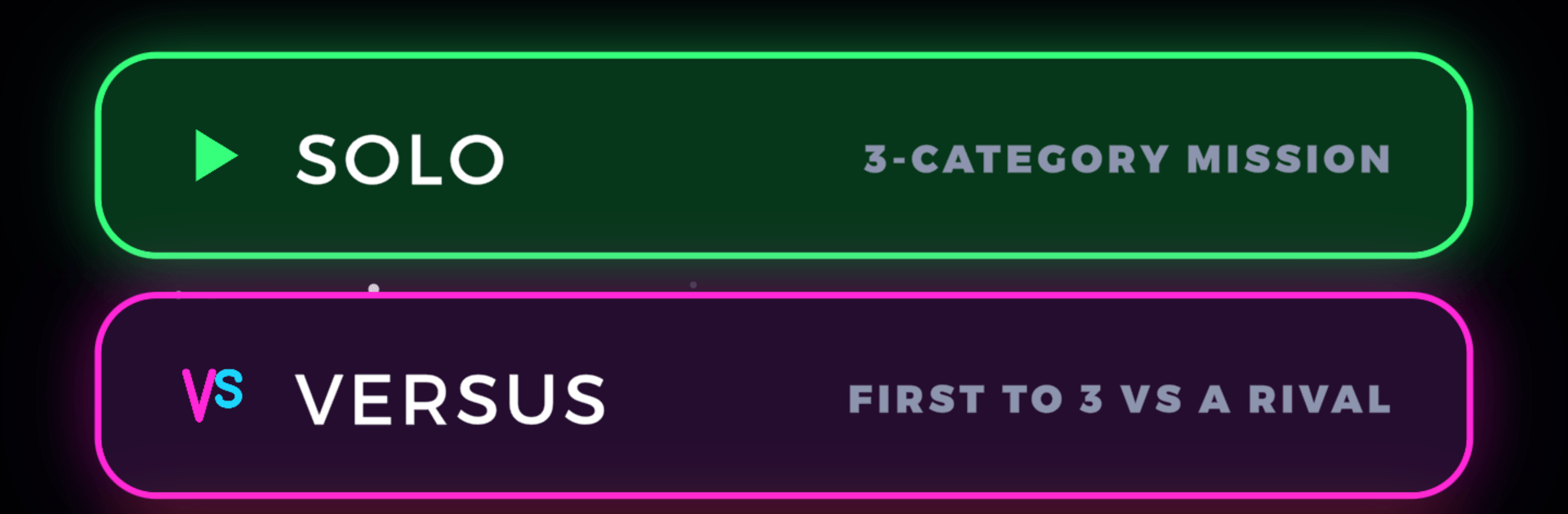
  • Multiple Modes: Go Solo for a personal mission, Versus to race a matched opponent to three, or Time Challenge to see how many you can nail before the buzzer.
  • Big Question Bank: Over 2,100 questions spanning blockbuster movies, one-hit wonders, Saturday morning cartoons, arcade classics, candy bars, and fast-food favorites.
  • Fair Questions Only: No trick wording, no spoilers for other questions—pure, straightforward nostalgia and a solid learning curve if you missed the decade.
  • Handy Power-Ups: Tap 50/50 to cut the noise, snag Extra Time when the countdown gets spicy, or keep an Extra Heart for close calls.
  • Streaks and Daily Goals: Build hot streaks, chase perfect rounds, and fill a daily goal bar for gem payouts.
  • Make It Yours: Unlock avatars, frames, banners, and name styles, plus swap the reel’s panel for new looks that fit your vibe.
  • Neon Vibes & Sound: A glowing retro style with an original synthy soundtrack and crisp effects, tuned for comfortable one-hand play wherever you are.
  • Friendly Free-to-Play: Play for free with optional rewarded videos and a straightforward in-game store—no forced ads breaking your rhythm.

Get ready for a buttery smooth, high-performance gaming action only on BlueStacks.

Game Features

Enhancements

  • Macros
  • Multi Instance
  • Multi Instance Sync
  • Script
  • Enhancements
Macros

Macros

Automate the predictable in 80s on the Brain Trivia and transform your gameplay with Macros. Get access to inventive Macros in the BlueStacks Macro Community
Multi Instance

Multi Instance

Play 80s on the Brain Trivia on one window. And chat with your friend on the other. Press CTRL + Shift + 8 to open the Multi-Instance Manager. And start creating fresh instances or clone an existing one.
Multi Instance Sync

Multi Instance Sync

Play 80s on the Brain Trivia with the power of Multi-Instance Sync. Replicate what you are doing on the main instance on all other instances. Level up faster, play more.
Script

Script

Script your way to gaming glory in 80s on the Brain Trivia with BlueStacks Script. Write and run a set of commands to automate repeated tasks. Trigger the command by assigning it to any key.
Read More

How to Download and Play 80s on the Brain Trivia on PC or Mac

  • Download and install BlueStacks on your PC or Mac

  • Complete Google sign-in to access the Play Store, or do it later

  • Look for 80s on the Brain Trivia in the search bar at the top right corner

  • Click to install 80s on the Brain Trivia from the search results

  • Complete Google sign-in (if you skipped step 2) to install 80s on the Brain Trivia

  • Click the 80s on the Brain Trivia icon on the home screen to start playing

video
Watch Video

Minimum System Requirements

With BlueStacks 5, you can get started on a PC that fulfills the following requirements.

  • Operating System

    Microsoft Windows 7 or above, macOS 11 (Big Sur) or above

  • Processor

    Intel, AMD or Apple Silicon Processor

  • RAM

    at least 4GB

  • HDD

    10GB Free Disk Space

Note:

* You must be an Administrator on your PC. Up to date graphics drivers from Microsoft or the chipset vendor.

80s on the Brain Trivia - FAQs

  • How to play 80s on the Brain Trivia on Windows PC & Mac?

    Play 80s on the Brain Trivia on your PC or Mac by following these simple steps.

    • Click on 'Play 80s on the Brain Trivia on PC’ to download BlueStacks
    • Install it and log-in to Google Play Store
    • Launch and play the game.
  • Why is BlueStacks the fastest and safest platform to play games on PC?

    BlueStacks respects your privacy and is always safe and secure to use. It does not carry any malware, spyware, or any sort of additional software that could harm your PC.

    It is engineered to optimize speed and performance for a seamless gaming experience.

  • What are 80s on the Brain Trivia PC requirements?

    Minimum requirement to run 80s on the Brain Trivia on your PC

    • OS: Microsoft Windows 7 or above MacOS 11 (Big Sur) or above
    • Processor: Intel, AMD or Apple Silicon Processor
    • RAM: Your PC must have at least 4GB of RAM. (Note that having 4GB or more disk space is not a substitute for RAM)
    • HDD: 10GB Free Disk Space.
    • You must be an Administrator on your PC.