Analizame!  (Tests Divertidos)

Analizame! (Tests Divertidos)

Trivia

| Peoresnada.com

Play on PC with BlueStacks or from our cloud

  • Overview
  • Game Features
  • How to Play

Page Modified On: November 10, 2025

Play Analizame! (Tests Divertidos) on PC or Mac

Step into the World of Analizame! (Tests Divertidos), a thrilling Trivia game from the house of Peoresnada.com. Play this Android game on BlueStacks App Player and experience immersive gaming on PC or Mac.

About the Game

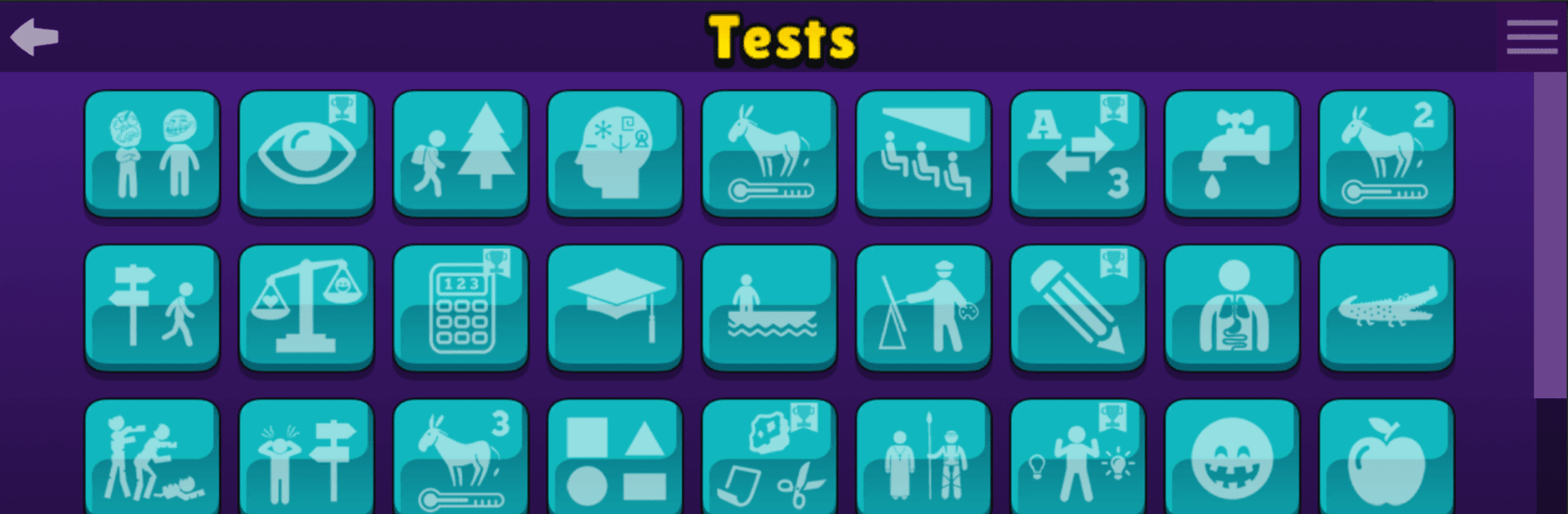
Analizame! (Tests Divertidos) is a quirky Trivia playground from Peoresnada.com where every tap throws a new question, twist, or surprise your way. Want a light personality read, a quick brain teaser, or something totally absurd just to laugh about? It’s all here—short, replayable, and made to entertain. Note: the entire experience is in Spanish, and results are just for fun.

Game Features

  • Personality vibes: Take playful psychological-style quizzes to reflect on your traits and see what the app “thinks” about you—no serious diagnostics, just a good time.
  • Fast minigames: Try mental agility, attention, memory, and logic challenges (including PlayQuiz-style rounds). They’re quick to learn, tough to master, and perfect for repeat runs.
  • Global ranking and friendly rivalry: Beat your own best score, climb the world leaderboard, or challenge friends to see who’s sharper today.
  • Anything-goes section: Explore the “Various” category for oddball tests, offbeat trivia, and experiments that don’t fit anywhere else—in the best way possible.
  • Solo or group play: Go it alone, or pass the phone around with family and friends for easy party fun and instant comparisons.
  • Replay-friendly design: Short sessions make it easy to retry, improve, and chase that “one more round” feeling.
  • Spanish-only content: All quizzes and results are in Spanish—great for native speakers or anyone practicing the language.
  • Smooth on PC: Prefer a bigger screen and comfy controls? You can also enjoy it on BlueStacks while keeping that quick-pick-up vibe.
  • Made by fans of fun: From Peoresnada.com, delivering a lighthearted Trivia experience that doesn’t take itself too seriously.

Make your gaming sessions memorable with precise controls that give you an edge in close combats and visuals that pop up, bringing every character to life.


Game Features

Enhancements

  • Macros
  • Multi Instance
  • Multi Instance Sync
  • Script
  • Enhancements
Macros

Macros

Automate the predictable in Analizame! (Tests Divertidos) and transform your gameplay with Macros. Get access to inventive Macros in the BlueStacks Macro Community
Multi Instance

Multi Instance

Play Analizame! (Tests Divertidos) on one window. And chat with your friend on the other. Press CTRL + Shift + 8 to open the Multi-Instance Manager. And start creating fresh instances or clone an existing one.
Multi Instance Sync

Multi Instance Sync

Play Analizame! (Tests Divertidos) with the power of Multi-Instance Sync. Replicate what you are doing on the main instance on all other instances. Level up faster, play more.
Script

Script

Script your way to gaming glory in Analizame! (Tests Divertidos) with BlueStacks Script. Write and run a set of commands to automate repeated tasks. Trigger the command by assigning it to any key.
Read More

How to Download and Play Analizame! (Tests Divertidos) on PC or Mac

  • Download and install BlueStacks on your PC or Mac

  • Complete Google sign-in to access the Play Store, or do it later

  • Look for Analizame! (Tests Divertidos) in the search bar at the top right corner

  • Click to install Analizame! (Tests Divertidos) from the search results

  • Complete Google sign-in (if you skipped step 2) to install Analizame! (Tests Divertidos)

  • Click the Analizame! (Tests Divertidos) icon on the home screen to start playing

video
Watch Video

Minimum System Requirements

With BlueStacks 5, you can get started on a PC that fulfills the following requirements.

  • Operating System

    Microsoft Windows 7 or above, macOS 11 (Big Sur) or above

  • Processor

    Intel, AMD or Apple Silicon Processor

  • RAM

    at least 4GB

  • HDD

    10GB Free Disk Space

Note:

* You must be an Administrator on your PC. Up to date graphics drivers from Microsoft or the chipset vendor.

Analizame! (Tests Divertidos) - FAQs

  • How to play Analizame! (Tests Divertidos) on Windows PC & Mac?

    Play Analizame! (Tests Divertidos) on your PC or Mac by following these simple steps.

    • Click on 'Play Analizame! (Tests Divertidos) on PC’ to download BlueStacks
    • Install it and log-in to Google Play Store
    • Launch and play the game.
  • Why is BlueStacks the fastest and safest platform to play games on PC?

    BlueStacks respects your privacy and is always safe and secure to use. It does not carry any malware, spyware, or any sort of additional software that could harm your PC.

    It is engineered to optimize speed and performance for a seamless gaming experience.

  • What are Analizame! (Tests Divertidos) PC requirements?

    Minimum requirement to run Analizame! (Tests Divertidos) on your PC

    • OS: Microsoft Windows 7 or above MacOS 11 (Big Sur) or above
    • Processor: Intel, AMD or Apple Silicon Processor
    • RAM: Your PC must have at least 4GB of RAM. (Note that having 4GB or more disk space is not a substitute for RAM)
    • HDD: 10GB Free Disk Space.
    • You must be an Administrator on your PC.