Brain Games: Tricky Puzzles

Brain Games: Tricky Puzzles

Trivia

| LowByte Studio

Play on PC with BlueStacks or from our cloud

  • Overview
  • Game Features
  • How to Play

Page Modified On: July 22, 2025

Play Brain Games: Tricky Puzzles on PC or Mac

Join millions to experience Brain Games: Tricky Puzzles, an exciting Trivia game from LowByte Studio. With BlueStacks App Player, you are always a step ahead of your opponent, ready to outplay them with faster gameplay and better control with the mouse and keyboard on your PC or Mac.

About the Game

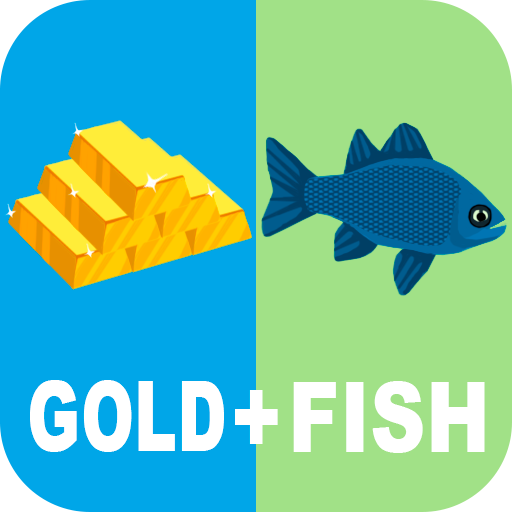
Ready to give your gray matter a little workout? Brain Games: Tricky Puzzles from LowByte Studio keeps you on your toes with a mix of mind-bending trivia and playful challenges. Whether you want to keep your brain sharp or just enjoy messing around with puzzles that’ll make you think twice, this Trivia game packs just the right mix of fun and challenge.

Game Features

  • Unexpected Mind Teasers
    Twisty puzzles, surprising answers, and riddles that make you pause—each level finds a new way to stump you (in a good way).

  • Memory, Logic & Math Challenges
    It’s not just about guessing; you’ll put your logic, memory, and number skills to the test, all wrapped up in clever trivia formats.

  • Progress That Matches Your Pace
    Puzzles ramp up in difficulty, so you’re always moving forward and never stuck in a rut. There’s always a new challenge waiting.

  • Play When You Want, Where You Want
    No internet? No problem. These puzzles work offline, making it easy to squeeze in a little brain training anytime.

  • Smooth Experience
    Enjoy quick, responsive controls—especially noticeable if you play on BlueStacks, which makes these games feel extra snappy.

  • Daily Brain Boosts
    Build healthy habits with daily puzzles designed to keep you thinking sharp, whether it’s for a quick break or a longer brain session.

  • Fun for All Ages
    Ideal for solo players or family and friends who love to swap riddles and stump each other.

  • Free Play, No Limits
    Jump in without worrying about paywalls or required purchases—challenge yourself with endless puzzles completely free.

  • For Puzzle Lovers of Every Kind
    If you’re into sudoku, word searches, classic riddles, or just love tricky brain teasers, you’ll find something here to scratch that puzzle itch.

Make your gaming sessions memorable with precise controls that give you an edge in close combats and visuals that pop up, bringing every character to life.


Game Features

Enhancements

  • Macros
  • Multi Instance
  • Multi Instance Sync
  • Script
  • Enhancements
Macros

Macros

Automate the predictable in Brain Games: Tricky Puzzles and transform your gameplay with Macros. Get access to inventive Macros in the BlueStacks Macro Community
Multi Instance

Multi Instance

Play Brain Games: Tricky Puzzles on one window. And chat with your friend on the other. Press CTRL + Shift + 8 to open the Multi-Instance Manager. And start creating fresh instances or clone an existing one.
Multi Instance Sync

Multi Instance Sync

Play Brain Games: Tricky Puzzles with the power of Multi-Instance Sync. Replicate what you are doing on the main instance on all other instances. Level up faster, play more.
Script

Script

Script your way to gaming glory in Brain Games: Tricky Puzzles with BlueStacks Script. Write and run a set of commands to automate repeated tasks. Trigger the command by assigning it to any key.
Read More

How to Download and Play Brain Games: Tricky Puzzles on PC or Mac

  • Download and install BlueStacks on your PC or Mac

  • Complete Google sign-in to access the Play Store, or do it later

  • Look for Brain Games: Tricky Puzzles in the search bar at the top right corner

  • Click to install Brain Games: Tricky Puzzles from the search results

  • Complete Google sign-in (if you skipped step 2) to install Brain Games: Tricky Puzzles

  • Click the Brain Games: Tricky Puzzles icon on the home screen to start playing

video
Watch Video

Minimum System Requirements

With BlueStacks 5, you can get started on a PC that fulfills the following requirements.

  • Operating System

    Microsoft Windows 7 or above, macOS 11 (Big Sur) or above

  • Processor

    Intel, AMD or Apple Silicon Processor

  • RAM

    at least 4GB

  • HDD

    10GB Free Disk Space

Note:

* You must be an Administrator on your PC. Up to date graphics drivers from Microsoft or the chipset vendor.

Brain Games: Tricky Puzzles - FAQs

  • How to play Brain Games: Tricky Puzzles on Windows PC & Mac?

    Play Brain Games: Tricky Puzzles on your PC or Mac by following these simple steps.

    • Click on 'Play Brain Games: Tricky Puzzles on PC’ to download BlueStacks
    • Install it and log-in to Google Play Store
    • Launch and play the game.
  • Why is BlueStacks the fastest and safest platform to play games on PC?

    BlueStacks respects your privacy and is always safe and secure to use. It does not carry any malware, spyware, or any sort of additional software that could harm your PC.

    It is engineered to optimize speed and performance for a seamless gaming experience.

  • What are Brain Games: Tricky Puzzles PC requirements?

    Minimum requirement to run Brain Games: Tricky Puzzles on your PC

    • OS: Microsoft Windows 7 or above MacOS 11 (Big Sur) or above
    • Processor: Intel, AMD or Apple Silicon Processor
    • RAM: Your PC must have at least 4GB of RAM. (Note that having 4GB or more disk space is not a substitute for RAM)
    • HDD: 10GB Free Disk Space.
    • You must be an Administrator on your PC.