Geo Quiz: World Geo Trivia

Geo Quiz: World Geo Trivia

Trivia

| Logos Box

Play on PC with BlueStacks or from our cloud

  • Overview
  • Game Features
  • How to Play

Page Modified On: May 25, 2026

Play Geo Quiz: World Geo Trivia on PC or Mac

Bring your A-game to Geo Quiz: World Geo Trivia, the Trivia game sensation from Logos Box. Give your gameplay the much-needed boost with precise game controls, high FPS graphics, and top-tier features on your PC or Mac with BlueStacks.

About the Game

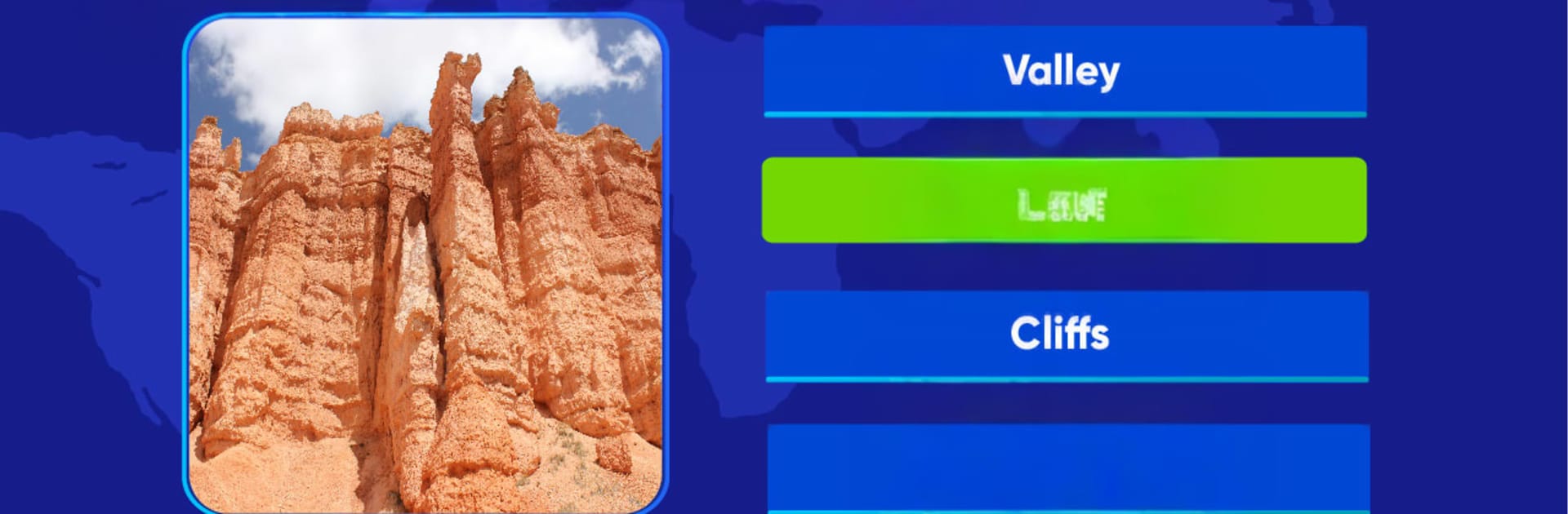
Geo Quiz: World Geo Trivia puts your world knowledge to the test in the most satisfying way. This Trivia game jumps between flags, capital cities, maps, and well-known landmarks, mixing quick wins with head-scratchers you’ll want to crack. It’s perfect for quick breaks or friendly competitions at home—and it runs smoothly on mobile or on your PC with BlueStacks.

Game Features

  • Wide Categories – Tackle questions across flags, capitals, borders, landmarks, and map locations, so every round feels a little different.
  • Level-Based Progress – Move through themed level sets that steadily raise the difficulty, welcoming newcomers and challenging pros.
  • Helpful Hints – Use hints when you’re stuck to narrow the options or give your memory a nudge without spoiling the fun.
  • Offline Mode – Download level packs and keep playing on planes, subways, or anywhere without a connection.
  • Save & Sync – Sign in to back up your progress and continue on another device without missing a beat.
  • Scoreboard Showdowns – Check how you stack up against friends and see your spot on the rankings.
  • Regular Additions – New levels and question sets roll in periodically to keep the content feeling fresh.
  • Brain-Friendly Fun – Short rounds double as great memory warm-ups and study breaks that never feel like homework.
  • Clean, Readable Design – Crisp maps, clear icons, and an uncluttered layout put the focus on the question, not the interface.

Get ready for a buttery smooth, high-performance gaming action only on BlueStacks.

Game Features

Enhancements

  • Macros
  • Multi Instance
  • Multi Instance Sync
  • Script
  • Enhancements
Macros

Macros

Automate the predictable in Geo Quiz: World Geo Trivia and transform your gameplay with Macros. Get access to inventive Macros in the BlueStacks Macro Community
Multi Instance

Multi Instance

Play Geo Quiz: World Geo Trivia on one window. And chat with your friend on the other. Press CTRL + Shift + 8 to open the Multi-Instance Manager. And start creating fresh instances or clone an existing one.
Multi Instance Sync

Multi Instance Sync

Play Geo Quiz: World Geo Trivia with the power of Multi-Instance Sync. Replicate what you are doing on the main instance on all other instances. Level up faster, play more.
Script

Script

Script your way to gaming glory in Geo Quiz: World Geo Trivia with BlueStacks Script. Write and run a set of commands to automate repeated tasks. Trigger the command by assigning it to any key.
Read More

How to Download and Play Geo Quiz: World Geo Trivia on PC or Mac

  • Download and install BlueStacks on your PC or Mac

  • Complete Google sign-in to access the Play Store, or do it later

  • Look for Geo Quiz: World Geo Trivia in the search bar at the top right corner

  • Click to install Geo Quiz: World Geo Trivia from the search results

  • Complete Google sign-in (if you skipped step 2) to install Geo Quiz: World Geo Trivia

  • Click the Geo Quiz: World Geo Trivia icon on the home screen to start playing

video
Watch Video

Minimum System Requirements

With BlueStacks 5, you can get started on a PC that fulfills the following requirements.

  • Operating System

    Microsoft Windows 7 or above, macOS 11 (Big Sur) or above

  • Processor

    Intel, AMD or Apple Silicon Processor

  • RAM

    at least 4GB

  • HDD

    10GB Free Disk Space

Note:

* You must be an Administrator on your PC. Up to date graphics drivers from Microsoft or the chipset vendor.

Geo Quiz: World Geo Trivia - FAQs

  • How to play Geo Quiz: World Geo Trivia on Windows PC & Mac?

    Play Geo Quiz: World Geo Trivia on your PC or Mac by following these simple steps.

    • Click on 'Play Geo Quiz: World Geo Trivia on PC’ to download BlueStacks
    • Install it and log-in to Google Play Store
    • Launch and play the game.
  • Why is BlueStacks the fastest and safest platform to play games on PC?

    BlueStacks respects your privacy and is always safe and secure to use. It does not carry any malware, spyware, or any sort of additional software that could harm your PC.

    It is engineered to optimize speed and performance for a seamless gaming experience.

  • What are Geo Quiz: World Geo Trivia PC requirements?

    Minimum requirement to run Geo Quiz: World Geo Trivia on your PC

    • OS: Microsoft Windows 7 or above MacOS 11 (Big Sur) or above
    • Processor: Intel, AMD or Apple Silicon Processor
    • RAM: Your PC must have at least 4GB of RAM. (Note that having 4GB or more disk space is not a substitute for RAM)
    • HDD: 10GB Free Disk Space.
    • You must be an Administrator on your PC.