اللمّة
اللمّة

اللمّة

Trivia

| Al Lamma for Software Solutions

Play on PC with BlueStacks or from our cloud

  • Overview
  • Game Features
  • How to Play

Page Modified On: October 23, 2026

Play اللمّة on PC or Mac

اللمّة by Al Lamma for Software Solutions has plenty to keep you busy. BlueStacks lets you play it on PC or Mac with more screen space, better control, and fewer mobile limits.

About the Game

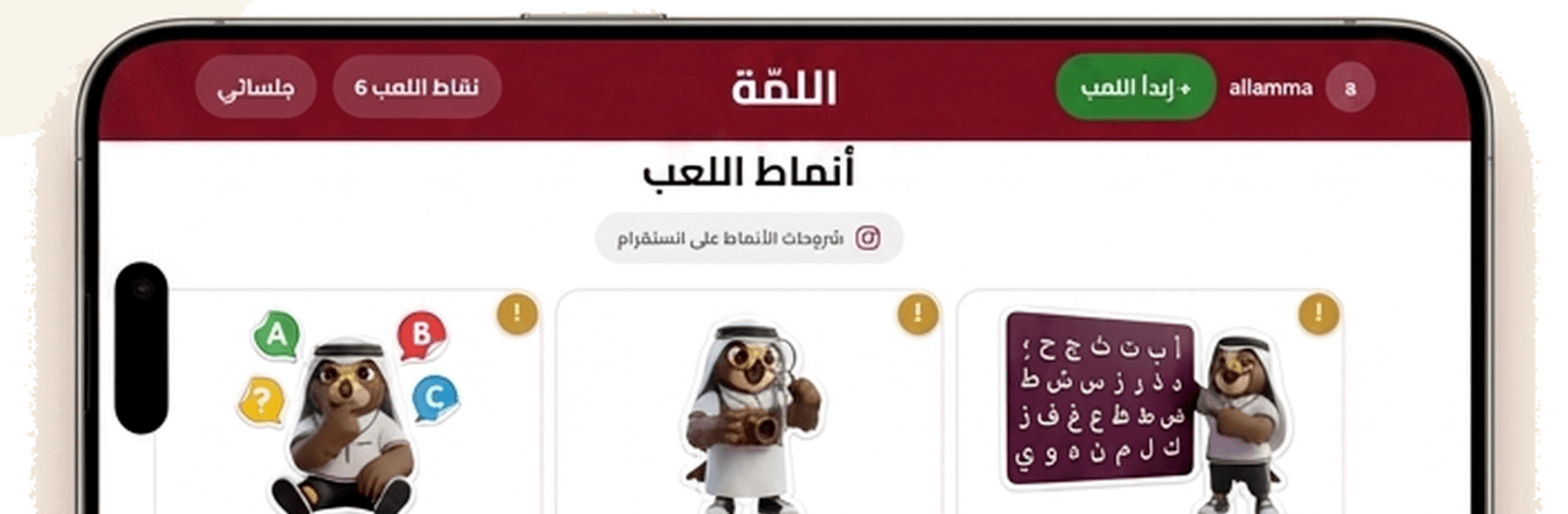
اللمّة is all about gathering your crew for fast, friendly Trivia showdowns in Arabic with a clear Gulf flavor. Pick a mode, chat, laugh, and see who actually remembers that actor’s name or the capital you swear you knew. It’s perfect for living-room hangouts—and if you prefer a bigger screen, popping it on PC with BlueStacks feels great for group play.

Game Features

  • Team Battles (Al-Lamma Mode): Split into two teams and face off in one spirited session, trading questions and chasing the highest score before time runs out.
  • Speedy Letters (Letters Mode): Think on your feet as you guess words from letter clues; it’s a quick, brainy rush that rewards sharp reflexes.
  • Classic Q&A (Classic Mode): Enjoy a mixed bag of question types that keeps the challenge fresh and friendly for every kind of player.
  • 4,500+ Questions: Play through a huge pool of curated questions—regularly refreshed so repeats are rare and sessions stay interesting.
  • Fully in Arabic: A clean, easy-to-navigate Arabic interface with a familiar Gulf touch makes it welcoming for everyone at the table.
  • Wide-Ranging Categories: Movies and TV, puzzles, famous personalities, logos and brands, world languages, capitals and countries, sports, and plenty more.
  • Points and Achievements: Rack up points, hit milestones, and show off your progress—bragging rights totally included.
  • Fun Gift Cards: Earn playful in-game gift cards to spice up your sessions and keep the group buzzing.
  • Family-Friendly Design: Content is tuned to respect local values, making it a safe, cozy pick for mixed ages and family nights.
  • Play Comfortably on PC: Prefer couch-and-snacks energy? Run اللمّة on BlueStacks for a room-friendly setup that’s easy to pass around.

Start playing اللمّة on BlueStacks and get a smoother, more comfortable PC or Mac setup.

Game Features

Enhancements

  • Macros
  • Multi Instance
  • Multi Instance Sync
  • Script
  • Enhancements
Macros

Macros

Automate the predictable in اللمّة and transform your gameplay with Macros. Get access to inventive Macros in the BlueStacks Macro Community
Multi Instance

Multi Instance

Play اللمّة on one window. And chat with your friend on the other. Press CTRL + Shift + 8 to open the Multi-Instance Manager. And start creating fresh instances or clone an existing one.
Multi Instance Sync

Multi Instance Sync

Play اللمّة with the power of Multi-Instance Sync. Replicate what you are doing on the main instance on all other instances. Level up faster, play more.
Script

Script

Script your way to gaming glory in اللمّة with BlueStacks Script. Write and run a set of commands to automate repeated tasks. Trigger the command by assigning it to any key.
Read More

How to Download and Play اللمّة on PC or Mac

  • Download and install BlueStacks on your PC or Mac

  • Complete Google sign-in to access the Play Store, or do it later

  • Look for اللمّة in the search bar at the top right corner

  • Click to install اللمّة from the search results

  • Complete Google sign-in (if you skipped step 2) to install اللمّة

  • Click the اللمّة icon on the home screen to start playing

video
Watch Video

Minimum System Requirements

With BlueStacks 5, you can get started on a PC that fulfills the following requirements.

  • Operating System

    Microsoft Windows 7 or above, macOS 11 (Big Sur) or above

  • Processor

    Intel, AMD or Apple Silicon Processor

  • RAM

    at least 4GB

  • HDD

    10GB Free Disk Space

Note:

* You must be an Administrator on your PC. Up to date graphics drivers from Microsoft or the chipset vendor.

اللمّة - FAQs

  • How to play اللمّة on Windows PC & Mac?

    Play اللمّة on your PC or Mac by following these simple steps.

    • Click on 'Play اللمّة on PC’ to download BlueStacks
    • Install it and log-in to Google Play Store
    • Launch and play the game.
  • Why is BlueStacks the fastest and safest platform to play games on PC?

    BlueStacks respects your privacy and is always safe and secure to use. It does not carry any malware, spyware, or any sort of additional software that could harm your PC.

    It is engineered to optimize speed and performance for a seamless gaming experience.

  • What are اللمّة PC requirements?

    Minimum requirement to run اللمّة on your PC

    • OS: Microsoft Windows 7 or above MacOS 11 (Big Sur) or above
    • Processor: Intel, AMD or Apple Silicon Processor
    • RAM: Your PC must have at least 4GB of RAM. (Note that having 4GB or more disk space is not a substitute for RAM)
    • HDD: 10GB Free Disk Space.
    • You must be an Administrator on your PC.