USADISKTV
USADISKTV

USADISKTV

Play on PC with BlueStacks or from our cloud

  • Overview
  • How to Download

Page Modified On: May 01, 2025

Run USADISKTV on PC or Mac

What’s better than using USADISKTV by 3 Yeo Inc? Well, try it on a big screen, on your PC or Mac, with BlueStacks to see the difference.

About the App

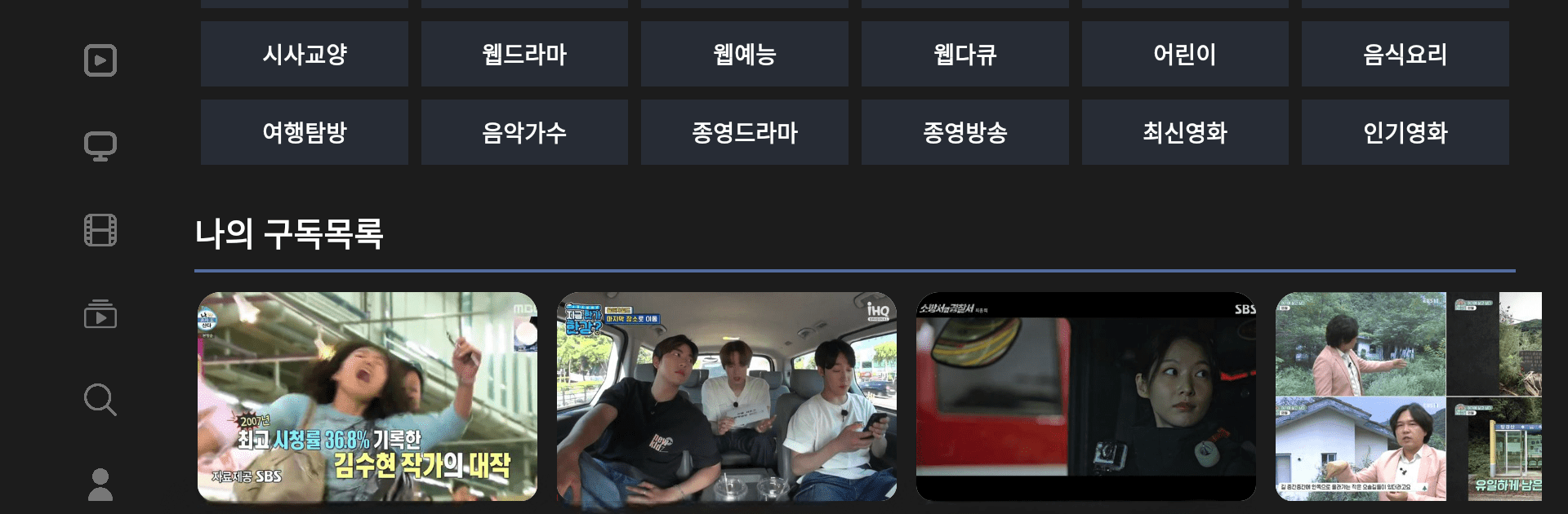
Ever wanted a simple way to catch your favorite Korean movies, music, and TV shows all in one spot? USADISKTV makes that a reality, pulling together a ton of entertainment straight from the top networks and studios. Whether you’re a longtime fan or just looking to discover something new, you’ll find a broad collection of content ready to stream. Just open it up and get lost in the latest dramas, K-pop hits, and more.

App Features

  • Big-Name Korean Content
    Watch shows, movies, and music from familiar broadcasters like MBC, KBS, SBS, plus hits from CJ Entertainment—all officially licensed.

  • All-in-One Streaming
    No need to hop between apps. USADISKTV brings together movies, cable channels, drama series, variety shows, and music videos so you have a bunch of choices at your fingertips.

  • Easy-to-Navigate Layout
    Find what you want without fuss. The app’s design helps you quickly move from section to section, whether you’re searching for something specific or just browsing.

  • Legal and Reliable
    You can kick back and relax knowing all the content’s legit and hosted straight from the original providers.

  • Fresh Content Updates
    Catch up on newly released episodes or check out trending music and movie releases as they arrive.

  • Enjoy Anywhere
    Whether you’re using your phone, tablet, or even enjoying a bigger screen experience on BlueStacks, USADISKTV keeps your favorite shows right within reach.

Eager to take your app experience to the next level? Start right away by downloading BlueStacks on your PC or Mac.


How to Download and Run USADISKTV on PC or Mac

  • Download and install BlueStacks on your PC or Mac

  • Complete Google sign-in to access the Play Store, or do it later

  • Look for USADISKTV in the search bar at the top right corner

  • Click to install USADISKTV from the search results

  • Complete Google sign-in (if you skipped step 2) to install USADISKTV

  • Click the USADISKTV icon on the home screen to start playing

video
Watch Video

Minimum System Requirements

With BlueStacks 5, you can get started on a PC that fulfills the following requirements.

  • Operating System

    Microsoft Windows 7 or above, macOS 11 (Big Sur) or above

  • Processor

    Intel, AMD or Apple Silicon Processor

  • RAM

    at least 4GB

  • HDD

    10GB Free Disk Space

Note:

* You must be an Administrator on your PC. Up to date graphics drivers from Microsoft or the chipset vendor.

USADISKTV - FAQs

  • How to Run USADISKTV on Windows PC & Mac?

    Run USADISKTV on your PC or Mac by following these simple steps.

    • Click on ‘Download USADISKTV on PC’ to download BlueStacks
    • Install it and log-in to Google Play Store
    • Launch and run the app.
  • Why is BlueStacks the fastest and safest platform to play games on PC?

    BlueStacks respects your privacy and is always safe and secure to use. It does not carry any malware, spyware, or any sort of additional software that could harm your PC.

    It is engineered to optimize speed and performance for a seamless gaming experience.

  • What are USADISKTV PC requirements?

    Minimum requirement to run USADISKTV on your PC

    • OS: Microsoft Windows 7 and above:
    • Processor: Intel or AMD Processor:
    • RAM: Your PC must have at least 2GB of RAM. (Note that having 2GB or more disk space is not a substitute for RAM):
    • HDD: 5GB Free Disk Space.
    • You must be an Administrator on your PC.