Pretty Home - Words & Design

Pretty Home - Words & Design

Word

| Protofun Studio

Play on PC with BlueStacks or from our cloud

  • Overview
  • Game Features
  • How to Play

Page Modified On: October 23, 2025

Play Pretty Home - Words & Design on PC or Mac

From the innovators and creators at Protofun Studio, Pretty Home – Words & Design is another fun addition to the World of Word games. Go beyond your mobile screen and play it bigger and better on your PC or Mac. An immersive experience awaits you.

About the Game

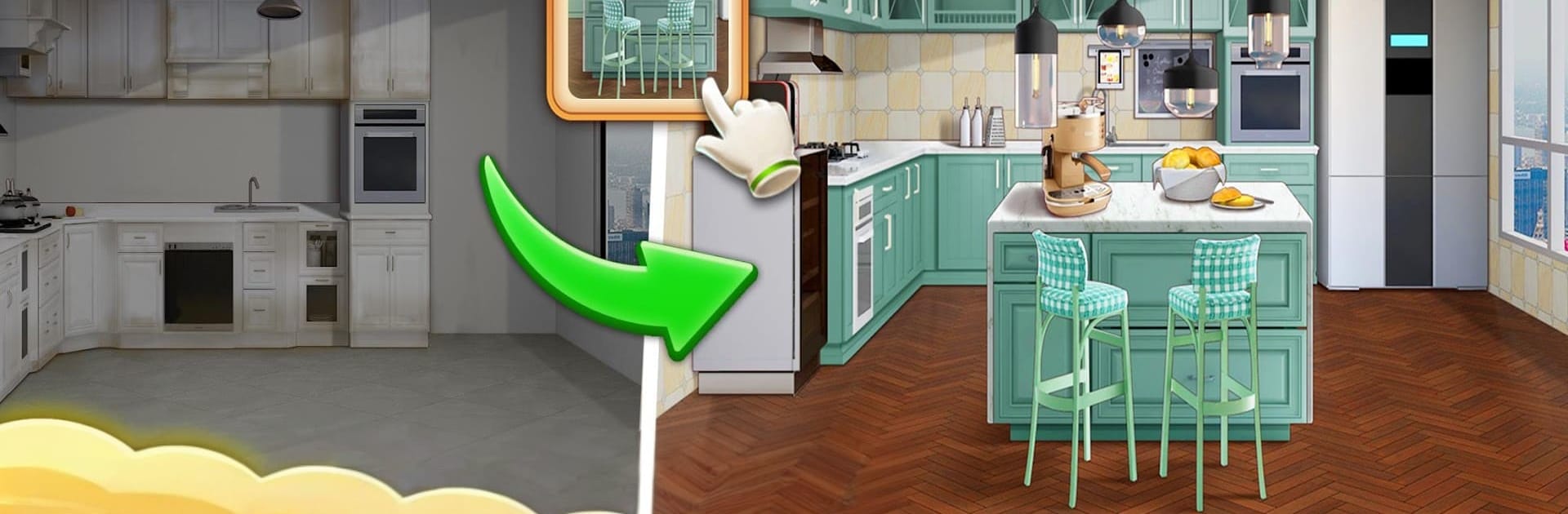
Pretty Home – Words & Design blends brain-teasing word play with cozy, creative decorating. Solve quick word puzzles, then use your winnings to style beautiful, lifelike rooms with furniture and décor inspired by real brands. It’s relaxing, a little addictive, and perfect if you like seeing a room go from blank to “wow” one choice at a time.

Game Features

  • Genre: Word: A clever mix of word challenges and home makeover fun, all in one place.
  • Word Puzzles + Makeovers: Unscramble letters, fill boards, and rack up rewards you’ll spend on furniture, lighting, textures, and more.
  • Realistic 3D Rooms: Arrange sofas, rugs, art, and accents in photoreal spaces that feel like real homes, not flat mockups.
  • Authentic Style Finds: Explore pieces inspired by high-end brands and current trends; new items show up often, so your next design never looks like the last.
  • Progress Unlocks: As you advance, new homes and fresh renovation gigs open up—from airy studios to luxe townhouses.
  • Community Voting: Submit your rooms, vote on others, and scroll designs for inspo. It’s fun seeing how different players tackle the same brief.
  • Share and Borrow: Connect with friends to show off your spaces and borrow that one perfect piece you’re missing.
  • Shop the Look: Love something in a room you built? Check out the item details and bring that style to real life.
  • Smooth on Any Screen: Play on mobile, or enjoy a roomier view on your PC using BlueStacks if that’s more your speed.
  • Made by Protofun Studio: Crafted by the folks who love design, puzzles, and giving you lots of room to create.

Get ready for a buttery smooth, high-performance gaming action only on BlueStacks.

Game Features

Enhancements

  • Macros
  • Multi Instance
  • Multi Instance Sync
  • Script
  • Enhancements
Macros

Macros

Automate the predictable in Pretty Home - Words & Design and transform your gameplay with Macros. Get access to inventive Macros in the BlueStacks Macro Community
Multi Instance

Multi Instance

Play Pretty Home - Words & Design on one window. And chat with your friend on the other. Press CTRL + Shift + 8 to open the Multi-Instance Manager. And start creating fresh instances or clone an existing one.
Multi Instance Sync

Multi Instance Sync

Play Pretty Home - Words & Design with the power of Multi-Instance Sync. Replicate what you are doing on the main instance on all other instances. Level up faster, play more.
Script

Script

Script your way to gaming glory in Pretty Home - Words & Design with BlueStacks Script. Write and run a set of commands to automate repeated tasks. Trigger the command by assigning it to any key.
Read More

How to Download and Play Pretty Home - Words & Design on PC or Mac

  • Download and install BlueStacks on your PC or Mac

  • Complete Google sign-in to access the Play Store, or do it later

  • Look for Pretty Home - Words & Design in the search bar at the top right corner

  • Click to install Pretty Home - Words & Design from the search results

  • Complete Google sign-in (if you skipped step 2) to install Pretty Home - Words & Design

  • Click the Pretty Home - Words & Design icon on the home screen to start playing

video
Watch Video

Minimum System Requirements

With BlueStacks 5, you can get started on a PC that fulfills the following requirements.

  • Operating System

    Microsoft Windows 7 or above, macOS 11 (Big Sur) or above

  • Processor

    Intel, AMD or Apple Silicon Processor

  • RAM

    at least 4GB

  • HDD

    10GB Free Disk Space

Note:

* You must be an Administrator on your PC. Up to date graphics drivers from Microsoft or the chipset vendor.

Pretty Home - Words & Design - FAQs

  • How to play Pretty Home - Words & Design on Windows PC & Mac?

    Play Pretty Home - Words & Design on your PC or Mac by following these simple steps.

    • Click on 'Play Pretty Home - Words & Design on PC’ to download BlueStacks
    • Install it and log-in to Google Play Store
    • Launch and play the game.
  • Why is BlueStacks the fastest and safest platform to play games on PC?

    BlueStacks respects your privacy and is always safe and secure to use. It does not carry any malware, spyware, or any sort of additional software that could harm your PC.

    It is engineered to optimize speed and performance for a seamless gaming experience.

  • What are Pretty Home - Words & Design PC requirements?

    Minimum requirement to run Pretty Home - Words & Design on your PC

    • OS: Microsoft Windows 7 or above MacOS 11 (Big Sur) or above
    • Processor: Intel, AMD or Apple Silicon Processor
    • RAM: Your PC must have at least 4GB of RAM. (Note that having 4GB or more disk space is not a substitute for RAM)
    • HDD: 10GB Free Disk Space.
    • You must be an Administrator on your PC.