Scrabble® GO – Fun with Words!

Scrabble® GO – Fun with Words!

Word

| Scopely

Play on PC with BlueStacks or from our cloud

  • Overview
  • Game Features
  • How to Play

Page Modified On: October 07, 2026

Play Scrabble® GO – Fun with Words! on PC or Mac

Scrabble® GO – Fun with Words! brings the Word genre to life, and throws up exciting challenges for gamers. Developed by Scopely, this Android game is best experienced on BlueStacks, the World’s #1 app player for PC and Mac users.

About the Game

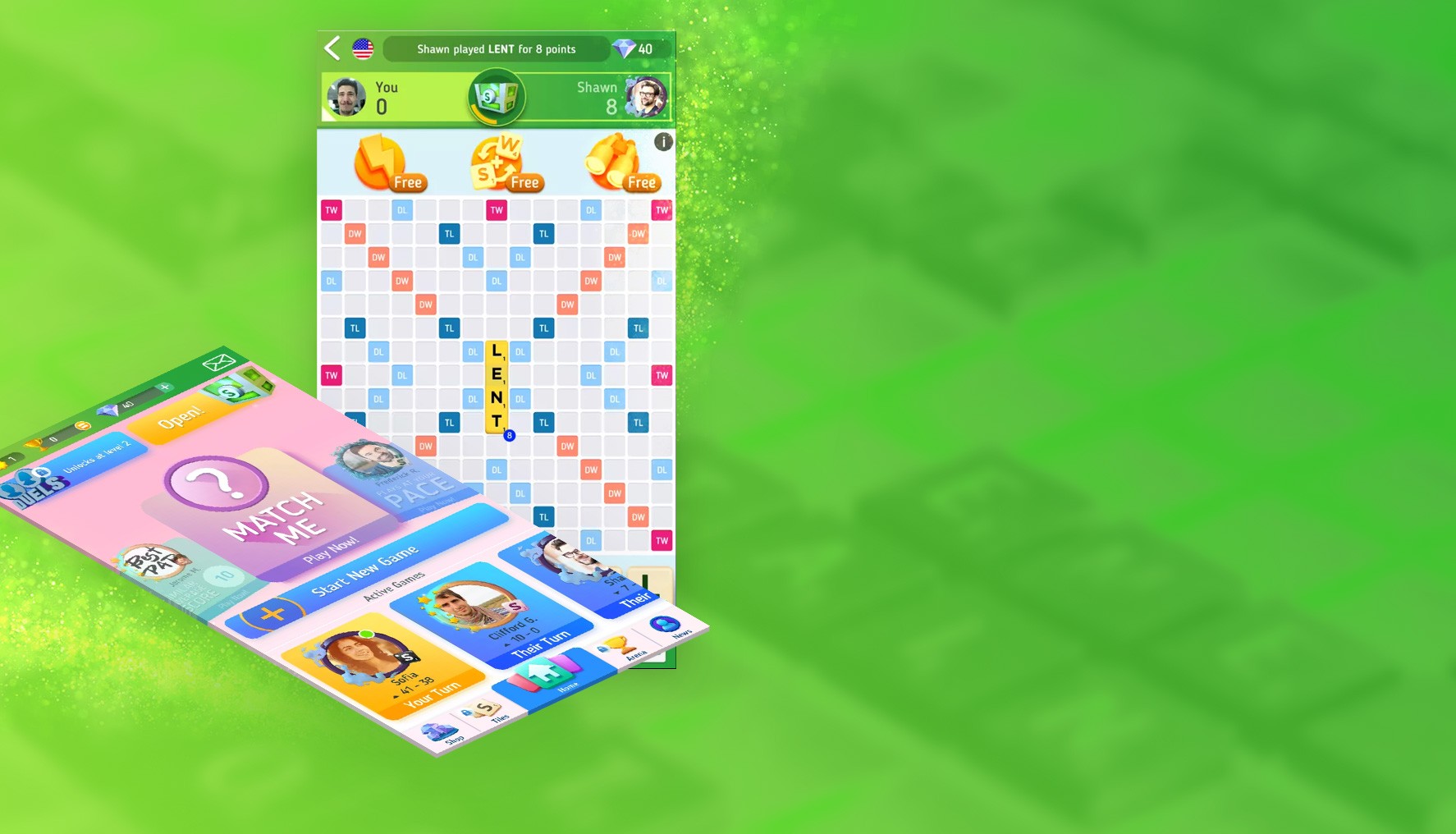
Scrabble® GO – Fun with Words! blends the classic tile-placing challenge you grew up with and a bunch of quick, modern twists. It’s a Word game built for friendly rivalries, speedy side modes, and a little personalization so your board feels like yours. Prefer a bigger screen for those triple-word brainwaves? It plays smoothly on BlueStacks too.

Game Features

  • Classic Scrabble, Official Rules: Enjoy the real deal with the familiar board, authentic tiles, and approved dictionaries for a true, competitive experience.
  • Duels, Head-to-Head: Jump into fast, timed showdowns where every move counts and bragging rights are very real.
  • Adventures, Solo Goals: Tackle bite-size puzzle stages with unique objectives that nudge you to try new tactics and earn rewards as you go.
  • Word Search Rush: Scan the grid, spot hidden words, and beat the clock—quick, satisfying, and super replayable.
  • Tumbler & Word Drop: Spin letters to craft rapid-fire anagrams in Tumbler, or connect falling tiles in any direction in Word Drop for a fresh twist.
  • Practice Mode vs. Computer: Test strategies against an adaptive opponent that meets you at your level—perfect for warming up or trying risky plays.
  • Global Multiplayer & Chat: Find matches fast, play with friends and family, and use playful emojis and quick chats to celebrate big scores.
  • Collectible Playable Tiles: Unlock chests to gather stylish tile designs, then show off your favorites in matches—new sets pop up regularly.
  • Smart Boosts: Tap into handy helpers like Hint, Upgrade, Word Spy, or Vortex, each tuned to different modes when you want a little edge.
  • Detailed Stats & Records: Track your progress with averages, best plays, and longest words; peek at head-to-head history to see who really runs the board.
  • Progress and Unlocks: Earn experience through matches and arenas to open up more features and fresh tile collections over time.
  • Scrabble Club Perks: Go ad-free and access extra goodies like exclusive weekly challenge rewards, special boosts (including Scholar and Word Power Meter), and a daily Arena ticket.

Start playing Scrabble® GO – Fun with Words! on BlueStacks and get a smoother, more comfortable PC or Mac setup.


Game Features

Enhancements

  • Macros
  • Multi Instance
  • Multi Instance Sync
  • Script
  • Enhancements
Macros

Macros

Automate the predictable in Scrabble® GO – Fun with Words! and transform your gameplay with Macros. Get access to inventive Macros in the BlueStacks Macro Community
Multi Instance

Multi Instance

Play Scrabble® GO – Fun with Words! on one window. And chat with your friend on the other. Press CTRL + Shift + 8 to open the Multi-Instance Manager. And start creating fresh instances or clone an existing one.
Multi Instance Sync

Multi Instance Sync

Play Scrabble® GO – Fun with Words! with the power of Multi-Instance Sync. Replicate what you are doing on the main instance on all other instances. Level up faster, play more.
Script

Script

Script your way to gaming glory in Scrabble® GO – Fun with Words! with BlueStacks Script. Write and run a set of commands to automate repeated tasks. Trigger the command by assigning it to any key.
Read More

How to Download and Play Scrabble® GO – Fun with Words! on PC or Mac

  • Download and install BlueStacks on your PC or Mac

  • Complete Google sign-in to access the Play Store, or do it later

  • Look for Scrabble® GO – Fun with Words! in the search bar at the top right corner

  • Click to install Scrabble® GO – Fun with Words! from the search results

  • Complete Google sign-in (if you skipped step 2) to install Scrabble® GO – Fun with Words!

  • Click the Scrabble® GO – Fun with Words! icon on the home screen to start playing

video
Watch Video

Minimum System Requirements

With BlueStacks 5, you can get started on a PC that fulfills the following requirements.

  • Operating System

    Microsoft Windows 7 or above, macOS 11 (Big Sur) or above

  • Processor

    Intel, AMD or Apple Silicon Processor

  • RAM

    at least 4GB

  • HDD

    10GB Free Disk Space

Note:

* You must be an Administrator on your PC. Up to date graphics drivers from Microsoft or the chipset vendor.

Scrabble® GO – Fun with Words! - FAQs

  • How to play Scrabble® GO – Fun with Words! on Windows PC & Mac?

    Play Scrabble® GO – Fun with Words! on your PC or Mac by following these simple steps.

    • Click on 'Play Scrabble® GO – Fun with Words! on PC’ to download BlueStacks
    • Install it and log-in to Google Play Store
    • Launch and play the game.
  • Why is BlueStacks the fastest and safest platform to play games on PC?

    BlueStacks respects your privacy and is always safe and secure to use. It does not carry any malware, spyware, or any sort of additional software that could harm your PC.

    It is engineered to optimize speed and performance for a seamless gaming experience.

  • What are Scrabble® GO – Fun with Words! PC requirements?

    Minimum requirement to run Scrabble® GO – Fun with Words! on your PC

    • OS: Microsoft Windows 7 or above MacOS 11 (Big Sur) or above
    • Processor: Intel, AMD or Apple Silicon Processor
    • RAM: Your PC must have at least 4GB of RAM. (Note that having 4GB or more disk space is not a substitute for RAM)
    • HDD: 10GB Free Disk Space.
    • You must be an Administrator on your PC.