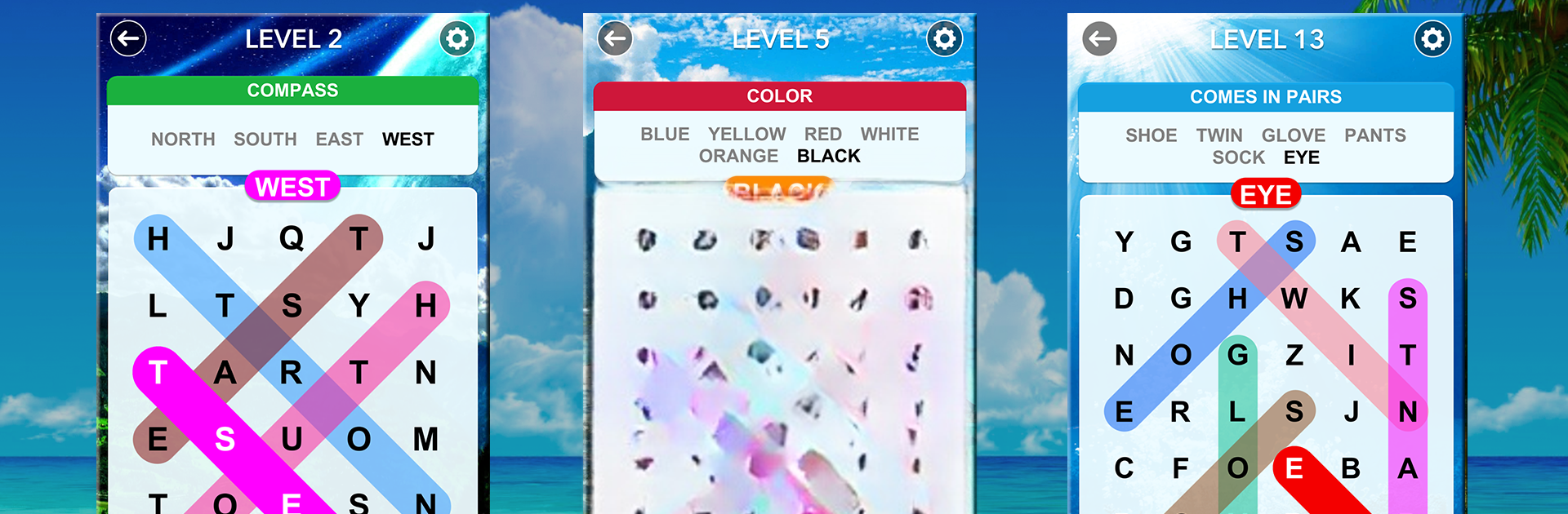
Word Search : Find Hidden Word Game

Word Search : Find Hidden Word Game

Word

| Cool Word Puzzle Games

Play on PC with BlueStacks or from our cloud

  • Overview
  • Game Features
  • How to Play

Page Modified On: July 17, 2025

Play Word Search : Find Hidden Word Game on PC or Mac

Step into the World of Word Search : Find Hidden Word Game, a thrilling Word game from the house of Cool Word Puzzle Games. Play this Android game on BlueStacks App Player and experience immersive gaming on PC or Mac.

About the Game

Word Search : Find Hidden Word Game from Cool Word Puzzle Games is the kind of classic word experience that’s tough to put down. You’ll travel across relaxing scenery as you swipe through letter grids, uncovering hidden words one clue at a time. Whether you’re a longtime fan of word games or just looking for something to help unwind, this one’s got plenty to offer—especially if you enjoy a gentle challenge and a good brain teaser.

Game Features

  • Thousands of Unique Levels
    With over 5,000 levels to play through, there’s always a new puzzle waiting. Each one keeps things fresh with a different set of words to find.

  • Helpful Clues for Each Round
    Stuck? No worries—the game gives you a category hint every level. That way, even tricky searches feel satisfying, not frustrating.

  • Chill Visuals and Sounds
    Soothing sounds and peaceful backgrounds make every search feel calm and rewarding, like a mini escape.

  • No Rush, No Pressure
    Take your time with each board—there’s no ticking clock and no penalties, so you can really relax and enjoy solving.

  • Lots of Different Word Themes
    One day you’ll be hunting for animals, another day it’s all about sports, food, or movies. There are tons of categories to keep things interesting.

  • Over 80 Scenic Themes
    Switch up your surroundings as you like, with a huge collection of beautiful backdrops and theme options.

  • Works Offline, Everywhere
    No connection? No problem. Play anywhere you want, whether you’re on a quick break or just passing the time.

  • Supports Tons of Languages
    Love word games but not in English? You’ll find support for over 30 languages ranging from Spanish and French to Thai and Turkish.

  • Great for All Ages and Devices
    No matter your age or device—phone, tablet, or even on BlueStacks—it’s easy to play and get hooked.

  • Challenging Yet Relaxing Puzzles
    The puzzles make you think but won’t leave you tearing your hair out. It’s all about challenging your mind at your own pace.

Get ready for a buttery smooth, high-performance gaming action only on BlueStacks.

Game Features

Enhancements

  • Macros
  • Multi Instance
  • Multi Instance Sync
  • Script
  • Enhancements
Macros

Macros

Automate the predictable in Word Search : Find Hidden Word Game and transform your gameplay with Macros. Get access to inventive Macros in the BlueStacks Macro Community
Multi Instance

Multi Instance

Play Word Search : Find Hidden Word Game on one window. And chat with your friend on the other. Press CTRL + Shift + 8 to open the Multi-Instance Manager. And start creating fresh instances or clone an existing one.
Multi Instance Sync

Multi Instance Sync

Play Word Search : Find Hidden Word Game with the power of Multi-Instance Sync. Replicate what you are doing on the main instance on all other instances. Level up faster, play more.
Script

Script

Script your way to gaming glory in Word Search : Find Hidden Word Game with BlueStacks Script. Write and run a set of commands to automate repeated tasks. Trigger the command by assigning it to any key.
Read More

How to Download and Play Word Search : Find Hidden Word Game on PC or Mac

  • Download and install BlueStacks on your PC or Mac

  • Complete Google sign-in to access the Play Store, or do it later

  • Look for Word Search : Find Hidden Word Game in the search bar at the top right corner

  • Click to install Word Search : Find Hidden Word Game from the search results

  • Complete Google sign-in (if you skipped step 2) to install Word Search : Find Hidden Word Game

  • Click the Word Search : Find Hidden Word Game icon on the home screen to start playing

video
Watch Video

Minimum System Requirements

With BlueStacks 5, you can get started on a PC that fulfills the following requirements.

  • Operating System

    Microsoft Windows 7 or above, macOS 11 (Big Sur) or above

  • Processor

    Intel, AMD or Apple Silicon Processor

  • RAM

    at least 4GB

  • HDD

    10GB Free Disk Space

Note:

* You must be an Administrator on your PC. Up to date graphics drivers from Microsoft or the chipset vendor.

Word Search : Find Hidden Word Game - FAQs

  • How to play Word Search : Find Hidden Word Game on Windows PC & Mac?

    Play Word Search : Find Hidden Word Game on your PC or Mac by following these simple steps.

    • Click on 'Play Word Search : Find Hidden Word Game on PC’ to download BlueStacks
    • Install it and log-in to Google Play Store
    • Launch and play the game.
  • Why is BlueStacks the fastest and safest platform to play games on PC?

    BlueStacks respects your privacy and is always safe and secure to use. It does not carry any malware, spyware, or any sort of additional software that could harm your PC.

    It is engineered to optimize speed and performance for a seamless gaming experience.

  • What are Word Search : Find Hidden Word Game PC requirements?

    Minimum requirement to run Word Search : Find Hidden Word Game on your PC

    • OS: Microsoft Windows 7 or above MacOS 11 (Big Sur) or above
    • Processor: Intel, AMD or Apple Silicon Processor
    • RAM: Your PC must have at least 4GB of RAM. (Note that having 4GB or more disk space is not a substitute for RAM)
    • HDD: 10GB Free Disk Space.
    • You must be an Administrator on your PC.